7 Best Ergonomic Laptop Stands for Home Office Setup
We may earn a commission for purchases made using our links. Please see our disclosure to learn more.
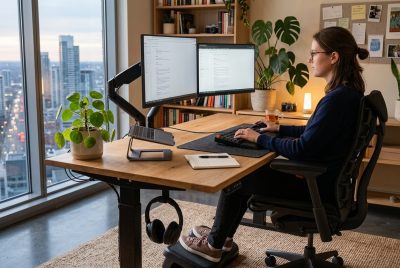
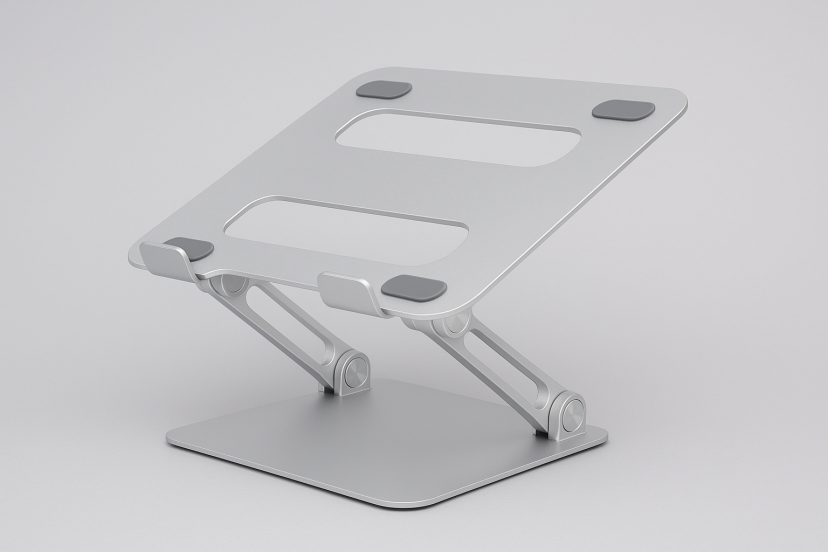
If you spend long hours working from home, an ergonomic laptop stand can instantly change the way your body feels at the end of the day. Most people don’t realize how much a low screen height contributes to stiff shoulders, tight neck muscles, and that familiar “hunched over” feeling until the tension becomes a daily companion. Ergonomic laptop stands lift your laptop to eye level, encourage a healthier posture, and turn your desk into a more comfortable, productive space—without forcing you to invest in an expensive ergonomic overhaul.
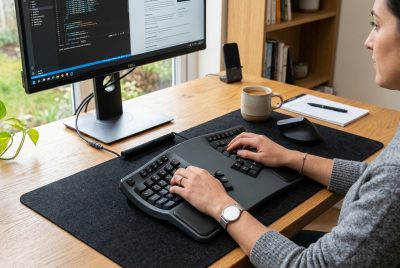
What makes laptop stands even better is how simple they are to use. Pair one with an external keyboard and mouse, and suddenly you’re sitting taller, breathing easier, and noticing that you’re not shifting around in your chair as much. Whether you work from home full-time, split your time between locations, or simply want a more comfortable study setup, choosing the right stand can make a noticeable difference in how your body feels.
Below, you’ll find the best ergonomic laptop stands available today—options that are durable, supportive, and comfortable enough for everyday use.
Why Ergonomic Laptop Stands Are Essential for Your Home Office
Working on a laptop seems straightforward, but the design itself makes ideal posture nearly impossible. The screen sits too low for natural eye level. The keyboard is fixed in place. The trackpad forces your wrists inward. Over time, these small discomforts build up.
A laptop stand changes that immediately by lifting the screen to a healthier viewing height. When your eyes naturally meet the top third of your screen, your neck stays neutral and your shoulders relax. Combined with a separate keyboard and mouse, it creates a setup that feels closer to a full desktop workstation—yet still portable.
It’s a simple upgrade that pays off every single day in reduced tension, better posture, and more comfortable work sessions.
What to Look for When Choosing Ergonomic Laptop Stands
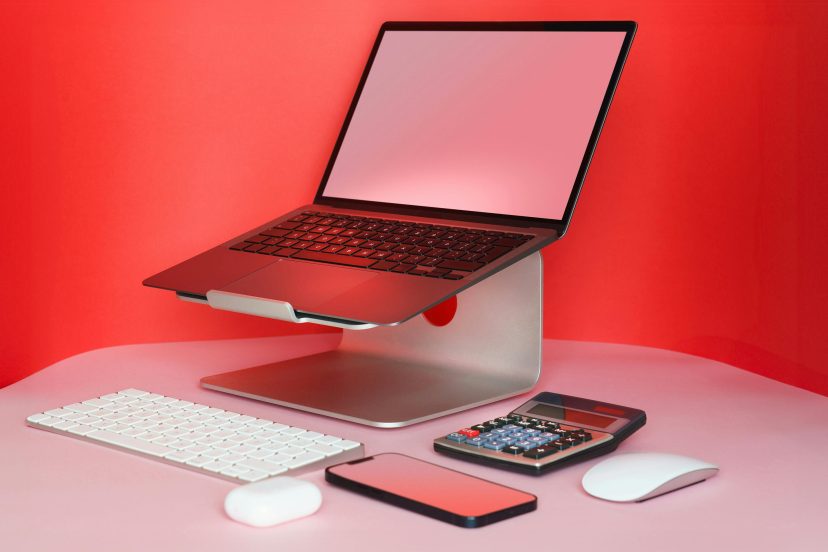
Not all stands offer the same comfort features. Here are the details that matter most:
Height and Angle Adjustability
A good laptop stand should allow you to tweak the height or angle until you find the perfect position. If you shift between sitting postures, height-adjustable models are worth the investment.
Build Quality and Stability
Aluminum stands tend to be sturdier and better at supporting heavier laptops. If your device is large or you type aggressively, a stable frame is essential.
Portability
If you often move between home, office, coworking spaces, or cafés, look for a folding stand that fits easily into a backpack.
Heat Management
Laptops perform best when they stay cool. Stands with open-back designs, cutouts, or mesh surfaces help improve ventilation.
The Best Ergonomic Laptop Stands
1. Soundance Aluminum Laptop Stand
The Soundance stand is known for its simplicity, strength, and minimalist design. It lifts your laptop to a comfortable viewing height while keeping your desk clutter-free.
| Category | Details |
| Best Features | – High-grade aluminum- Open-back airflow- Wide laptop compatibility |
| Pros | – Very sturdy- Excellent ventilation- Clean, modern appearance |
| Cons | – No adjustable height |
| Best For | Users who want a stable, minimalist stand for everyday home office work. |
2. Nulaxy C5 Adjustable Laptop Stand
The Nulaxy C5 is a top choice for users who value adjustability. Its dual hinges allow you to set the exact height and angle you need throughout the day.
| Category | Details |
| Best Features | – Fully adjustable hinges- Reinforced aluminum frame- Non-slip silicone padding |
| Pros | – Highly customizable- Folds easily for portability- Great for tall users |
| Cons | – Slightly heavier than minimalist stands |
| Best For | People who shift between positions and want full control of screen height and viewing angle. |
3. Roost V3 Portable Laptop Stand
The Roost V3 is extremely portable and built for workers on the go. It folds down to a compact size, making it one of the most travel-friendly stands available.
| Category | Details |
| Best Features | – Ultra-light, foldable design- Adjustable height levels- Wide laptop compatibility |
| Pros | – Perfect for travel- Fast setup- Exceptionally compact |
| Cons | – Higher price compared to other portable stands |
| Best For | Digital nomads, hybrid workers, and anyone who needs a professional setup on the move. |
4. Boyata Multi-Angle Ergonomic Stand
The Boyata stand is built like a tank. Its reinforced frame and strong hinges make it ideal for heavier laptops and long-term durability.
| Category | Details |
| Best Features | – Multi-angle adjustments- Thick aluminum body- Heat-dissipating material |
| Pros | – Extremely stable- Ideal for larger laptops- Excellent cooling |
| Cons | – Bulkier than the average stand |
| Best For | Users with 15–16 inch laptops or those who need maximum sturdiness for daily work. |
5. Moft Z 5-in-1 Sit-Stand Laptop Desk
The Moft Z is one of the most innovative stands on the list. It shifts between multiple angles, including a standing mode, giving you flexibility without the bulk of a full standing desk.
| Category | Details |
| Best Features | – Five adjustable configurations- Lightweight, fold-flat design- Sleek origami-style structure |
| Pros | – Encourages movement- Easy to store- Great for light to medium-sized laptops |
| Cons | – Not suitable for very heavy devices |
| Best For | Users who want a hybrid sit–stand setup without buying a large standing desk. |
6. Lamicall Aluminum Rise Stand
The Lamicall stand offers a polished, premium look while keeping your laptop cool and secure. Its solid construction makes it suitable for everyday home office use.
| Category | Details |
| Best Features | – Heavy-duty aluminum- Non-slip rubber padding- Open frame for ventilation |
| Pros | – Great airflow- Very stable- Compatible with many laptop sizes |
| Cons | – Limited angle adjustment |
| Best For | People who want a reliable, long-lasting stand with strong build quality. |
7. Rain Design mStand Classic
The Rain Design mStand is popular among creatives and MacBook users for its seamless aluminum design and perfectly calibrated height.
| Category | Details |
| Best Features | – One-piece aluminum build- Cable management slot- Ideal viewing height |
| Pros | – Beautiful aesthetic- Very stable- Excellent heat dissipation |
| Cons | – Fixed height, no adjustability |
| Best For | Users who value aesthetics and want a clean, modern stand that complements premium laptops. |
Why Using an Ergonomic Laptop Stand Is Good for You
If you’ve ever wondered whether laptop stands truly help, research offers clear insight. A well-known systematic review published in BMC Musculoskeletal Disorders analyzed 22 different studies examining how computer use affects the neck, shoulders, and upper limbs. The findings were consistent: poorly designed workstation setups, including low laptop screens, contribute to tension neck syndrome and upper-extremity musculoskeletal discomfort. The review highlighted that even small ergonomic improvements can significantly reduce daily strain.
Another major study published in Ergonomics compared how people sit when using a laptop on a desk, on their lap, and on a lap support. Participants showed increased downward head tilt and wrist extension when using the laptop directly on their lap—two postures known to elevate the risk of pain and fatigue. Even the lap support improved things only slightly. The most comfortable and ergonomic posture came from having the laptop elevated at eye level with the body positioned more neutrally.
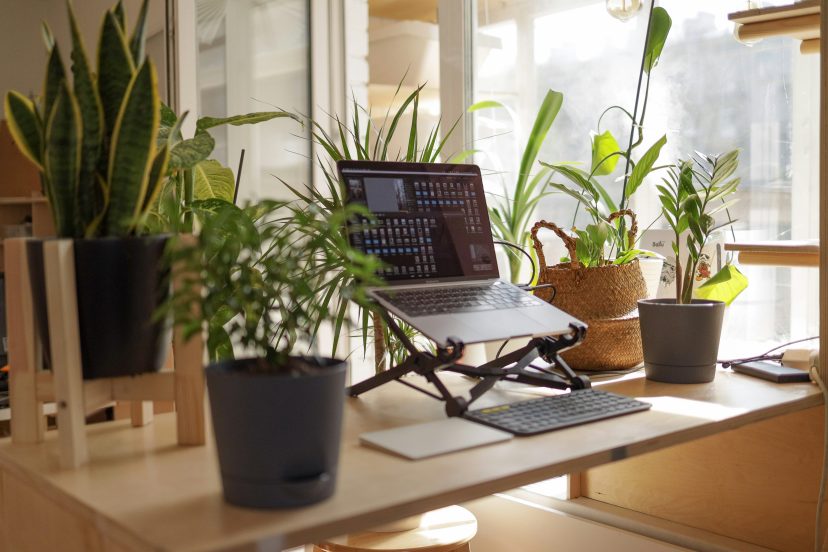
These findings reinforce a simple truth that raising your screen and improving your posture with a laptop stand can reduce daily discomfort.
How to Use Your Laptop Stand for Maximum Ergonomic Benefit
Buying a stand is the first step—using it correctly is what delivers the real comfort.
1. Position Your Screen at Eye Level
Your eyes should naturally fall on the top third of your screen. This helps reduce strain on your neck and supports a more natural, aligned posture.
2. Use an External Keyboard and Mouse
Once your laptop is elevated, typing on the built-in keyboard becomes uncomfortable. An external mouse and keyboard keep your arms at a comfortable height. If you want to upgrade your comfort even further, consider trying an ergonomic mouse, which reduces wrist pressure and encourages natural hand posture.
3. Sit at the Proper Distance
Aim for an arm’s length between your eyes and the screen to reduce visual fatigue.
4. Take Frequent Micro-Breaks
A stand helps, but regular movement keeps your muscles refreshed and reduces stiffness.
Final Thoughts
Ergonomic laptop stands may look like a simple accessory, but the comfort benefits are immediate and long-lasting. By raising your screen, easing strain on your neck, and creating a more natural working posture, it helps you feel better throughout the day—physically and mentally. And because most stands are lightweight, supportive, and portable, you can enjoy ergonomic comfort almost anywhere you work.
Whether you’re upgrading your home office or simply trying to reduce daily tension, one of the stands on this list will help you create a workspace that supports your body, not the other way around.
FAQs
1. Are ergonomic laptop stands actually helpful?
Yes. They reduce downward head tilt, improve posture, and help prevent neck and shoulder discomfort.
2. Do laptop stands help with back pain?
They can. By elevating your screen, your spine stays more aligned, which reduces strain on your lower and upper back.
3. Do I need a separate keyboard and mouse when using a laptop stand?
Definitely. Once your laptop is elevated, external accessories help maintain a comfortable typing and navigation posture.
4. Can a laptop stand improve airflow and reduce heat buildup?
Most stands improve airflow, allowing your laptop to stay cooler during long sessions.
5. Can I use a stand with a standing desk?
Yes. A laptop stand helps you achieve proper eye-level alignment whether you’re sitting or standing.