10 Best Ergonomic Desk Accessories That Improve Posture Instantly
We may earn a commission for purchases made using our links. Please see our disclosure to learn more.
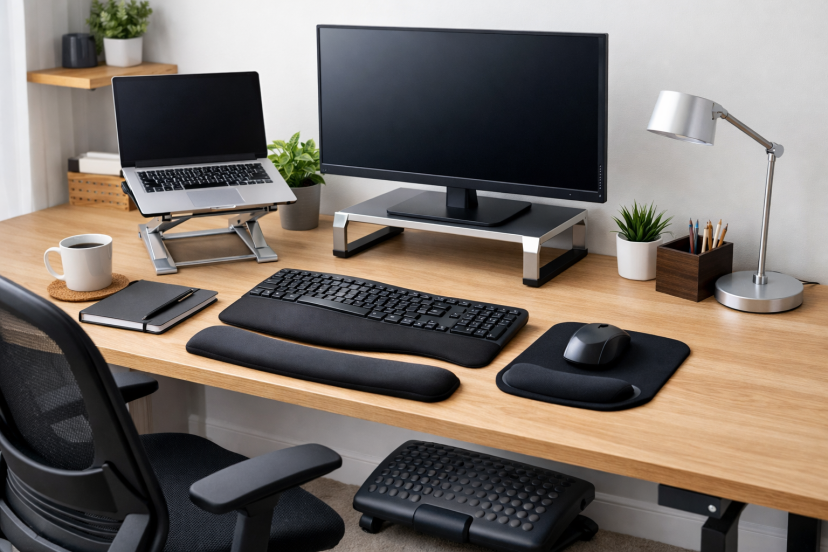
If you spend hours at a desk each day, your setup affects more than comfort — it affects your posture, energy, and long-term health. Small misalignments in monitor height, wrist position, or lower back support can quietly lead to neck tension and back strain. The good news is that simple adjustments can create immediate relief. In this guide, you’ll learn how to improve your workspace using the best ergonomic desk accessories for better posture and long-term comfort.
Why Ergonomic Desk Accessories Actually Matter
Your body wasn’t built for prolonged sitting.
A monitor that sits too low causes your head to lean forward. Feet that don’t rest flat on the floor can throw your hips out of alignment. Awkward wrist angles create strain that travels up your arms and into your shoulders.
These small misalignments stack up.
According to research published in Applied Ergonomics, simple workstation adjustments significantly reduce musculoskeletal discomfort. Another review in the Journal of Occupational Health found that ergonomic improvements reduce neck and shoulder pain in office workers.
This isn’t about fancy office upgrades. It’s about alignment.
When your posture is properly aligned, your body moves and functions with less strain. When it’s not, it compensates — and that’s where pain starts.
1. Ergonomic Footrest
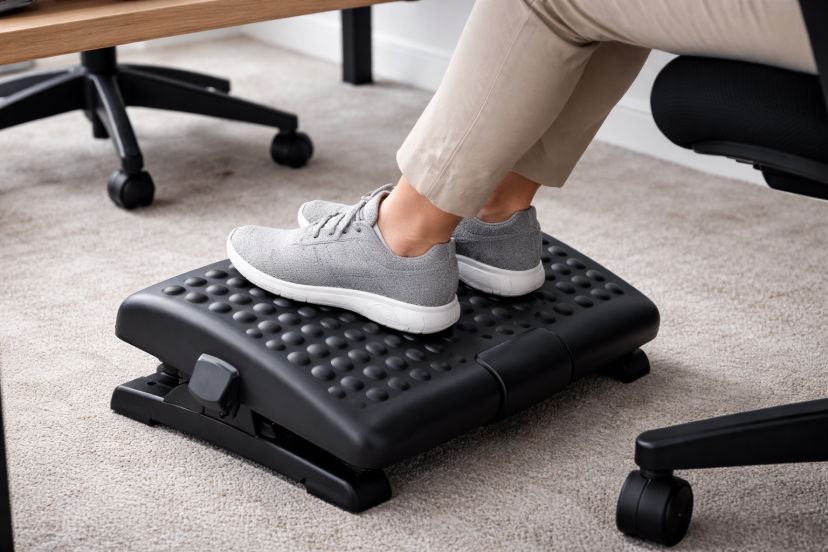
If your feet dangle or rest unevenly, your pelvis tilts backward. That backward angle reduces the natural arch in your lower back. Once that curve disappears, the rest of your spine follows.
An ergonomic footrest solves this instantly.
It stabilizes your lower body, keeps your knees at a comfortable angle, and reduces pressure on your lumbar spine.
You’ll often feel relief in your lower back within minutes. It’s one of the simplest but most overlooked posture fixes.
2. Adjustable Laptop Stand
Laptops are notorious for encouraging poor posture.
Because the keyboard and screen are attached, you either:
- Look down and strain your neck
- Or lift your shoulders and strain your arms
An adjustable laptop stand raises your screen to eye level. That single change reduces forward head posture immediately.
Your neck aligns, shoulders relax, and your breathing improves.
Pairing a laptop stand with an external keyboard gives you full ergonomic control.
If you also use flexible seating setups, supportive portable options like an ergonomic folding chair can help maintain alignment in different work environments.
3. Ergonomic Keyboard
A traditional flat keyboard forces your wrists to angle outward. Over time, that tension moves into your forearms and shoulders.
An ergonomic keyboard keeps your wrists in a more neutral position. Split designs reduce inward shoulder rotation. A slight tent or curve encourages natural hand alignment.
When your wrists stay neutral, your shoulders don’t have to compensate.
It’s subtle. But it works.
4. Lumbar Support Cushion
Even good office chairs sometimes lack proper lower back support.
The lower part of your spine is designed with a gentle inward curve. When that curve collapses, your upper body rounds forward.
A lumbar support cushion fills that gap. It encourages upright posture without effort.
Instead of forcing yourself to sit straight, your chair does the work for you.
If you sit for more than four hours a day, this accessory isn’t optional — it’s foundational.
5. Adjustable Monitor Stand
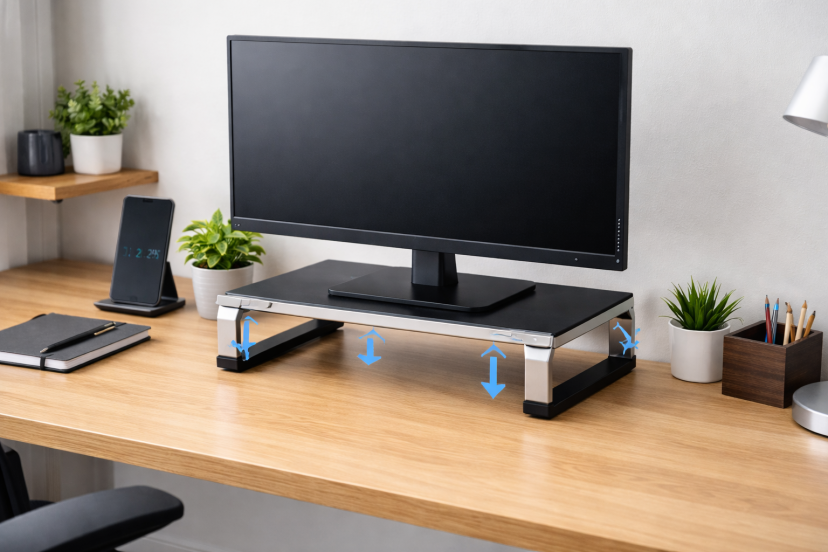
Your monitor height determines your neck position.
If your screen sits too low, you tilt your head forward. And here’s something most people don’t realize: every inch your head moves forward increases spinal pressure significantly.
An adjustable monitor stand brings the top third of your screen to eye level.
That simple change reduces neck strain immediately. It also helps prevent tension headaches caused by prolonged forward posture.
6. Ergonomic Armrest Support
If armrests are too low, your shoulders round forward. If they’re positioned too high, your shoulders rise and tighten.
Your elbows should form roughly a right angle while your shoulders stay loose and relaxed.
If your chair lacks proper arm support, add adjustable pads or reposition your seating height.
Balanced arm positioning reduces upper back and neck tension faster than most people expect.
7. Anti-Fatigue Standing Mat
Standing desks are popular — and helpful — but standing on hard flooring all day isn’t ideal either.
An anti-fatigue mat encourages subtle movement. That movement improves circulation and reduces lower body fatigue.
Without support, you tend to shift weight unevenly. With support, your posture remains more stable and relaxed.
8. Under-Desk Foot Hammock
A foot hammock attaches beneath your desk and gently elevates your legs.
This encourages micro-movements throughout the day. Those small adjustments prevent stiffness and improve circulation.
It’s particularly helpful during long work sessions when you forget to move.
9. Document Holder
If you constantly look down at papers, you repeatedly flex your neck.
A document holder positions paperwork at eye level. That reduces repetitive strain on your cervical spine.
It’s especially useful for writers, students, and anyone reviewing printed material regularly.
10. Monitor Light Bar
Poor lighting causes you to lean closer to your screen.
That forward lean becomes a habit. Over time, it turns into chronic neck strain.
A monitor light bar improves visibility without screen glare. When visibility improves, you naturally sit back.
Posture improves without conscious effort.
How to Combine These for Maximum Results
Buying one accessory helps. Combining the right ones transforms your workspace.
Here’s a simple order:
- Raise your monitor
- Support your lower back
- Fix your foot positioning
- Adjust wrist alignment
- Improve lighting
You don’t need everything at once. Start with the biggest weakness in your setup.
Then build from there.
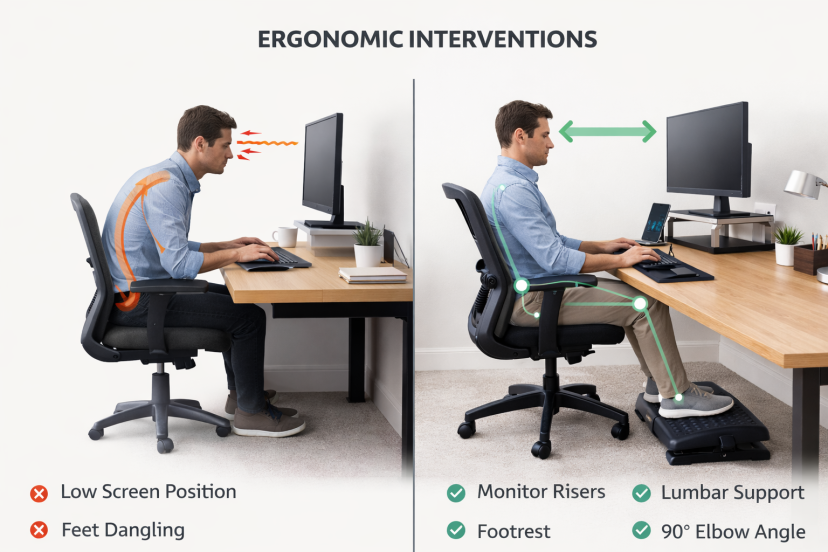
What Research Says About Ergonomic Interventions
Scientific reviews show that ergonomic tools can help, but results depend on proper setup and consistent use. A major Cochrane systematic review on ergonomic interventions for office workers examined multiple randomized trials and found mixed results. Simply adjusting a workstation did not always reduce pain on its own.
However, certain changes—like improved arm support and structured rest breaks—showed potential benefits for reducing neck and upper-limb discomfort. The review also noted that study quality varied, which affects how strong the conclusions can be.
Another large review published in the Journal of Occupational Rehabilitation, titled Workplace interventions to prevent musculoskeletal and visual symptoms among computer users, analyzed dozens of studies on office ergonomics. It reported that workstation adjustments alone were not consistently effective, but alternative input devices (such as improved mouse designs) showed more positive results.
The key takeaway from both reviews is simple: ergonomic desk accessories work best when combined with correct positioning, thoughtful setup, and healthy movement habits.
Quick Desk Setup Checklist
Here’s a simple posture alignment guide:
- Monitor at eye level
- Elbows at 90 degrees
- Wrists neutral
- Feet flat or supported
- Lower back supported
- Shoulders relaxed
- Screen about arm’s length away
If you check these boxes, your posture improves naturally.
You won’t have to “remember to sit up straight.”
Common Mistakes People Make
Let’s clear up a few myths.
Mistake 1: Buying an expensive chair solves everything.
Chairs help. But without monitor alignment and foot positioning, posture still suffers.
Mistake 2: Forcing yourself to sit upright all day.
That creates tension. Instead, design your desk so alignment happens automatically.
Mistake 3: Ignoring movement.
Even the best ergonomic desk accessories can’t replace movement. Stand up every hour. Stretch. Walk.
Are Ergonomic Desk Accessories Worth It?
Yes. Especially if you sit for work daily.
Posture affects more than comfort. It influences breathing, energy levels, and long-term spinal health.
A few small upgrades can:
- Reduce daily pain
- Improve focus
- Increase productivity
- Prevent chronic strain
And most of these tools cost less than a single chiropractor visit.
Conclusion
Posture improves when your workspace supports your body. Proper screen height, lumbar support, and neutral wrist positioning reduce strain without effort. Minor setup changes can lead to noticeable improvements over time. When set up correctly, the best ergonomic desk accessories help protect your spine, improve comfort, and support long-term health.
FAQs
1. What is the most important ergonomic desk accessory?
Monitor height adjustment often provides the fastest posture improvement. Neck strain usually starts there.
2. Can ergonomic accessories prevent back pain?
They significantly reduce strain. However, regular movement and proper setup matter just as much.
3. How soon will I start feeling a difference?
Many people feel improvement within the first day, especially after adjusting monitor height and lumbar support.
4. Do I need all these accessories?
No. Start with the biggest weakness in your current setup and build gradually.
5. Are ergonomic desk accessories good for working from home?
Absolutely. Home workstations often lack proper alignment. Even small ergonomic changes can significantly boost overall comfort.