5 Ergonomic Sit Stand Desk Essentials for Better Workflow
We may earn a commission for purchases made using our links. Please see our disclosure to learn more.
An ergonomic sit stand desk can improve comfort and productivity, but the desk alone is only part of the solution. The right accessories help you maintain good posture, reduce fatigue, and switch between sitting and standing more smoothly throughout the day. In this guide, you will discover five essential ergonomic products that make a standing desk setup more comfortable, efficient, and easier to use every day.
Why an Ergonomic Sit Stand Desk Needs the Right Accessories
A sit stand desk helps most when it makes position changes easy and comfortable. On its own, though, it does not automatically solve poor monitor height, awkward wrist angles, or pressure from standing on a hard floor. That is why accessories matter.
For example, according to the OSHA monitor positioning guidelines, the top of the monitor should sit at or slightly below eye level, with the center of the screen about 15 to 20 degrees below your natural line of sight. The guidance also recommends keeping the screen at a comfortable viewing distance so you do not lean forward or strain your neck during long work sessions.
Likewise, occupational health experts note that standing on hard flooring for extended periods can lead to fatigue in the feet and lower legs. The occupational health guidance on anti-fatigue mats explains that these mats are commonly used to reduce pressure and improve comfort during prolonged standing, especially in work environments where people remain on their feet for hours at a time.
So yes, the desk is the base. But the real comfort — and long-term usability — comes from what you add around it.
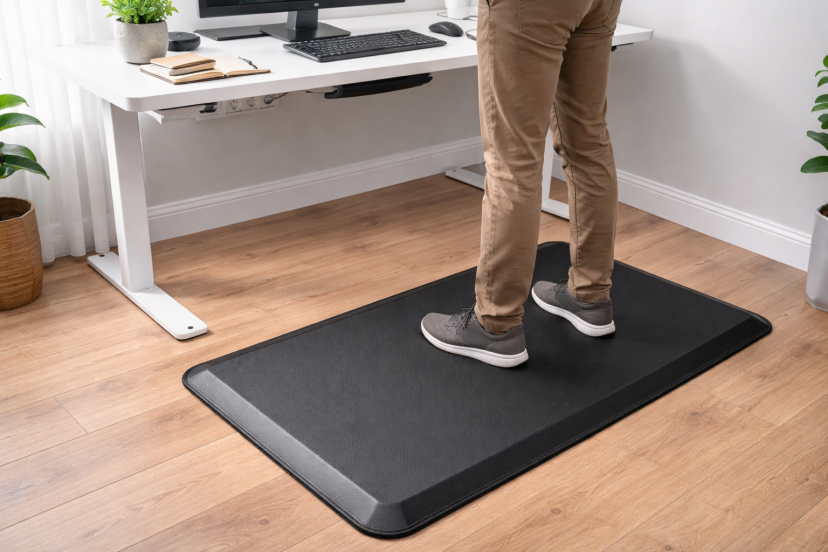
1. Anti-Fatigue Mat for Standing Comfort
If there is one upgrade that makes standing feel better right away, this is it.
An anti-fatigue mat gives your feet a softer, more supportive surface than tile, wood, or concrete. That small change can make standing feel noticeably easier. Instead of building pressure in your heels and calves, your body gets cushioning and subtle support underfoot.
For many people, this means they can stand longer without discomfort and use their sit stand desk more consistently throughout the day.
What to look for:
- Enough cushioning without feeling too soft
- A non-slip surface
- Beveled edges to reduce trip risk
- A size that fits comfortably under your desk
2. Monitor Arm for Better Screen Position
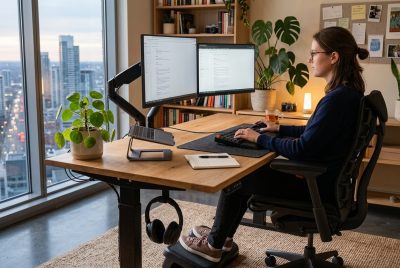
A sit stand desk moves your work surface, but your monitor still needs to move with you. That is where a monitor arm becomes essential.
Without one, the screen often ends up at the wrong height when you switch positions. Your head leans forward, your shoulders tighten, and your neck starts to do extra work. A monitor arm helps keep the screen at eye level, which supports better posture in both sitting and standing modes.
It also adds flexibility to your workspace.
A monitor arm typically provides:
- Easy height adjustment
- Better screen distance control
- Tilt and angle flexibility
- More usable desk space
These small adjustments can make your workstation feel more comfortable and easier to use throughout the day.
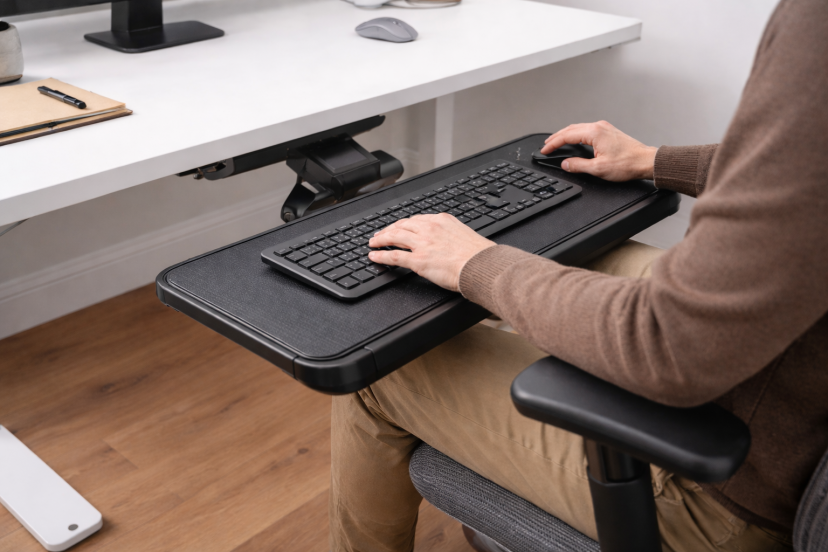
3. Keyboard Tray for Neutral Wrist Placement
This is one of the most overlooked pieces in a standing desk setup.
Many people focus on desk height, but the position of the keyboard and mouse matters just as much. If your wrists bend upward or your elbows sit too high, strain can build quickly during long typing sessions.
A keyboard tray helps keep your hands in a more natural position. It allows your shoulders to stay relaxed and your arms to move comfortably while you work.
A keyboard tray is especially helpful if:
- Your desk surface feels slightly too high
- Your workspace is compact
- You type for long periods every day
4. Footrest for Better Lower-Body Support
A footrest might seem like a small detail, but it can make seated work much more comfortable.
With an ergonomic sit stand desk, you move between seated and standing positions throughout the day. That means your seated posture still plays a big role in overall comfort. A footrest helps support your legs and keeps your lower body in a more stable position, especially if your feet do not rest flat on the floor.
It can also help during standing breaks. Resting one foot at a time allows you to shift weight and reduce that stiff, locked-in feeling that sometimes comes with standing too long.
For added flexibility, some people also use seating options like an ergonomic bar stool when they want a posture that sits somewhere between fully seated and fully upright.
5. Balance Board for Active Standing
This is the most optional item on the list, but for the right person, it can make standing feel more natural.
A balance board encourages gentle movement while you stand. Instead of staying completely still, your body makes small shifts that help reduce stiffness and improve comfort. That movement can make standing sessions feel less tiring and more sustainable.
The key is to use it during lighter tasks.
Balance boards work best for:
- Emails
- Phone calls
- Reading or reviewing documents
For detailed work that requires steady focus, many people prefer standing on a stable mat or sitting down.

Recommended Ergonomic Products
Here are five ergonomic products that can make your sit stand desk more comfortable and easier to use throughout the day.
1. Ergonomic Anti-Fatigue Standing Mat– A simple mat that adds cushioning under your feet and helps reduce fatigue during long standing sessions.
2. NB North Bayou F80 Monitor Arm– Keeps your screen at eye level and makes it easy to adjust your monitor when switching between sitting and standing.
3. Ergonomic Keyboard Tray Drawer– Helps position your keyboard at a better height, so your wrists stay relaxed and typing feels more natural.
4. Adjustable Ergonomic Foot Rest Stool– Supports your legs while sitting and helps maintain better posture throughout the workday.
5. Gaiam Evolve Balance Board– Encourages gentle movement while standing, which can reduce stiffness and make standing feel more comfortable.
Conclusion
An ergonomic sit stand desk is a strong start, but it is not the whole ergonomic picture. The accessories around it are what make the setup comfortable enough to use consistently.
If you want a better workflow, focus on the products that support real movement and real posture: an anti-fatigue mat, a monitor arm, a keyboard tray, a footrest, and a balance board if active standing appeals to you.
You do not need the fanciest office on the internet. You just need a setup that feels good enough to keep working in.
FAQs
1. What is the most important ergonomic accessory for a sit stand desk?
For most people, it is either an anti-fatigue mat or a monitor arm. One improves standing comfort fast, and the other fixes screen height, which is a common source of neck strain.
2. Do I need a monitor arm if my desk already goes up and down?
Usually, yes. The desk changes the height of your work surface, but a monitor arm gives you finer control over screen height, distance, and angle.
3. Is a keyboard tray still worth it with a modern standing desk?
It can be. A keyboard tray helps when your hands sit too high, your wrists bend awkwardly, or you want better separation between screen and typing position.
4. Are balance boards good for all standing desk users?
Not always. They are great for people who like subtle movement, but they are less ideal for precision tasks where you want a very stable stance.
5. Can standing desks really improve comfort and productivity?
They can help reduce sitting time and may improve discomfort for some users, especially when paired with proper ergonomic accessories and position changes.