
Best Ergonomic Split Keyboard for Work and Gaming
We may earn a commission for purchases made using our links. Please see our disclosure to learn more.
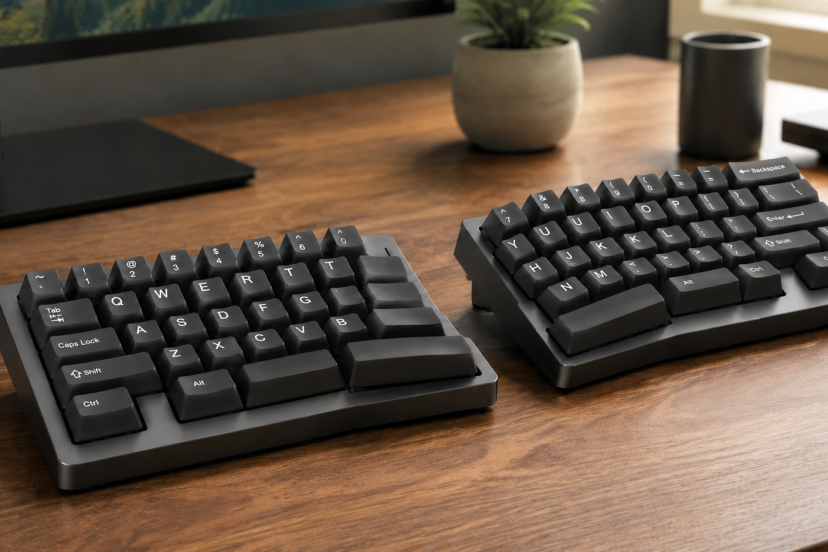
A standard keyboard forces both hands toward the center of your desk. That position may feel harmless at first, but it can leave your wrists bent outward and your shoulders pulled inward after hours of typing or gaming. A split keyboard allows you to position your hands in a more natural and comfortable way. Its left and right key groups sit at an angle or separate into two independent halves. This design lets you position your hands closer to the natural line of your forearms.
However, split keyboards vary considerably. Some focus on office comfort, while others offer mechanical switches, programmable keys, and low-latency connections for gaming. This guide compares five strong options and explains what you should consider before buying.
What Is a Split Keyboard?
A split keyboard divides the keys into left-hand and right-hand sections. A fixed-split model places both sections in one frame at a preset angle. A fully split model uses two separate modules that you can move, rotate, or tent independently.
Both styles aim to reduce ulnar deviation—the sideways bend that happens when your hands angle toward the little-finger side of each wrist.
Fully separated keyboards offer greater flexibility. You can match their spacing to your shoulder width and adjust each half around a microphone, drawing tablet, or gaming mouse. Fixed models provide less adjustment, but they usually have a gentler learning curve.
Do Split Keyboards Really Improve Ergonomics?
Research supports the basic design principle, although no keyboard can prevent every repetitive strain problem.
A NIOSH study of alternative keyboard designs involving more than 90 typists found that correctly configured split keyboards reduced average wrist deviation from about 10 degrees to within 2.5 degrees of neutral. Vertically inclined models also brought the forearms closer to a neutral position.
A separate study of split keyboard geometry found that keyboard height and configuration affected wrist deviation, forearm rotation, and shoulder posture. In other words, the keyboard’s shape matters, but its height and placement matter too.
These findings do not mean a split keyboard cures carpal tunnel syndrome or other medical conditions. It simply gives you more control over your working posture. If you already experience persistent pain, weakness, or numbness, consult a qualified healthcare professional.
You can also explore this broader guide to choosing an ergonomic keyboard for a more comfortable setup.
Best Split Keyboards at a Glance
| Keyboard | Split Style | Connection | Best For |
| Logitech ERGO K860 | Fixed, curved split | Bluetooth/USB receiver | Everyday office work |
| Kinesis Freestyle2 | Fully separated | Wired or Bluetooth variants | Maximum positioning flexibility |
| Kinesis Freestyle Edge RGB | Fully separated | Wired | Ergonomic gaming |
| Keychron Q11 | Fully separated mechanical | Wired | Customization and mixed use |
| Perixx PERIBOARD-535 | Fixed mechanical split | Wired | Budget-friendly mechanical typing |
Five Recommended Split Keyboards
1. Logitech ERGO K860: Best Overall for Work
The Logitech ERGO K860 suits professionals who want better wrist alignment without completely relearning how to type. Its curved, fixed-split keyframe guides both hands outward, while the raised center reduces forearm rotation.
A padded palm rest supports the heel of each hand during pauses. The keyboard also offers Bluetooth and USB receiver connectivity, making it useful for switching between compatible computers.
The keys feel quiet and familiar rather than distinctly mechanical. That makes the K860 a practical choice for shared offices, writing, data entry, and remote work. However, its wide frame takes up significant desk space, and you cannot change the distance between the two key sections.
Best for: Office workers who want a comfortable, approachable upgrade.
2. Kinesis Freestyle2: Best for Adjustable Positioning
The Kinesis Freestyle2 separates into two slim modules. You can adjust the distance and angle between them to suit your shoulder width instead of accepting a manufacturer’s fixed position.
Its low-force membrane keys feel light under the fingers. The familiar layout also keeps the adjustment period manageable for most touch typists. Depending on the version, you can choose different separation lengths or wireless connectivity.
Optional tenting and palm-support accessories can improve the setup, but they may increase the total cost. The Freestyle2 also lacks the firm mechanical feel that some programmers and gamers prefer.
Best for: Users who need control over keyboard width and rotation.
3. Kinesis Freestyle Edge RGB: Best for Gaming
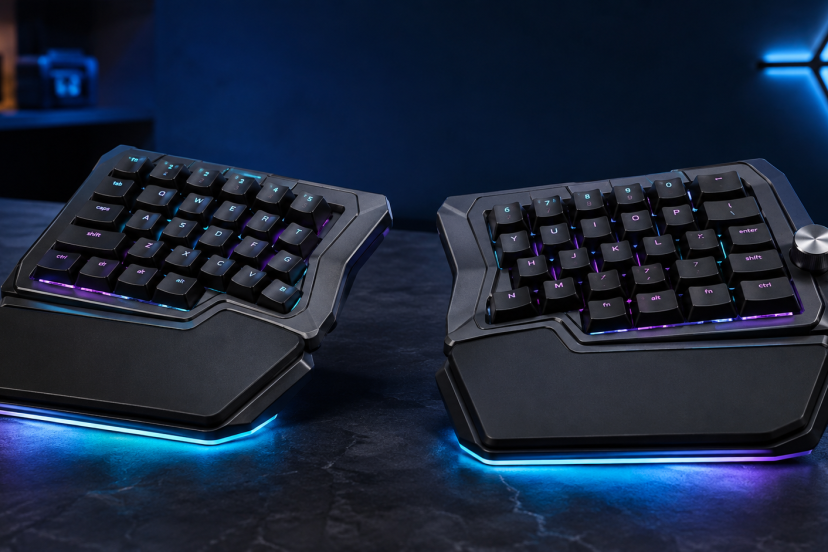
The Kinesis Freestyle Edge RGB combines a fully separated layout with features aimed at PC gamers. Its mechanical switches deliver clear, consistent input, while programmable controls and RGB lighting suit a modern gaming station.
The movable right half is especially helpful during mouse-heavy games. You can slide it aside, place the mouse closer to your body, and reduce the amount of reaching required from your shoulder. You can also angle both halves for regular typing between gaming sessions.
This model uses a wired connection, which provides consistent performance but adds another cable to the desk. It also requires more setup time than a conventional gaming keyboard.
Best for: Gamers who want mechanical performance and adjustable hand placement.
4. Keychron Q11: Best Premium Mechanical Split Keyboard
The Keychron Q11 is a fully split mechanical keyboard with a compact 75% layout. Its aluminum construction gives it a substantial, premium feel, while hot-swappable switch support lets you change compatible switches without soldering.
QMK/VIA compatibility adds extensive remapping and macro options. This is valuable for programmers, editors, creators, and gamers who want dedicated shortcuts. The compact layout also leaves more room for the mouse than a full-size board.
The tradeoffs are weight, price, and a steeper setup process. It lacks a number pad and may feel excessive if you only want a simple office keyboard. Still, it offers the strongest customization potential in this group.
Best for: Enthusiasts who want premium construction and programmable controls.
5. Perixx PERIBOARD-535: Best Value Mechanical Option
The Perixx PERIBOARD-535 combines a one-piece split shape with low-profile mechanical switches. It provides the tactile character of a mechanical keyboard without requiring you to manage two separate modules.
Its built-in palm support and familiar full-size arrangement suit people who work with spreadsheets or frequently use a number pad. Programmable features and macro keys add useful flexibility for repetitive tasks.
Because the split angle and spacing are fixed, it cannot match the personalized positioning of the Kinesis or Keychron models. Its large footprint may also crowd a shallow desk.
Best for: Buyers seeking an affordable mechanical split keyboard with a number pad.
How to Choose the Right Split Keyboard
Start by deciding how much adjustment you need. A fixed split feels more familiar and stays neatly aligned. A fully separated model better accommodates different shoulder widths and lets you experiment with rotation.
Next, consider tenting. Tenting raises the inner edges so your palms face slightly toward each other. This position can reduce forearm pronation, but a steep angle may feel awkward at first. Adjustable tenting gives you room to increase the angle gradually.
Switch type also affects daily comfort. Light switches require less finger force, while heavier mechanical switches provide stronger feedback. For gaming, look for reliable wired or low-latency wireless connectivity, anti-ghosting, and programmable keys.
Finally, check the layout. A compact board keeps your mouse closer, but removing the number pad or function row may slow down certain workflows. Choose for the tasks you perform most often—not simply for the longest feature list.
How to Set Up Your Keyboard Comfortably
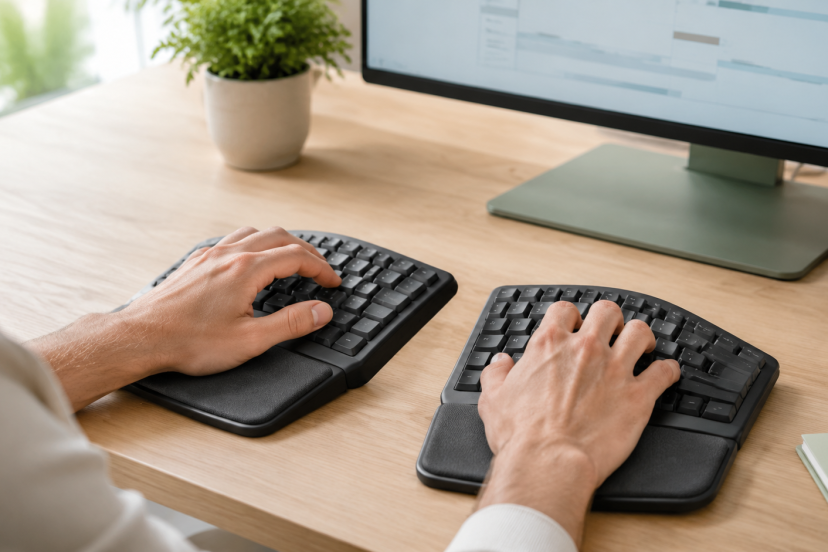
Place each half so your hands follow the same line as your forearms. Keep your elbows close to your sides and around a comfortable right angle. Avoid forcing the keyboard halves wider than your shoulders.
Keep the keyboard low enough that you do not lift your shoulders or bend your wrists upward. If you use a palm rest, support the fleshy base of your palms during pauses rather than pressing the narrow wrist area into it while typing. This guide to using ergonomic wrist rests correctly explains the distinction.
Give yourself time to adapt. Begin with a modest split angle, practice during low-pressure tasks, and increase the separation gradually. Your typing speed may dip at first, especially with a fully split or compact layout.
Conclusion
The best split keyboard depends on how you divide your time between work and gaming. The Logitech ERGO K860 is the easiest all-around office recommendation, while the Kinesis Freestyle2 offers far more positioning freedom. Gamers should consider the Kinesis Freestyle Edge RGB, and customization enthusiasts will find more to explore in the Keychron Q11.
If you want mechanical feedback without a complex two-piece setup, the Perixx PERIBOARD-535 provides a practical middle ground. Whichever model you choose, adjust it around your natural posture. A well-placed keyboard will do more for comfort than an advanced model positioned poorly.
FAQs
Does a split keyboard offer better ergonomics than a standard keyboard?
It can offer a more neutral wrist and forearm position. However, comfort depends on the keyboard’s adjustment range, desk height, typing technique, and your body proportions.
Are split keyboards good for gaming?
Yes. A fully split gaming keyboard can create more mouse space and let you position the left half comfortably. Choose a model with dependable connectivity, suitable switches, and anti-ghosting support.
How much time do you need to get used to a split keyboard?
Most people can become comfortable with a fixed-split keyboard after a few days of regular use. Fully separated or unusual layouts can take one to several weeks. Short daily practice sessions make the transition easier.
Should a split keyboard have a wrist rest?
Not necessarily. A palm rest can improve comfort during pauses, but it should not force your wrists upward or create pressure while you type. Keyboard height matters more than soft padding alone.
Is a mechanical split keyboard worth buying?
It may be worth it if you value switch choice, durability, remapping, or responsive gaming input. For quiet office work, a quality membrane or scissor-switch model may offer better value.