Best Ergonomics For Children Habits
We may earn a commission for purchases made using our links. Please see our disclosure to learn more.
Best Ergonomics For Children Habits
Children spend hours sitting for schoolwork, homework, gaming, reading, and screen use. That makes ergonomics for children important. The goal is not perfect posture. It is a workspace that fits the child’s body, supports movement, and reduces unnecessary strain. Children also grow quickly, so desks and chairs may need regular adjustment.
Why Ergonomics For Children Matters
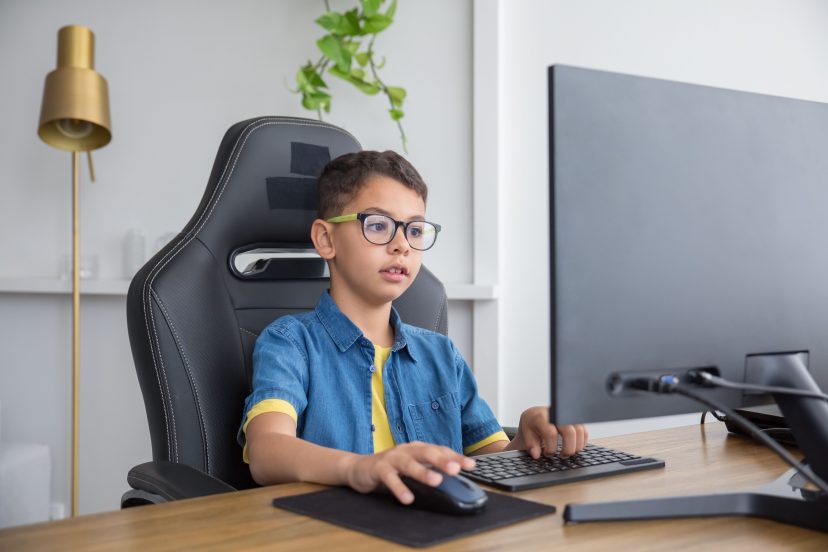
Many desks, chairs, keyboards, and computer accessories are designed for adults. When children use furniture that is too large, they often compensate by leaning forward, raising their shoulders, dangling their feet, or sitting on the edge of the chair.
Research on school-based ergonomics and back-health education programs suggests that teaching children about posture, movement, and workstation habits can improve ergonomic awareness and behavior.
The key is to teach children how to notice discomfort and adjust their setup.
Start by Fitting the Workspace to the Child
The workspace should fit the child.
Start with the chair. The child should be able to sit back without the seat pressing behind the knees.
Next, check desk height. The shoulders should stay relaxed while writing or typing.
Adjustable furniture can help because children grow quickly.
The same principles used in an ergonomic study setup apply to children, but everything should match their smaller body size.
Let the Feet Rest on Something
Dangling feet can make sitting less stable.
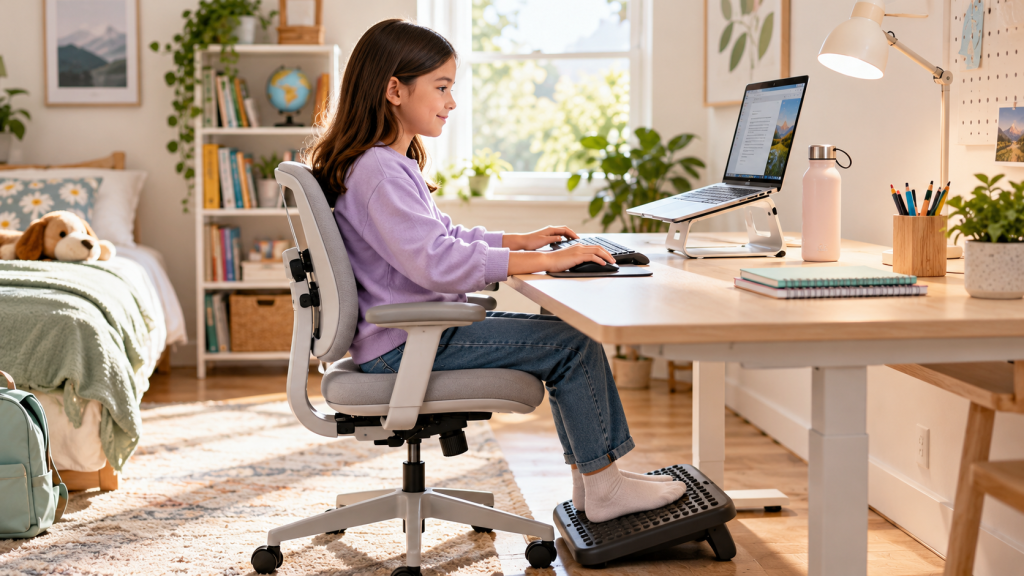
If the child’s feet do not reach the floor, use a footrest or another sturdy support.
Both feet should rest comfortably without stretching.
This small change can make the entire sitting position feel more natural.
Encourage Comfortable Sitting, Not Rigid Posture
Children do not need to hold one position all day.
A comfortable starting position usually includes supported feet, relaxed shoulders, elbows close to the body, and some back support.
However, changing position is normal.
A study of ergonomically designed school workstations found that furniture alone did not consistently reduce musculoskeletal discomfort.
Good equipment helps, but movement and regular breaks still matter.
Position Screens to Reduce Neck Bending
A low screen can encourage children to look down for long periods.
Place the screen directly in front of the child and at a comfortable viewing distance. The child should be able to see it without leaning forward.
Make sure the text is easy to read without forcing the child to move closer to the screen.
This guide to ergonomic monitor height, distance, and viewing angles explains the same basic principles, although children’s measurements will differ from adults.
Fix the Laptop Problem
Laptops create a simple problem: the screen and keyboard are attached.
If the keyboard sits at a comfortable height, the screen may be too low. If the laptop is raised, the keyboard becomes harder to reach.
During longer computer use, raise the laptop and connect an external keyboard and mouse.
For short tasks, major adjustments are usually unnecessary.
Keep the Keyboard and Mouse Close
The child should not have to reach forward to type or use the mouse.
Position the keyboard so the child can type without reaching the arms forward.
Place the mouse beside the keyboard.
A compact keyboard can help on smaller desks because it keeps the mouse closer.
The shoulders should stay relaxed while typing.
Build Movement Into Study Time
Regular movement is one of the most important ergonomic habits.
Children should not stay in one position for long periods.
Encourage short movement breaks between assignments. They can stand, stretch, walk, or get a drink.
The break does not need to be formal. The main purpose is to break up extended periods of sitting.
Pay Attention to Backpack Habits
Ergonomics also applies to backpacks.
A systematic review of backpack loads and postural changes in schoolchildren found that many studies recommended keeping backpack weight around 10% to 15% of body weight, although there is no single universal limit.
Keep the bag as light as practical.
Remove unused books, papers, and supplies. Encourage children to use both shoulder straps and keep the backpack close to the body.
Don’t Forget Lighting
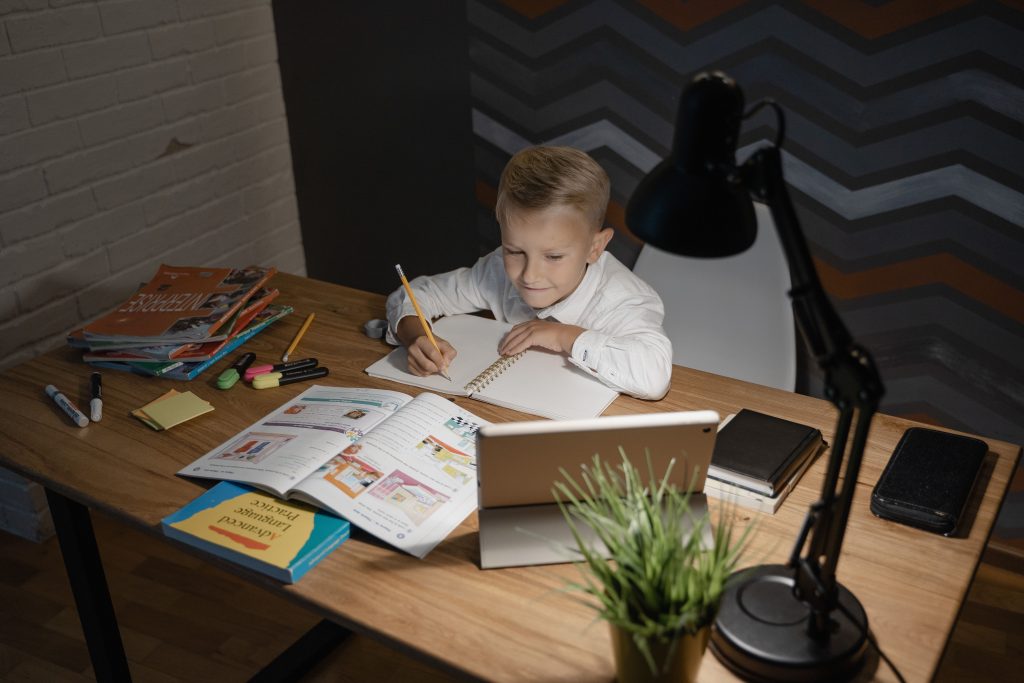
Poor lighting can cause children to lean closer to books or screens.
Make sure the study area is bright enough for reading and writing.
A desk lamp can help when overhead lighting is weak.
Avoid strong screen glare from windows or lamps.
The goal is clear visibility without squinting or leaning forward.
Teach Children to Notice Their Own Setup
Instead of saying, “Sit straight,” ask simple questions.
Are your feet supported?
Can you reach the keyboard easily?
Can you view the screen comfortably without moving your head or body closer?
Are your shoulders relaxed?
Does anything feel uncomfortable?
These questions help children learn how to adjust their own workspace.
Helpful Ergonomic Products for Children
1. Kids Desk Chair
This chair offers adjustments designed for younger users. It can work well when a standard office chair feels too large.
2. VIVO Children’s Height-Adjustable Desk and Chair Set
This adjustable set can be changed as the child grows. It is useful when a fixed-height desk no longer matches the child’s size.
3. HUANUO Adjustable Under-Desk Footrest
This footrest can help when the child’s feet do not reach the floor. It offers several height positions and provides a stable surface for the feet.
4. Nulaxy C3 Laptop Stand
The Nulaxy C3 raises the laptop screen higher on the desk. For extended use, add an external keyboard and mouse to create a more comfortable setup.
5. Logitech Wireless Keyboard
The Logitech K380 has a compact layout that suits smaller desks. Its smaller width can also keep the mouse closer to the child’s body.
Conclusion
Good ergonomics for children starts with simple habits. Fit the workspace to the child’s size, support the feet, keep the keyboard and mouse close, position screens comfortably, and encourage regular movement. Perfect posture is not the goal. Comfort, fit, and movement matter more. Teaching children how to notice discomfort and adjust their setup gives them a useful habit they can carry into adulthood.
FAQs
What is ergonomics for children?
Ergonomics for children means arranging desks, chairs, screens, and daily habits to better fit a child’s body and reduce unnecessary strain.
What is the best sitting position for a child at a desk?
The child should sit with supported feet, relaxed shoulders, and commonly used items within easy reach. They should also change positions regularly.
What should I do if my child’s feet do not reach the floor?
Use a stable footrest or sturdy support so both feet can rest comfortably.
Is a laptop bad for children’s posture?
Not necessarily. For longer periods of use, combining a laptop stand with an external keyboard and mouse allows for better positioning.
Do children need ergonomic furniture?
Not always. Proper sizing, movement, and good habits matter more than the ergonomic label.