Best Dual Monitor Arms for a More Productive Workspace
We may earn a commission for purchases made using our links. Please see our disclosure to learn more.
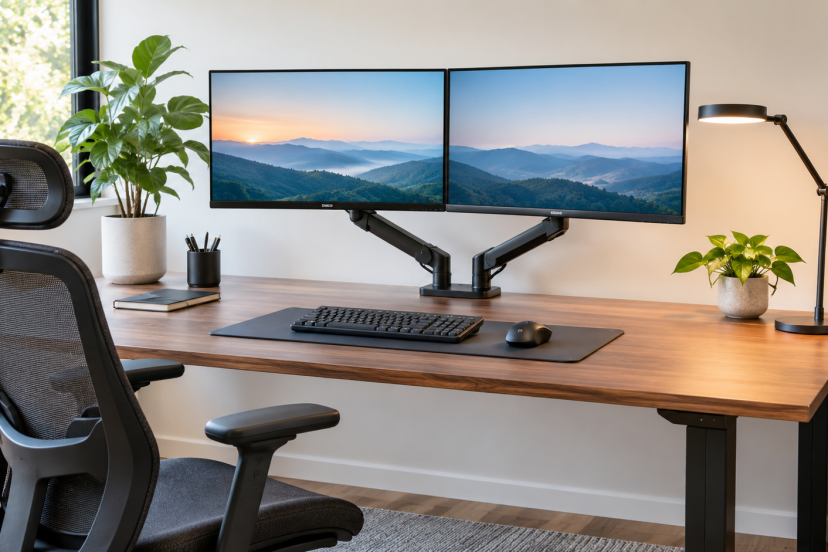
A cluttered desk can make even simple tasks feel frustrating, especially when you’re constantly switching between two monitors. Maybe one screen sits too low, the other takes up too much space, or neither stays at a comfortable viewing angle. Dual monitor arms can help solve these problems by lifting your screens off the desk and giving you more freedom to adjust their positions. But with so many designs, mounting options, and features available, choosing the right one isn’t always straightforward. This guide compares five practical options and explains what to look for so you can create a more organized, comfortable workspace that supports your daily tasks.
What to Look for Before Buying Dual Monitor Arms
Before choosing a monitor arm, check a few important features. These details determine whether the mount will fit your screens, support their weight, and provide enough adjustment.
Monitor Size and Weight Capacity
Each monitor mount is designed to accommodate specific screen sizes and weight capacities.
Once you can get the weight of each monitor without the stand confirm that mark and then compare that figure to the mounting capacity of your arm.
Gas-spring models may also have minimum weight requirements. A screen that is too light can be just as problematic as one that exceeds the maximum capacity.
VESA Mount Compatibility
Check whether your monitor arm supports a 75 × 75 mm or 100 × 100 mm VESA mounting pattern, as these are the most common sizes.
Look for four mounting holes on the back of your monitor or check the manufacturer’s specifications.
If your monitor lacks VESA mounting holes, you may need a compatible adapter.
Height, Tilt, and Swivel Adjustments
Choose a mount that provides the movement your daily work requires.
A full-motion dual monitor arm allows you to change screen height, viewing angle, and distance. Some models also support portrait orientation, which can be useful for reading documents or writing code.
If you frequently alternate between sitting and standing, independent height adjustment may be especially helpful.
Mounting Method and Desk Compatibility
Most desk-mounted monitor arms use either a C-clamp or a grommet mount.
A C-clamp attaches to the edge of your desk, while a grommet mount uses a suitable hole through the desktop.
Check desk thickness, available clearance, and construction before installation. Thin, hollow-core, or glass desktops may require special precautions or may not support certain mounts.
Best Dual Monitor Arms at a Glance
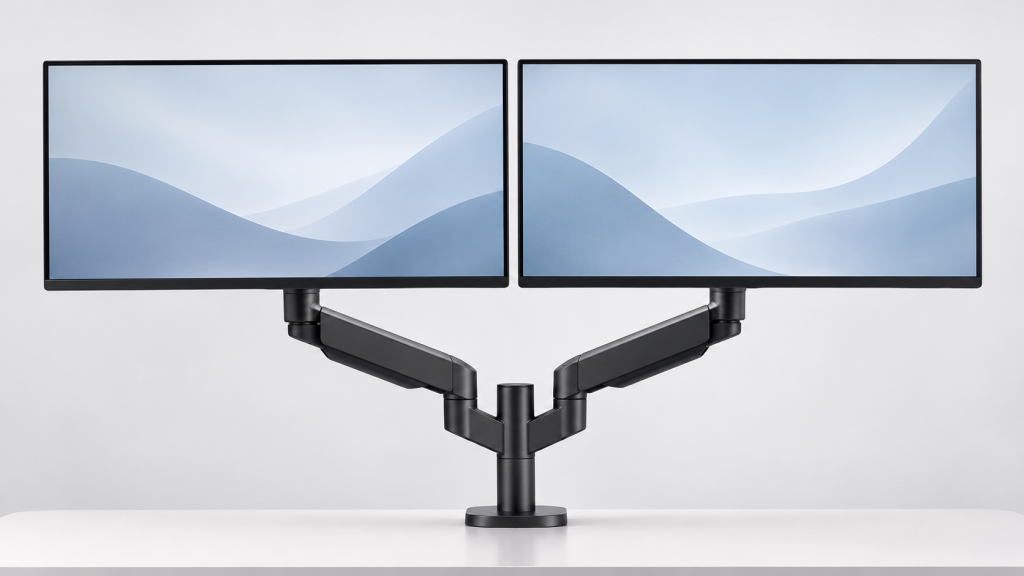
Here’s a quick comparison of the five recommended dual monitor arms to help you find the right option for your workspace.
| Product | Best For | Key Features |
| VIVO STAND-V002 | Budget-friendly setups | Sturdy construction, adjustable arms, clamp and grommet mounting |
| HUANUO FlowLift | Frequent screen adjustments | Gas-spring arms, independent positioning, flexible movement |
| WALI M002 | Everyday office work | Adjustable tilt, swivel, and rotation |
| MOUNTUP MU0002 | Flexible screen positioning | Articulating arms, portrait and landscape support |
| HUANUO Stacked Dual Monitor Mount | Small or narrow desks | Vertical screen arrangement, space-saving design |
For professionals who regularly adjust their screens, the HUANUO FlowLift is worth considering. If you prefer a simple, affordable setup, the VIVO STAND-V002 offers a practical alternative.
5 Best Dual Monitor Arms for Your Workspace
Each monitor arm offers different advantages depending on your desk space, screen size, and adjustment needs. Here’s a closer look at the five options.
1. VIVO STAND-V002 Dual Monitor Desk Mount
The VIVO STAND-V002 supports two monitors measuring 13–30 inches and weighing up to 22 pounds each. Its sturdy construction, adjustable arms, and clamp or grommet mounting options make it a practical choice for everyday office work.
Best for: Budget-conscious professionals who need a reliable, straightforward setup.
2. HUANUO FlowLift Dual Monitor Stand
The HUANUO FlowLift HNDS16B supports two monitors measuring 13–32 inches, with a capacity of up to 19.8 pounds per arm. Its gas-spring design makes repositioning screens easier throughout the workday.
Best for: Professionals who frequently adjust their monitor height and viewing angles.
3. WALI M002 Dual Monitor Mount
The WALI M002 accommodates two monitors measuring 13–27 inches and weighing up to 22 pounds each. It offers tilt, swivel, and rotation adjustments for a simple, organized dual-screen workspace.
Best for: Office workers who prefer a stable setup without complicated adjustments.
4. MOUNTUP Dual Monitor Mount
The MOUNTUP MU0002 supports monitors measuring 13–32 inches and features articulating arms for adjusting screen angles and orientation. Its flexible design works well for multitasking and switching between portrait and landscape views.
Best for: Professionals who regularly work across different applications and screen layouts.
5. HUANUO Stacked Dual Monitor Mount
The HUANUO stacked mount supports monitors measuring 17–32 inches and allows vertical screen arrangements. It helps save horizontal desk space while keeping two displays accessible.
Best for: Professionals with narrow desks who prefer vertically stacked monitors.
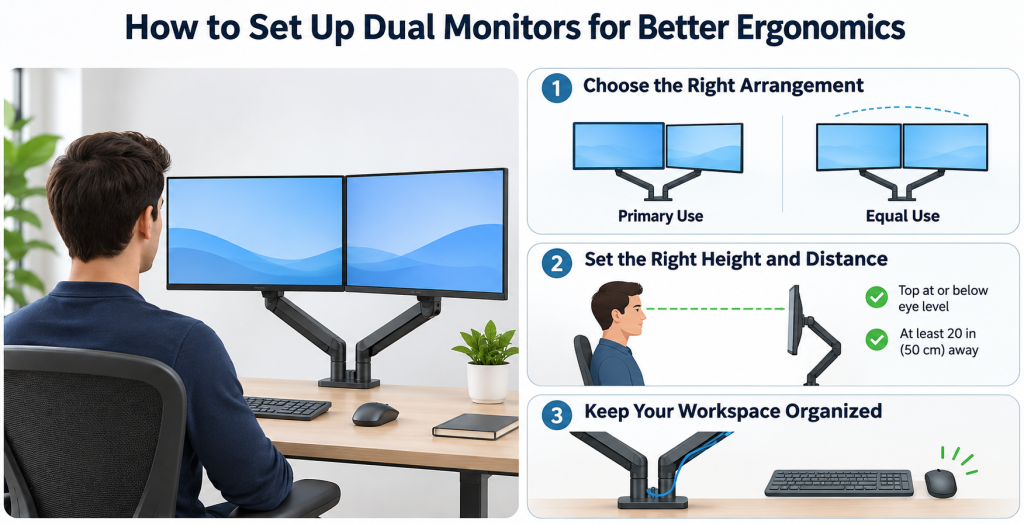
How to Set Up Dual Monitors for Better Ergonomics
Proper screen positioning can make long work sessions more comfortable. Here are a few simple adjustments to improve your setup.
Position Your Screens Based on Usage
- Primary monitor: Place your main screen directly in front of you, with the second angled slightly inward.
- Equal usage: Center yourself between both screens and arrange them in a gentle curve.
The Canadian Centre for Occupational Health and Safety recommends these arrangements to reduce unnecessary neck and body twisting.
Adjust Height and Viewing Distance
- Height: Keep the top of your screens at or slightly below eye level.
- Distance: Position monitors at least 20 inches away, adjusting for comfortable viewing.
- Eyewear: Lower your screens if you wear bifocals or progressive lenses.
These tips follow OSHA’s computer workstation guidance. You can also explore this guide to correct monitor height and viewing angles.
Keep Cables and Desk Accessories Organized
- Manage cables: Use built-in cable clips and leave enough slack for adjustments.
- Position accessories: Position your keyboard and mouse directly in front of your main working area for comfortable use.
A tidy setup helps keep your workspace functional and your monitors easy to adjust.
Conclusion
A comfortable dual-monitor setup starts with choosing a mount that fits your screens, desk, and working habits. If you rarely move your monitors, a simple model like the VIVO STAND-V002 may be all you need. For frequent adjustments, the HUANUO FlowLift offers more flexibility, while a stacked mount can help when desk width is limited. Before deciding, check your monitors’ weight, VESA compatibility, and available mounting space. The right setup should make it easier to work between screens without constantly adjusting your posture or rearranging your desk.
FAQs
1. Are dual monitor arms better than regular monitor stands?
Dual monitor arms provide greater positioning flexibility and can free up desktop space. They’re especially useful when regular stands cannot achieve comfortable viewing heights or distances. However, standard stands remain suitable for workstations that already provide adequate adjustment.
2. Can dual monitor arms support two 32-inch monitors?
Some models can support two 32-inch monitors, but compatibility depends on weight capacity, mounting specifications, and arm clearance. Always check the manufacturer’s limits for each screen rather than relying on size compatibility alone.
3. Do dual monitor arms damage desks?
Properly installed monitor arms generally work well with compatible desks. However, excessive clamping pressure or mounting on weak surfaces can cause damage. Check the manufacturer’s installation guidance and use suitable reinforcement when recommended.
4. Are gas-spring monitor arms worth buying?
Gas-spring arms are useful when you frequently adjust screen height or position. They generally allow smoother movement than basic pole-mounted designs. Just make sure your monitor falls within the arm’s supported weight range.
5. Should dual monitors be side by side or stacked?
Side-by-side placement usually works better when you use both monitors equally. Stacked monitors can save horizontal space but may require more vertical head movement. Choose the arrangement that keeps your most frequently viewed content at a comfortable height.