10 Benefits of Ergonomics That Will Improve Your Workday
We may earn a commission for purchases made using our links. Please see our disclosure to learn more.
Ergonomics is not just about sitting comfortably at a desk. It is about setting up your workspace in a way that helps your body work better throughout the day. From reducing aches and pains to improving focus and energy, the benefits of ergonomics can have a real impact on how you feel and perform at work. Whether you work from home or in an office, small changes to your setup can make your workday easier, healthier, and more productive.
What Ergonomics Really Means at Work
Ergonomics is not just about buying an expensive chair.
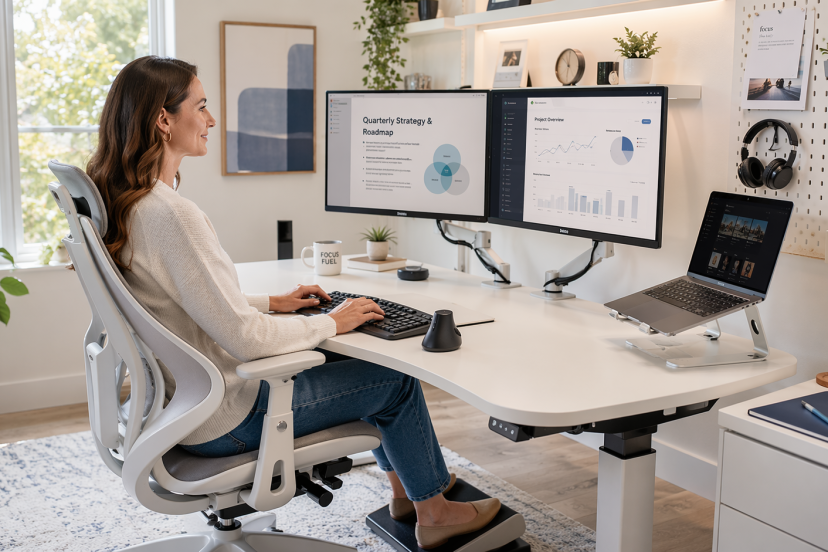
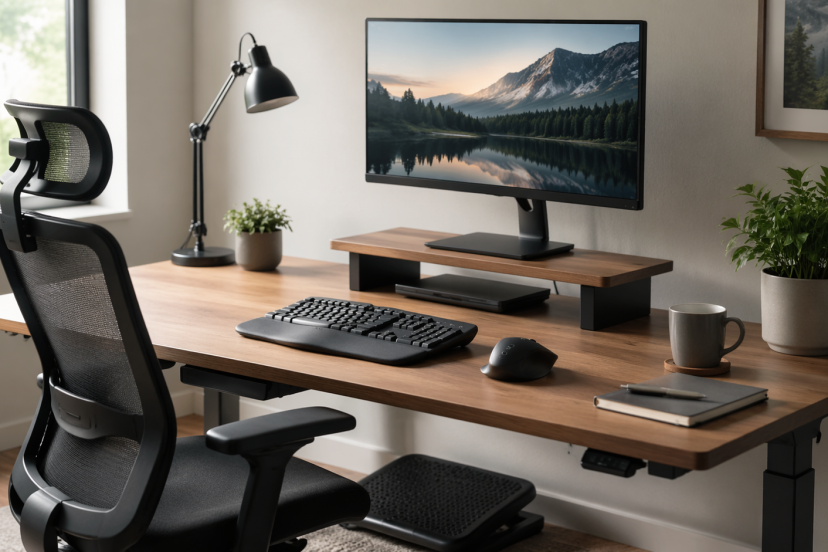
It is the simple idea that your workspace should work with your body, not against it. That includes your chair height, screen position, desk layout, keyboard angle, mouse placement, lighting, and even how often you change position during the day. NIOSH describes ergonomics as designing work tasks to suit workers’ capabilities, while NIH’s StatPearls notes that good ergonomics aims to improve efficiency, quality, comfort, and output while reducing fatigue and injury risk.
In other words, ergonomics is practical. It helps real people feel better while they get real work done.
Why Your Setup Affects More Than Comfort
A bad setup does not always hurt right away. Sometimes it starts small. Your shoulders creep upward. Your wrists bend more than they should. You lean toward the screen. You cross one leg under the chair. By lunch, you feel stiff. By late afternoon, your attention slips.
That slow drain matters. When your body feels off, your work usually does too. You move slower, lose focus faster, and need more effort to finish basic tasks. Good ergonomics removes that friction. It gives your body a more neutral position, which makes work feel smoother.
Top Benefits of Ergonomics at Work
1. Ergonomics helps reduce daily aches and pains
This is the benefit most people notice first, and for good reason. Neck tension, sore wrists, tight shoulders, and lower back pain often come from small setup problems that repeat all day. When you fix those issues, your body stops compensating so much, which usually means less pain by the end of the workday.
2. Ergonomics improves posture without forcing it
Most people do not need constant reminders to sit up straight. They need a setup that makes better posture feel natural. When your feet are supported, your screen is at eye level, and your arms rest more comfortably, your body settles into a better position with less effort.
3. Ergonomics supports better focus
Discomfort pulls your attention away from your work. It is hard to stay focused when your back hurts, your shoulders feel tight, or you keep shifting in your chair. A better setup removes some of that distraction, so it is easier to stay present and work with less interruption.
4. Ergonomics can reduce muscle fatigue
A poor setup can keep small muscles under tension for hours, even if you do not notice it right away. That steady strain wears you down faster than you think. When your workstation fits you better, your body uses less effort to do the same tasks, which helps you feel less drained later in the day.
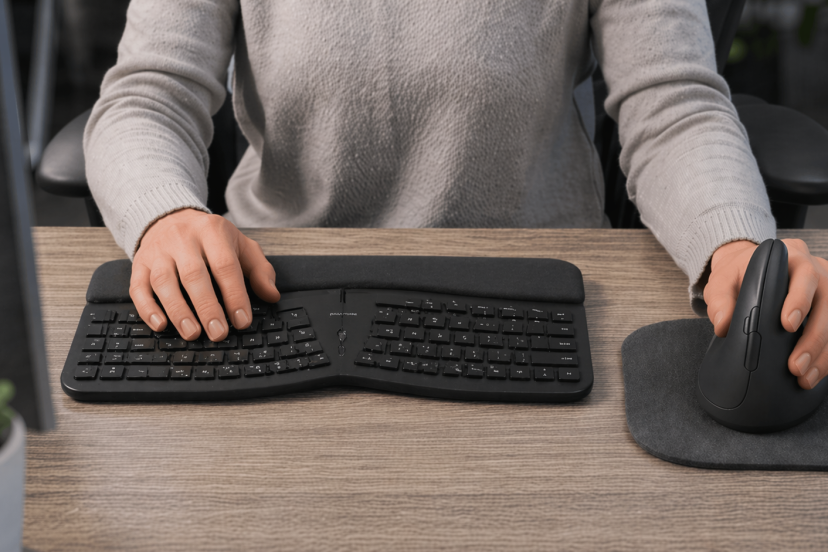
5. Ergonomics makes repetitive tasks easier on your body
Typing, clicking, scrolling, and writing may seem harmless, but repetition adds up fast when your setup is off. Wrists bend, shoulders tense, and joints stay in awkward positions for too long. Ergonomics helps reduce that strain by putting your body in a better position from the start.
6. Ergonomics may help lower injury risk over time
This matters even if you feel mostly fine right now. Small stress points can build into bigger problems when they happen every day for months or years. Ergonomic changes can help lower that risk by reducing the kind of strain that often leads to overuse injuries.
7. Ergonomics can improve energy through the day
A better setup helps you stop wasting energy on tension, bracing, and constant adjustment. You still get tired from work, of course, but you are less likely to feel physically worn out just from sitting at your desk. That can make a big difference by mid-afternoon.
8. Ergonomics helps you work more efficiently
Good ergonomics makes everyday work feel smoother. You reach less, twist less, and spend less time adjusting things that should already feel easy to use. It will not magically make anyone productive overnight, but it does remove a lot of unnecessary friction.
9. Ergonomics encourages healthier movement habits
Ergonomics is not about locking yourself into one perfect posture all day. A good setup should make it easier to shift, stand, sit, and reset when you need to. That matters because your body handles movement far better than long stretches of stillness. If you’re thinking about upgrading your setup, this guide to choosing an ergonomic sit-stand desk can help you find a desk that supports better posture and more movement throughout the day.
10. Ergonomics makes work feel more sustainable
This may be the most underrated benefit of all. When your setup supports your body, work feels more manageable and less draining. You may not love every task on your list, but at least your desk is not making the day harder than it needs to.
Why Ergonomic Changes Actually Help at Work
Research backs up what a lot of workers already feel. A Cochrane review on ergonomic interventions for office workers found that some workstation changes can help reduce neck, shoulder, and upper limb problems, especially when they target specific strain points.
Another Cochrane review on reducing sitting time at work found that sit-stand desks can cut down time spent sitting during the workday. They are not a cure-all, but they can make it easier to move more and stay more comfortable.
The takeaway is simple: small ergonomic changes can make work feel better on your body and easier to get through.
Ergonomic Products Worth Considering
These are five practical products worth comparing for a better work setup:
- Logitech Lift Vertical Ergonomic Mouse – A vertical mouse can help reduce the awkward forearm twist that standard mice often cause.
- Logitech ERGO K860 Ergonomic Keyboard – A split, curved keyboard can support a more natural hand and wrist position during long typing sessions.
- Amazon Basics Adjustable Laptop Stand – A simple laptop stand can raise your screen to a more comfortable level and reduce neck strain.
- Everlasting Comfort Memory Foam Foot Rest – A footrest helps shorter users keep better leg support and can improve overall seated posture.
- FlexiSpot M7 Standing Desk Converter – A desk converter can make it easier to alternate between sitting and standing without replacing your entire desk.
Conclusion
Ergonomics is all about making work feel better on your body and easier to manage day after day. When your setup supports better posture, reduces strain, and encourages movement, you can work with less discomfort, better focus, and more steady energy. In the end, the benefits of ergonomics go beyond comfort. They help create a workday that feels more sustainable, productive, and realistic for the long run.
FAQs
1. What are the main benefits of ergonomics at work?
The main benefits of ergonomics include less discomfort, better posture, improved focus, reduced muscle fatigue, and a lower risk of strain from repetitive work.
2. Can ergonomics really improve productivity?
Yes. Ergonomics can improve productivity by reducing physical friction, making tasks easier to perform, and helping workers stay comfortable enough to focus longer.
3. Is ergonomics only important for office workers?
No. Office workers need it, but ergonomics matters in any job that involves repetition, lifting, prolonged sitting, prolonged standing, or awkward movement patterns.
4. Are standing desks always better than sitting desks?
Not automatically. Sit-stand desks can help reduce sitting time, but standing all day is not the goal. The better approach is to alternate positions and keep moving through the day.
5. What is the easiest ergonomic fix to start with?
For most people, the easiest win is raising the screen to eye level and adjusting the chair so the feet stay supported. Those two changes often improve comfort right away.