How Poor Ergonomics Affects Your Health at Work
We may earn a commission for purchases made using our links. Please see our disclosure to learn more.
A sore back, stiff neck, or tingling wrist can seem like a normal part of a busy workday. Often, though, these symptoms trace back to everyday problems such as a poorly adjusted chair, a low monitor, or a mouse placed just beyond comfortable reach. Poor ergonomics makes your muscles and joints work harder to complete routine tasks. While the discomfort may feel minor at first, repeated strain can lead to persistent pain, headaches, fatigue, and work-related musculoskeletal disorders. Understanding what places stress on your body can help you work more comfortably and protect your health over time.
What Is Poor Ergonomics?
Ergonomics involves fitting the job, equipment, and working environment to the person performing the work. A well-designed setup lets you maintain comfortable positions without excessive reaching, twisting, bending, or force.
Poor ergonomics does the opposite. It makes you adapt your body to a workstation or task that does not suit you.
Examples include:
- Sitting without lower-back support
- Looking down at a laptop for several hours
- Holding your shoulders up while typing
- Reaching repeatedly for tools or supplies
- Standing on a hard floor without sufficient breaks
- Performing the same hand movement continuously
- Lifting objects with an awkward grip
These problems affect more than office workers. Cashiers, warehouse employees, drivers, healthcare professionals, tradespeople, and factory workers all face ergonomic risks.
Common Ergonomic Problems in the Workplace
A badly adjusted chair is an obvious problem, but workplace ergonomics involves the entire environment.
Awkward body positions
A monitor placed too low encourages you to bend your neck. If your keyboard sits beyond comfortable reach, you may lean forward and round your shoulders while typing. Meanwhile, a high work surface may force you to raise your arms.
Your body can tolerate these positions briefly. Holding them for hours creates a different situation.
Repetitive movement
Typing, clicking, scanning products, using hand tools, and packing boxes can involve hundreds of similar movements. Repetition becomes more stressful when combined with speed, force, or poor wrist alignment.
Prolonged sitting or standing
Neither sitting nor standing is automatically harmful. The main concern is holding the same posture for an extended period.
Muscles become tired when they hold the same posture continuously. Even a technically “correct” posture can become uncomfortable without regular movement.
Poorly organized work areas
Frequently used items should remain within easy reach. If you constantly twist toward a printer, stretch across a counter, or bend toward a low shelf, those small movements accumulate throughout the day.
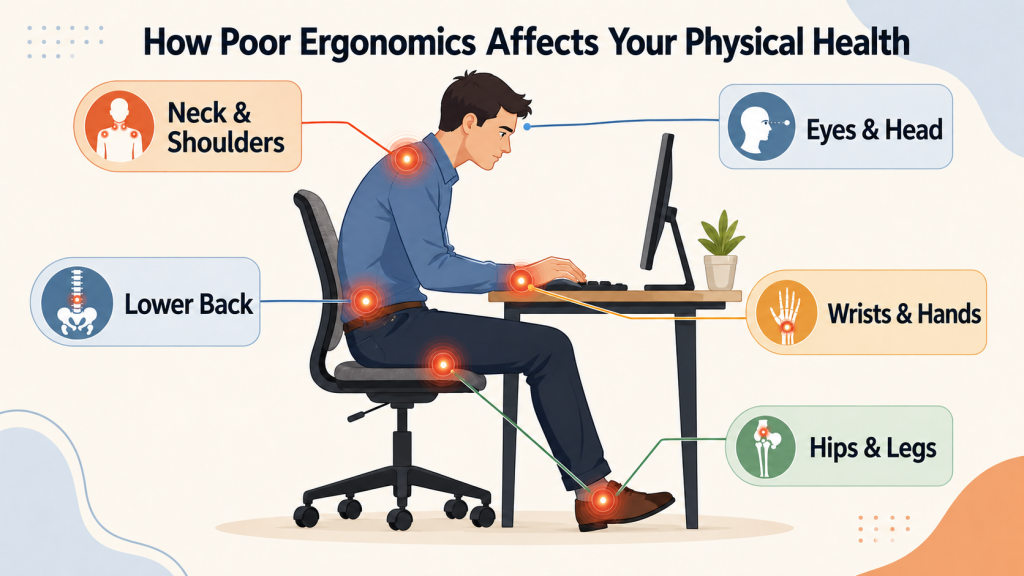
How Poor Ergonomics Affects Your Physical Health
Ergonomic problems often develop gradually. You may finish work with a stiff neck, recover overnight, and repeat the cycle the next day. Eventually, the discomfort may last longer.
The Occupational Safety and Health Administration’s ergonomics guidance explains that fitting work to the worker can reduce muscle fatigue and lower the number and severity of work-related musculoskeletal disorders.
Neck and shoulder pain
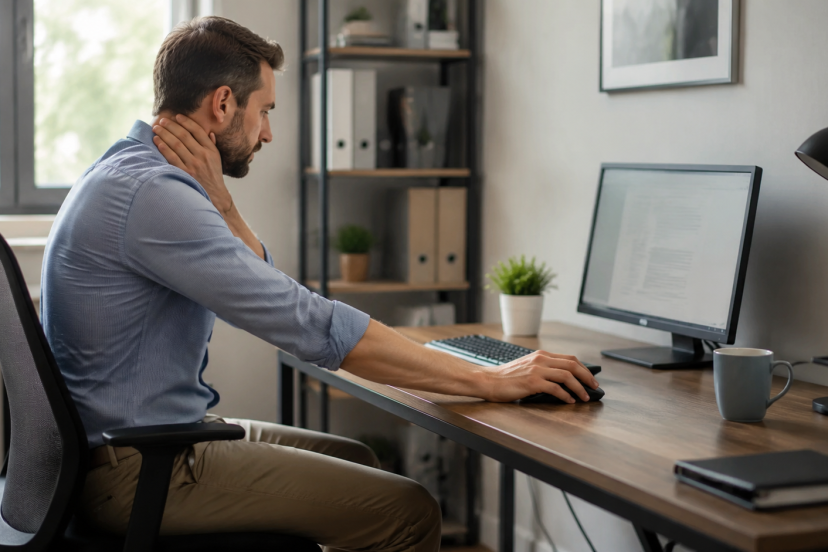
Looking down, leaning toward a screen, or holding a phone between your ear and shoulder strains the neck. Rounded shoulders can also overload muscles across the upper back.
Tension may spread toward the head or arms. Some people also experience headaches after long periods of screen work.
Lower-back discomfort
Slumping in your chair places added strain on the lower back by reducing its natural support. Sitting too far from the desk can make the problem worse because you lean forward to reach your keyboard.
Standing workers can develop back fatigue too, especially when they lean over counters or shift their weight to one side.
Wrist and hand problems
Bent wrists, forceful gripping, and repetitive finger movements can irritate muscles, tendons, or nerves. Symptoms may include aching, tingling, weakness, or numbness.
These signs should not be ignored. Equipment marketed as “ergonomic” may help, but only when its shape and position fit the individual and the task.
Hip, knee, and leg discomfort
A seat that is too high can leave your feet unsupported and place pressure behind your thighs. A low chair may raise your knees above your hips and make it harder to support your back.
Long periods without movement can also leave your hips tight and your legs stiff.
Eye strain and headaches
Screen glare, small text, poor lighting, and an unsuitable viewing distance can cause tired or dry eyes. You may squint, lean forward, or tense your facial muscles, which can contribute to headaches.
Poor Ergonomics Can Affect More Than Your Body
Physical discomfort competes for your attention. It becomes harder to concentrate when you keep shifting in your chair or stopping to rub your neck.
Pain and fatigue may slow your pace, increase mistakes, and make routine tasks feel more demanding. Discomfort can also affect your mood. You may become irritable or feel mentally drained before the workday ends.
Research supports taking these concerns seriously. A 2025 systematic review and meta-analysis of workplace ergonomic interventions found a statistically significant reduction in reported work-related musculoskeletal pain among people who received ergonomic interventions.
Ergonomics is not simply about comfort. It can influence how safely, accurately, and consistently you work.
Early Warning Signs You Should Notice
Do not wait until discomfort becomes severe. Watch for:
- Pain that appears or worsens during work
- Tingling or numbness in your hands
- Frequent neck or shoulder stiffness
- Weaker grip strength
- Headaches after computer use
- Swollen or sore joints
- Discomfort that continues after work
- A need to constantly change position
A symptom that improves during weekends or vacations may be connected to your work setup or routine. That pattern is worth discussing with your employer or healthcare professional.
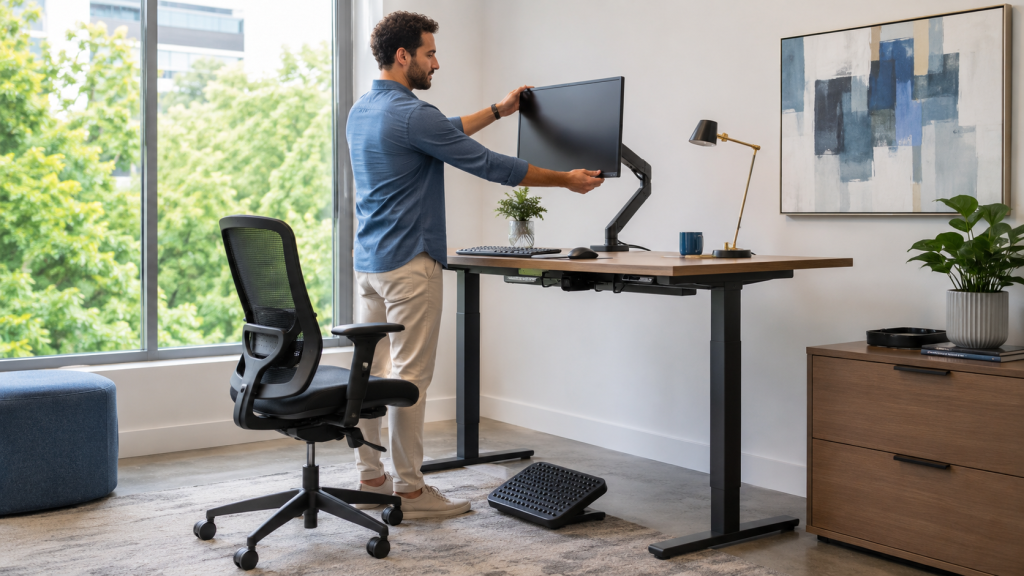
How to Correct Poor Ergonomics at Work
Start by observing your normal working position. Do not straighten up temporarily for the assessment. Look at how you actually sit, stand, reach, and move.
Adjust your chair first
Set the chair height so your feet rest firmly on the floor or a footrest. The seat should support your thighs without pressing against the backs of your knees.
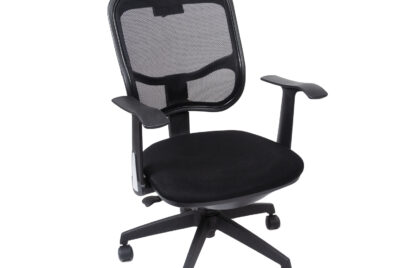
Adjust the lumbar support until it fits comfortably against the inward curve of your lower spine. Keep your shoulders relaxed and position the armrests so they do not push your shoulders upward.
For a closer look at seating features, read this guide to choosing an ergonomic office chair.
Position the screen correctly
Place your primary monitor directly in front of you. Keep it roughly an arm’s length away, then adjust the distance for comfortable reading.
Position the upper area of your screen at or slightly below eye height. If you wear progressive lenses, you may prefer it slightly lower.
Bring the keyboard and mouse closer
Keep both devices near enough that your upper arms can stay beside your body. Your elbows should remain relaxed, while your wrists stay close to a neutral position.
Avoid planting your wrist on a hard desk edge. A wrist rest can support the heel of your palm during pauses, but it should not press into the wrist while you type.
Change positions regularly
Good ergonomics is dynamic. Alternate between sitting, standing, and walking when your work allows it.
Take brief movement breaks rather than relying on one long break at the end of the day. Stand up, relax your hands, look away from the screen, or walk to complete a small task.
Improve the whole workstation
Accessories can solve specific fit problems, but they should support a thoughtful setup. This list of ergonomic desk accessories that improve posture offers additional options for adapting a workstation.
Five Recommended Ergonomic Products
Before buying anything, identify the problem you want to solve. Product features and availability can change, so confirm the dimensions and compatibility on Amazon.
1. Logitech Lift Vertical Ergonomic Mouse
The Logitech Lift Vertical Ergonomic Mouse places the hand in a more upright position than a flat mouse. It may suit people with small or medium-sized hands who dislike rotating their forearm downward.
2. HUANUO Dual Monitor Stand
The HUANUO Dual Monitor Stand allows independent screen-height and angle adjustments. It can help reduce repeated neck turning when two monitors receive similar use.
3. Everlasting Comfort Office Foot Rest
The Everlasting Comfort Office Foot Rest provides support when a desk or chair prevents your feet from resting flat. Its cushioned surface may also encourage small changes in leg position.
4. Fellowes Memory Foam Keyboard Wrist Rest
The Fellowes Memory Foam Keyboard Wrist Rest offers soft palm support during pauses. Check its height against your keyboard because a rest that sits too high can bend your wrists.
5. Roost V3 Laptop Stand
The Roost V3 Laptop Stand raises a laptop screen and offers several height settings. Use it with an external keyboard and mouse so lifting the screen does not force you to lift your arms.
Conclusion
Poor ergonomics can quietly affect your muscles, joints, energy, concentration, and performance. The first signs may seem minor, but repeated strain deserves attention.
Begin with simple changes: support your feet and back, bring work closer, position your screen comfortably, and move throughout the day. Ergonomics works best when your workspace adapts to you—not when your body has to struggle to fit the workspace.
FAQs
Can poor ergonomics cause permanent damage?
Repeated exposure to awkward positions, force, and repetitive motion can contribute to long-lasting musculoskeletal problems. Early adjustments and appropriate medical care may prevent symptoms from becoming harder to manage.
How quickly can ergonomic problems develop?
Some discomfort appears within one shift, especially after prolonged sitting or repetitive work. Some problems appear slowly and may take weeks, months, or even years to become noticeable.
What is the healthiest sitting position?
Keep your feet supported, shoulders relaxed, elbows near your sides, and lower back supported. However, no single sitting position stays ideal all day. Regular movement remains essential.
Is a standing desk enough to fix poor ergonomics?
No. You can still lean, reach, or bend your neck at a standing desk. Set the desk and monitor correctly, wear supportive footwear, and alternate between sitting and standing.
How often should I take a movement break?
There is no universal schedule for every job. Short, frequent changes in position generally work better than waiting until discomfort begins. Even standing or walking briefly can interrupt a prolonged static posture.