Top Wireless Ergonomic Keyboard Picks for 2026

We may earn a commission for purchases made using our links. Please see our disclosure to learn more.
A wireless ergonomic keyboard can help long typing sessions feel less taxing on your wrists, hands, and shoulders. If you spend long hours working, studying, writing or gaming, a regular keyboard can push your hands into an uncomfortable position. The best ergonomic keyboard can provide you with a better natural keyboard layout, a cleaner desk setup, and more comfort on a daily basic. In this guide, we’ll discuss the best wireless ergonomic keyboards of 2026 and provide tips on how to pick the right one for your workspace.
Why Choose a Wireless Ergonomic Keyboard?
A standard keyboard keeps your hands in a straight, narrow position. That may feel fine for short tasks, but after hours of typing, your wrists, forearms, shoulders, and neck can start to feel tight.
A wireless ergonomic keyboard helps by placing your hands in a more natural position. Wave, curved, and split layouts can reduce awkward wrist bending and make long typing sessions feel more comfortable.
It also keeps your desk cleaner. With fewer cables, you can place your keyboard, mouse, monitor, and chair in a setup that feels better for your body.
Plus, the wireless design gives you more freedom. You can move the keyboard closer, angle it slightly, or shift it around your desk without fighting a cord.
How Ergonomic Keyboards Help With Comfort
A wireless ergonomic keyboard supports comfort by helping your hands, wrists, and forearms stay in a more natural position.
Split keyboards are a good example. They separate the key sections so your wrists do not have to bend inward as much as they often do on a standard keyboard.
A study on split and vertically inclined keyboard posture found that split keyboard designs helped move the wrists closer to a neutral position. A broader review, The Split Keyboard: An Ergonomics Success Story, also found that split keyboards can support better typing posture and comfort over time.
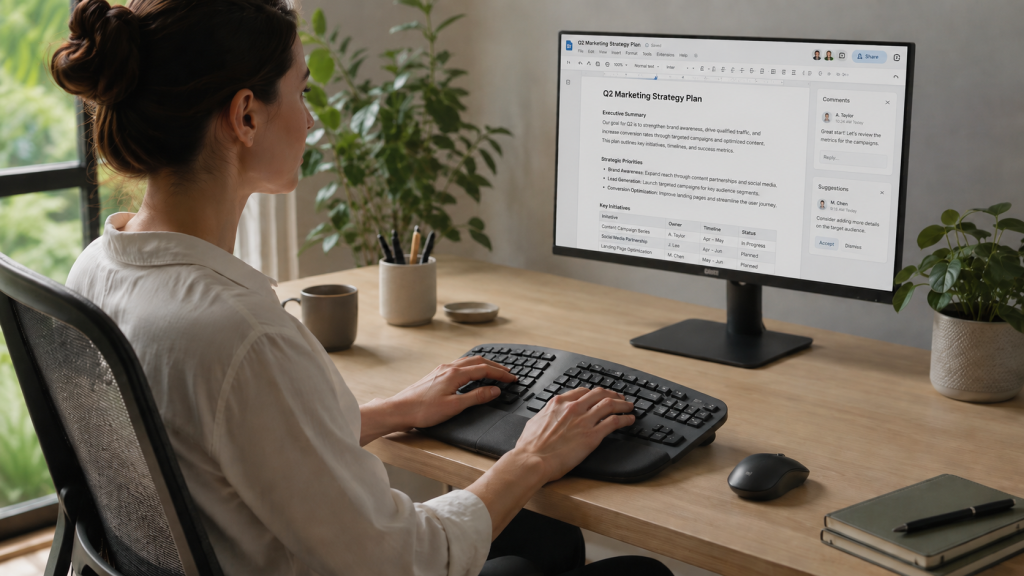
Placement matters too. Even the best ergonomic keyboard can feel uncomfortable if it sits too far away. Position it near enough so your elbows can stay loose and close to your sides. Your shoulders should not creep upward, and your wrists should stay as straight as possible.
Forearm support can also help. Research on forearm support during keyboard use found that proper support may reduce musculoskeletal discomfort during computer work. So, think about your whole setup, not just the keyboard.
If you want to go deeper into posture tools beyond keyboards, you can also explore these helpful ergonomic wearables for posture and movement support.
What to Look for Before Buying
Not every keyboard with “ergo” in the name will fit your setup. Before buying, focus on layout, support, adjustability, and wireless features.
Split, Curved, or Wave Layout
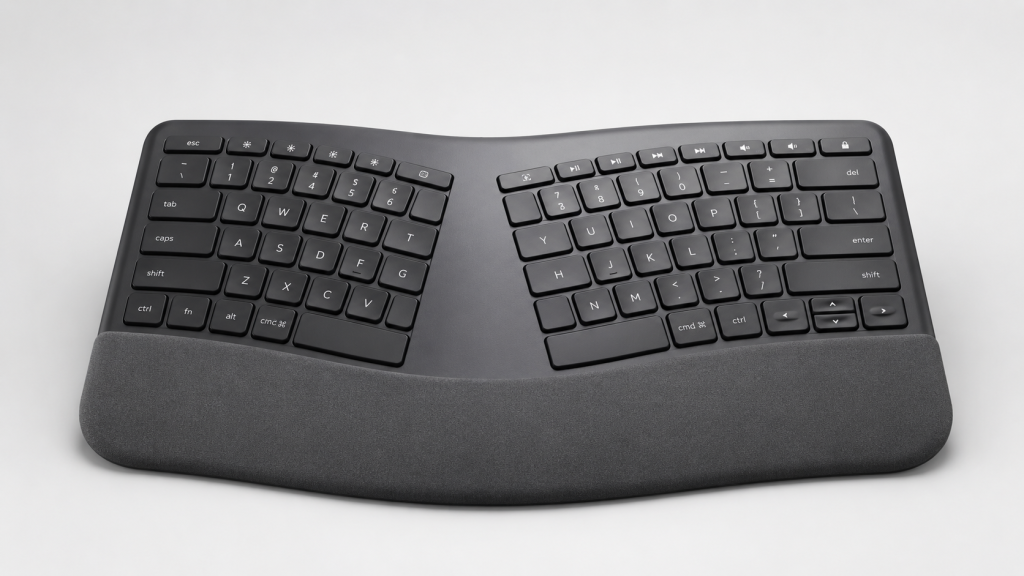
A wave keyboard feels the most familiar. It adds a gentle shape without changing your typing style too much.
A split keyboard separates the left and right key sections. It can improve wrist alignment, but it may take a few days to adjust.
A curved keyboard sits between the two. It gives your hands a softer angle without feeling too different.
Wrist or Palm Support
A padded palm rest can add comfort during breaks. However, do not press your wrists into it while typing.
Keep your hands light and relaxed. Use the support as a resting spot, not a pressure point.
Tilt and Tenting
Look for negative tilt if you want straighter wrists. It angles the keyboard slightly downward, which can reduce wrist bending.
Tenting raises the center of a split keyboard. This helps your hands sit in a more natural, handshake-like position.
Connectivity and Battery Life
Choose a wireless ergonomic keyboard with Bluetooth, a USB receiver, or both.
Bluetooth makes it easy to move between multiple devices without extra cables. A USB receiver works well for a fixed desk setup.
Also, check the battery type. Some models use AAA batteries, while others recharge with USB-C. A rechargeable keyboard is usually easier for daily use.
Top 5 Wireless Ergonomic Keyboard Picks for 2026
1. Logitech Wave Keys Wireless Ergonomic Keyboard
The Logitech Wave Keys is a great pick if you want comfort without a major typing adjustment. Its wave-shaped layout and cushioned palm rest support a more relaxed hand position.
It also has a compact design, which helps keep your mouse closer to your body.
Best for: Beginners, students, home offices, and daily typing.
Why it stands out: It feels familiar while still offering better comfort than a flat keyboard.
Potential drawback: The compact layout may feel tight if you prefer a wider keyboard.
2. Logitech ERGO K860 Wireless Ergonomic Keyboard
The Logitech ERGO K860 suits users who prefer a more structured ergonomic shape for long typing sessions. Its split curved design helps place your hands at a more natural angle during long typing sessions.
The built-in wrist rest also adds extra support for office work.
Best for: Professionals, writers, and long workdays.
Why it stands out: It offers a more serious ergonomic shape while keeping a full-size layout.
Potential drawback: It takes up more desk space than compact models.
3. Arteck Wireless Ergonomic Keyboard
The Arteck Wireless Ergonomic Keyboard is a practical option for buyers who want comfort at a simpler price point. It includes a curved ergonomic shape and cushioned support for everyday typing.
It is a good fit for basic office tasks, emails, schoolwork, and home setups.
Best for: Budget-conscious users and casual workstations.
Why it stands out: It gives you ergonomic comfort without overcomplicating the setup.
Potential drawback: It may not feel as premium as higher-end ergonomic keyboards.
4. Perixx PERIBOARD-612 Wireless Ergonomic Keyboard
The Perixx PERIBOARD-612 is a strong choice if you want a traditional split-style ergonomic keyboard. It gives your hands more room than a standard flat keyboard and works well for daily desk use.
It is especially useful if you want a full-size layout with wireless convenience.
Best for: Office users who prefer a larger ergonomic keyboard.
Why it stands out: It offers a classic split design with practical wireless connectivity.
Potential drawback: The larger layout may not suit small desks.
5. Nulea Wireless Ergonomic Keyboard with Backlight
The Nulea Wireless Ergonomic Keyboard is a good pick if you want comfort plus backlighting. Its ergonomic layout supports a more relaxed hand position, while the backlit keys help in dim rooms.
This makes it useful for late-night work, home offices, and shared spaces.
Best for: Low-light setups, remote workers, and evening typing.
Why it stands out: It combines ergonomic comfort with backlit convenience.
Potential drawback: Backlighting may drain the battery faster than non-backlit models.
Wireless Ergonomic Keyboard vs. Standard Keyboard
A standard keyboard is simple, affordable, and familiar. However, it often keeps your hands in a narrow, straight line. Over time, that can feel uncomfortable, especially during long typing sessions.
A wireless ergonomic keyboard gives you more flexibility. You can place it where your arms feel relaxed. You can move your mouse closer. You can also choose a layout that fits your body better.
That said, ergonomic keyboards are not magic. You still need good chair height, monitor placement, breaks, and relaxed typing habits. Think of the keyboard as one piece of the comfort puzzle.
Quick Setup Tips for Better Results
Set the keyboard within easy reach so your elbows remain comfortably near your body.
Keep your wrists straight while typing.
Avoid resting heavy pressure on your wrists while your fingers move.
Place your mouse near the keyboard so you do not have to stretch your arm to reach it.
Use a chair height that lets your forearms stay roughly level with the desk.
Pause for a quick stretch or reset every 30 to 60 minutes.
Small changes add up. In fact, your keyboard position may matter just as much as the keyboard itself.
Conclusion
Choosing the right wireless ergonomic keyboard comes down to comfort, layout, and how you work every day. A wave-style keyboard is great if you want an easy transition, while a split or curved design can offer better wrist alignment for longer typing sessions. Features like palm support, negative tilt, reliable wireless connectivity, and rechargeable battery life can also make a big difference over time. The best pick is the one that fits your desk, supports your hands, and helps you type with less strain. If your current keyboard leaves you feeling stiff or uncomfortable, upgrading to an ergonomic model is a simple change that can make your workspace feel much better.
FAQs
What is the best wireless ergonomic keyboard for 2026?
The Logitech Wave Keys is one of the best overall choices for 2026 because it combines comfort, wireless convenience, and an easy learning curve. However, users who want a stronger split layout may prefer the Kensington Pro Fit Ergo or ProtoArc EK04.
Are wireless ergonomic keyboards actually better?
They can be better for comfort because many use curved, wave, or split layouts that support a more natural hand position. Still, results depend on your setup, posture, and typing habits.
Is a split keyboard or curved keyboard the better choice?
A split keyboard usually offers more ergonomic adjustment, especially for wrist alignment. However, a curved keyboard feels more familiar and may be easier for beginners.
Do ergonomic keyboards help wrist pain?
They may help reduce strain linked to awkward wrist positions. However, they are not a cure for wrist pain. If you have ongoing pain, numbness, or tingling, get professional medical advice.
Is Bluetooth or a USB receiver better for a wireless ergonomic keyboard?
Bluetooth is ideal if you often switch between a laptop, tablet, and desktop. A USB receiver may feel more stable for desktop use. Many of the best wireless ergonomic keyboards offer both, which gives you more flexibility.