Top 10 Ergonomic Standing Desk Converter
We may earn a commission for purchases made using our links. Please see our disclosure to learn more.
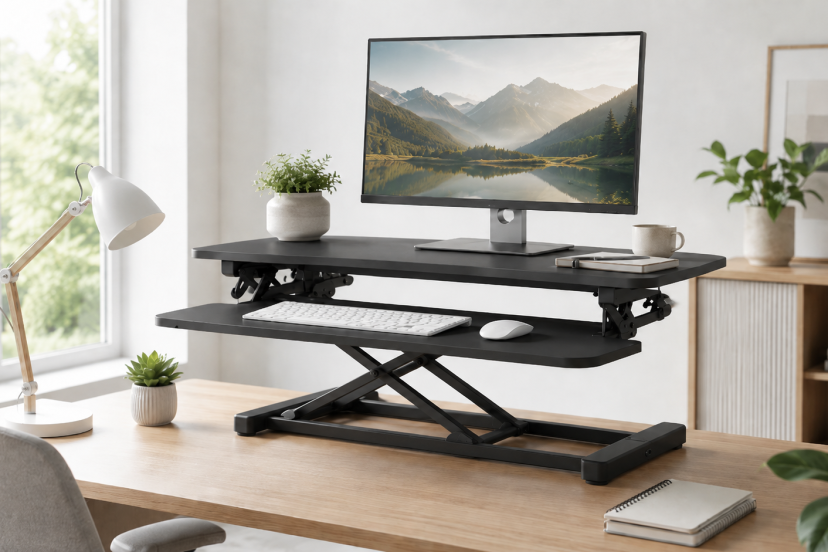
Replacing a perfectly good desk just to work standing up can feel wasteful—and expensive. An ergonomic standing desk converter gives you a simpler option by adding adjustable height to the desk you already own. The best models provide separate levels for your screen and keyboard, move smoothly between positions, and remain stable while you type. This guide compares ten highly rated choices for home offices, dual-monitor workstations, cubicles, and compact desks.
Our Top Picks
| Product | Best For | Key Feature | Rating | Read More |
| VariDesk Pro Plus 36 | Best overall | Fully assembled two-tier design | ★★★★★ | Read more |
| FlexiSpot AlcoveRiser M7 | Spacious workstations | Wide surface and removable tray | ★★★★★ | Read more |
| VIVO 32-Inch K Series | Best value | Popular pneumatic converter | ★★★★⯪ | Read more |
| Ergotron WorkFit-TL | Premium durability | Strong, low-profile platform | ★★★★⯪ | Read more |
| Seville Classics AIRLIFT 36 | Smooth adjustment | Gas-spring lifting system | ★★★★⯪ | Read more |
| TechOrbits Desk Converter | Easy adjustment | One-sided lift handle | ★★★★⯪ | Read more |
| Mount-It! 38-Inch Converter | Dual monitors | Extra-wide upper platform | ★★★★⯪ | Read more |
| HUANUO 28.5-Inch Converter | Compact desks | Small footprint and gas spring | ★★★★⯪ | Read more |
| Rocelco DADR-46 | Large setups | Room for multiple displays | ★★★★⯪ | Read more |
| VersaDesk PowerPro 40 | Electric adjustment | Push-button motorized lift | ★★★★⯪ | Read more |
Top 10 Ergonomic Standing Desk Converter Picks
1. VariDesk Pro Plus 36

The VariDesk Pro Plus 36 is our best overall choice because it combines a generous work surface, a separate keyboard tray, and an established reputation for stability. It arrives assembled, so you can place it on your desk and start adjusting immediately.
Its 36-inch surface supports common dual-monitor setups, while 11 height positions provide practical flexibility. The main limitation is its weight and large footprint, particularly when placed on a shallow desk. Current product information shows a 35-pound capacity and thousands of positive customer ratings.
Key features: 11 height settings, two-tier design, spring-assisted lift
Best for: Professionals wanting a dependable, ready-to-use converter
Pros: Excellent stability; spacious keyboard tray; no assembly
Cons: Heavy; moves slightly forward as it rises
Why we recommend it: It is polished, sturdy, and easy to operate several times during a normal workday.
2. FlexiSpot AlcoveRiser M7

The FlexiSpot AlcoveRiser M7 is an excellent fit for anyone who wants plenty of room without paying VariDesk prices. Its wide upper surface can accommodate two monitors, while the oversized removable keyboard tray also works well with a laptop.
A straight up-and-down lifting path prevents the converter from pushing toward you as it rises. Its adjustment range extends to roughly 20 inches, making it more accommodating than many compact models.
Key features: Straight vertical lift, removable tray, wide working area
Best for: Dual monitors, laptops, and taller users
Pros: Smooth one-handle adjustment; roomy tray; stable base
Cons: Large and fairly heavy
Why we recommend it: It offers an especially useful balance of surface area, adjustability, and value.
3. VIVO 32-Inch K Series

The VIVO K Series is the sensible choice when you want a proven converter without turning the purchase into a major home-office investment. It has a 31.5-inch upper platform, a wide keyboard tray, and a pneumatic mechanism that helps with lifting.
This is one of the most reviewed standing desk converters in its category, maintaining strong feedback across thousands of ratings. Its 33-pound capacity should handle a typical monitor-and-laptop arrangement, although heavy dual-monitor systems require careful weight calculations.
Key features: Pneumatic lift, wide tray, two-tier workstation
Best for: Buyers seeking the best overall value
Pros: Affordable; widely reviewed; minimal setup
Cons: Some movement at maximum height; takes up considerable depth
Why we recommend it: Few competitors match its combination of price, popularity, and everyday functionality.
4. Ergotron WorkFit-TL

The Ergotron WorkFit-TL is built for users who care more about durability than bargain pricing. Its broad platform rises vertically rather than swinging far forward, helping preserve a predictable working position.
The TL supports a substantial desktop setup and sits relatively low when collapsed. Customer feedback frequently praises its solid feel, although raising it becomes more demanding as the load approaches its stated limit.
Key features: Vertical movement, broad surface, commercial-grade construction
Best for: Long-term office use and heavier equipment
Pros: Very stable; durable mechanism; low seated profile
Cons: Premium price; keyboard tray may be sold separately
Why we recommend it: It feels less like a temporary accessory and more like permanent office equipment.
5. Seville Classics AIRLIFT 36

The Seville Classics AIRLIFT 36 delivers a roomy dual-monitor platform with smooth gas-spring adjustment. A built-in slot keeps a phone or tablet visible without letting it disappear beneath a stack of sticky notes.
Its 36-inch surface offers a useful middle ground: spacious enough for serious work but not as overwhelming as a 40- or 46-inch converter. Customer feedback generally favors its sturdiness and ease of adjustment.
Key features: Gas-spring lift, device slot, detachable keyboard tray
Best for: Organized dual-monitor home offices
Pros: Smooth movement; attractive finishes; useful tray space
Cons: Heavy; the upper surface may sit high when lowered
Why we recommend it: It combines practical organization with a comfortable amount of working space.
6. TechOrbits Standing Desk Converter

TechOrbits uses a one-sided adjustment handle, allowing you to raise or lower the platform without squeezing two separate levers. That small detail is handy when you frequently alternate positions.
The converter is available in multiple widths, with larger versions providing enough space for two monitors. Feedback highlights straightforward assembly and good stability, though the product itself is cumbersome to move once installed.
Key features: One-handle lift, multiple sizes, separate keyboard platform
Best for: Users who change positions frequently
Pros: Simple controls; sturdy surface; good size selection
Cons: Heavy; some versions have a shallow keyboard area
Why we recommend it: The uncomplicated lifting mechanism makes daily adjustments feel less like a chore.
7. Mount-It! 38-Inch Standing Desk Converter
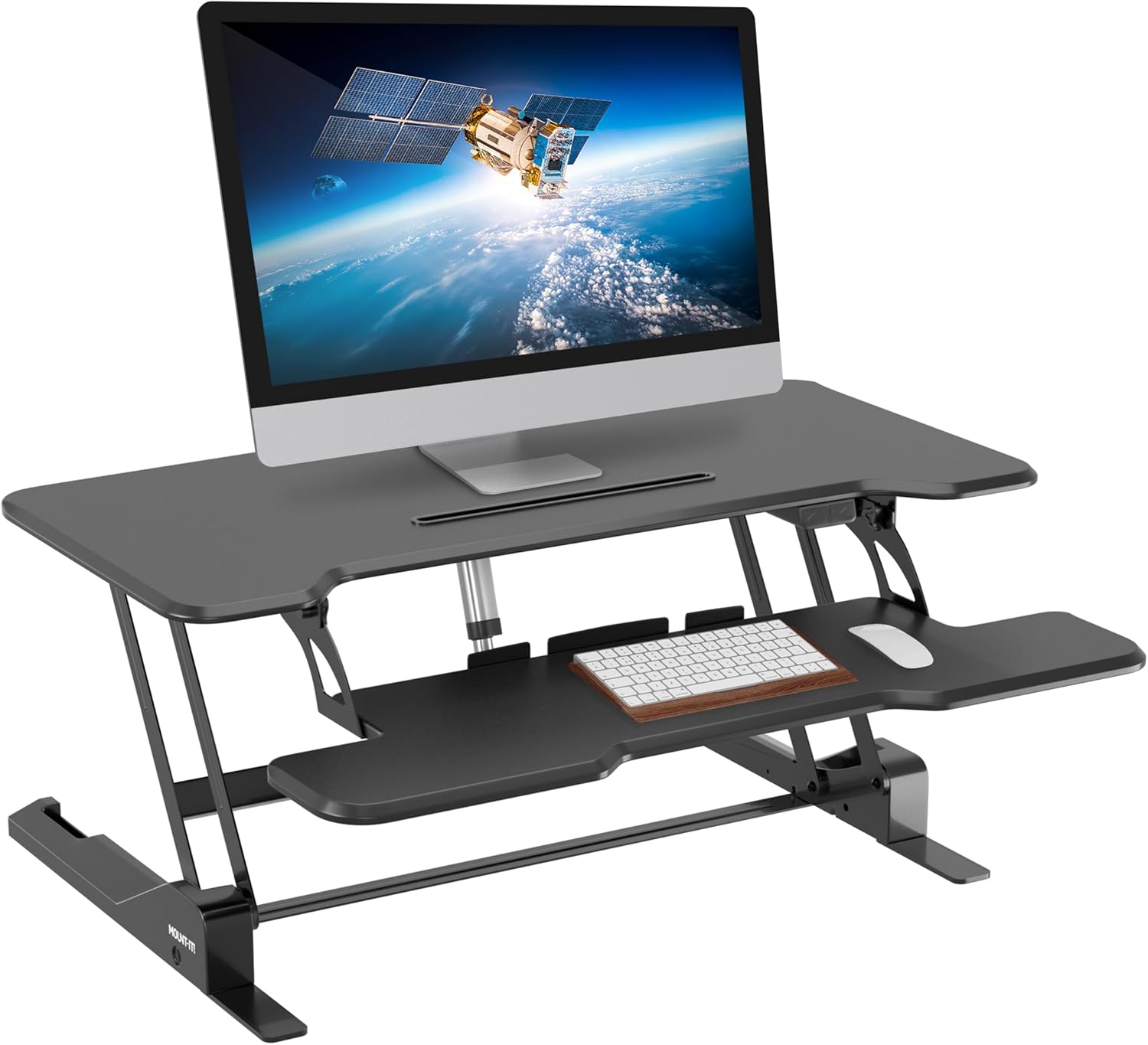
This Mount-It! model gives dual-monitor users extra breathing room. The 38-inch platform provides space for two displays, while the lower tray keeps your keyboard and mouse at a separate working height.
The gas-spring mechanism allows continuous adjustment rather than limiting you to a handful of preset positions. Its size is an advantage on a wide desk but can overwhelm a narrow writing table.
Key features: 38-inch desktop, gas-spring lift, wide keyboard tray
Best for: Dual displays and wide office desks
Pros: Large surface; flexible height positioning; solid construction
Cons: Requires substantial desk depth; bulky to relocate
Why we recommend it: It gives larger workstations enough usable space without moving up to an enormous 46-inch model.
8. HUANUO 28.5-Inch Standing Desk Converter

The HUANUO 28.5-inch converter is a better fit for apartments, cubicles, and smaller desks. Its compact platform can support a laptop or modest monitor setup without swallowing the entire desktop.
It arrives largely assembled and uses a gas-spring mechanism for height changes. The trade-off is obvious: there is less room for documents, speakers, and oversized keyboards. The model has maintained strong Amazon feedback from hundreds of buyers.
Key features: Compact platform, gas-spring lift, minimal assembly
Best for: Laptop users and limited workspaces
Pros: Smaller footprint; easy setup; good review volume
Cons: No separate keyboard tray; unsuitable for large dual monitors
Why we recommend it: It provides real sit-stand functionality without requiring a full-size workstation.
9. Rocelco DADR-46

The Rocelco DADR-46 is the big workbench of this roundup. Its 46-inch surface can hold multiple monitors, a laptop, and work materials that would crowd a typical 32-inch converter.
A retractable keyboard tray helps reclaim room when it is not needed, and some versions include charging outlets or monitor-mount bundles. The large size requires a strong, deep desk, so measure twice before ordering.
Key features: Extra-wide platform, retractable tray, optional accessories
Best for: Three-screen setups and equipment-heavy workstations
Pros: Huge usable area; sturdy frame; flexible configurations
Cons: Very large; harder to lower with heavy equipment
Why we recommend it: It solves a genuine problem for users whose equipment simply will not fit on smaller converters.
10. VersaDesk PowerPro 40

The VersaDesk PowerPro 40 replaces manual lifting with an electric motor. Pressing a button raises or lowers the workstation, which may be helpful for users who find spring-assisted converters difficult to operate.
It also offers a high stated weight capacity and built-in USB charging on selected configurations. Customer feedback is generally positive, although independent testing has noted that stability and motor noise may not match premium electric converters.
Key features: Electric lift, USB charging, high load capacity
Best for: Heavy setups and users wanting push-button adjustment
Pros: No manual lifting; several sizes and finishes; wide surface
Cons: Costly; motor is slower than manual adjustment
Why we recommend it: It is one of the more accessible ways to add motorized adjustment to an existing desk.
How to Choose an Ergonomic Standing Desk Converter
Start by measuring your desk’s width and depth. A converter may technically fit across the desk while still placing your monitor uncomfortably close to your face.
Next, add the weight of your monitors, laptop, speakers, and other equipment. Leave some room below the converter’s maximum capacity so the lifting mechanism does not feel overloaded.
Your keyboard platform should let you type with relaxed shoulders and elbows near a right angle. Your screen should remain directly in front of you, with its upper edge around eye level or slightly lower. The ErgonomicsZone guide to an ergonomic monitor setup explains how to fine-tune screen height, distance, and angle.
A converter also works best when paired with movement breaks rather than hours of uninterrupted standing. These ergonomic sit-stand desk essentials can help you complete the setup with a monitor arm, supportive mat, and better keyboard positioning.
Final Thoughts
The best ergonomic standing desk converter is the one you can adjust comfortably without rearranging your entire workstation. The VariDesk Pro Plus 36 is our strongest all-around pick for its stability and polished design, while the VIVO 32-Inch K Series delivers excellent value. Choose the FlexiSpot M7 for more height and workspace, the HUANUO for a compact desk, or the Rocelco DADR-46 for a large multi-monitor setup. Measure carefully, check your equipment weight, and prioritize smooth adjustment over flashy extras.
Frequently Asked Questions
Are standing desk converters actually ergonomic?
They can be ergonomic when the keyboard, mouse, and monitor are positioned correctly. AN ergonomic standing desk converter alone will not fix poor posture if the screen remains too low or the keyboard tray forces your shoulders upward.
What size standing desk converter should I buy?
A 28- to 32-inch model works well for a laptop or single monitor. Dual-monitor users usually benefit from a 35- to 38-inch model, while complex multi-screen setups may require a 40- to 46-inch surface.
Is a standing desk converter better than a full standing desk?
A converter is generally easier to install and lets you keep your existing furniture. A full standing desk provides more open workspace and often feels cleaner, but it costs more and requires replacing the entire desk.
How high should a standing desk converter be?
Raise it until your elbows remain close to 90 degrees while typing and your shoulders feel relaxed. Position the monitor so you can look ahead without bending your neck downward or lifting your chin.
Can a standing desk converter hold two monitors?
Many models can, but you must check both the available surface width and weight capacity. Include the combined weight of the monitors, stands, laptop, speakers, and any monitor arm before choosing a converter.