Effects of Poor Lighting in the Workplace and How to Fix It
We may earn a commission for purchases made using our links. Please see our disclosure to learn more.
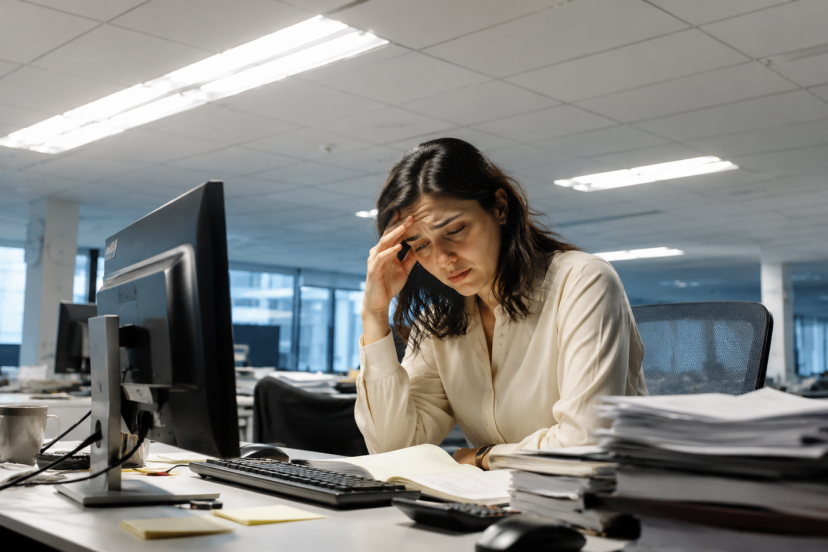
Poor lighting makes the work day feel more difficult than it needs to be. It can tire your eyes, give you a headache, and leave you slouching without you ever realizing it. In this article, we will discuss how inadequate lighting impacts comfort in the workplace, as well as a few minor adjustments that can make your work area more user friendly.
What Counts as Poor Lighting at Work?
Poor lighting is when the light in a work area is not adequate for the work being performed. The light may be too weak, too strong, too uneven, too harsh, flickering, or poorly positioned.
For instance, a dark desk can make it more difficult to read documents. A bright ceiling light can reflect on your screen and cause glare. A window behind you can make your monitor a mirror. These are just some of the ways your eyes and body are forced to compensate and strain, with no end in sight.
Good workplace lighting should help you see clearly without strain. It should also support comfortable posture, reduce visual fatigue, and make the space feel safe and usable.
According to OSHA’s workstation environment guidance, lighting that causes glare on a monitor can contribute to eyestrain, headaches, and awkward posture. That is exactly why lighting deserves a place in every ergonomic workplace setup.
How Poor Lighting Impacts Health and Productivity
1. Eye Strain and Headaches
Tired eyes are one of the most common problems linked to poor lighting. When light levels are wrong, your eyes work harder to focus. This can lead to dryness, blurred vision, burning eyes, and headaches by the end of the day.
Dim lighting can be just as uncomfortable as harsh lighting. In low light, your eyes struggle to read text or see details. Under bright, glaring light, your eyes keep adjusting to reflections and contrast.
A subjective and objective office lighting study found that lighting can affect worker comfort, alertness, satisfaction, safety, and performance. In simple terms, lighting is not just about visibility. It influences how people feel and function at work.
2. Neck, Shoulder, and Back Discomfort
Poor lighting can quietly ruin your posture. If you cannot see your screen or documents clearly, you may lean forward, squint, tilt your head, or twist your neck without realizing it.
Over time, those small adjustments can lead to neck, shoulder, and upper back discomfort. This is especially common for people who work at computers, read printed documents, inspect products, or do detail-heavy tasks.
For example, if glare covers part of your screen, you may angle your body to avoid the reflection. That position might feel harmless for a few minutes, but after several hours, your muscles will complain.
This is why lighting should work together with your chair, desk, monitor height, keyboard, and mouse. For a broader setup, you can use this helpful guide on creating an ergonomic home office workspace that supports comfort from every angle.
3. Fatigue and Reduced Focus
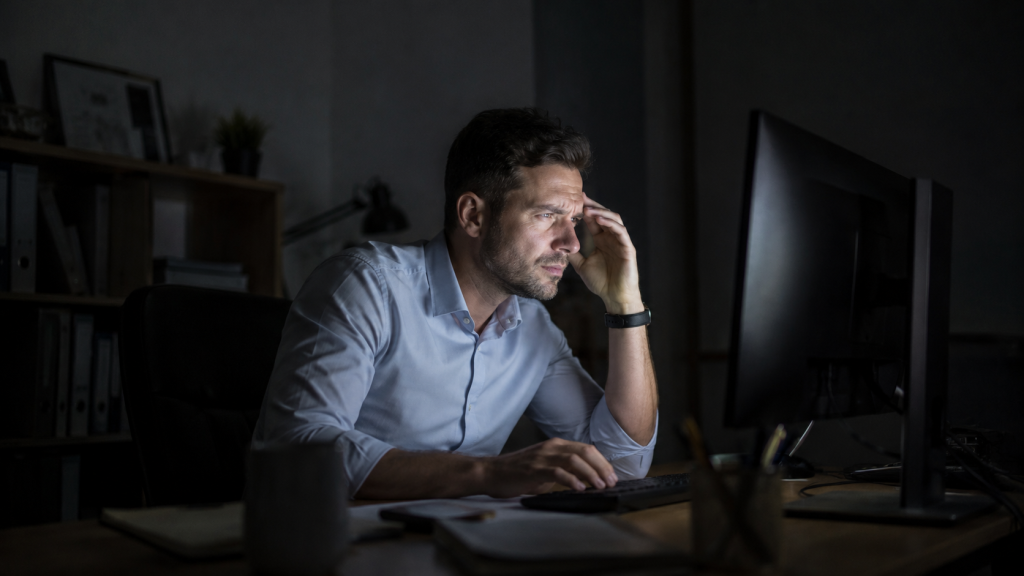
Bad lighting can make work feel harder than it needs to be. When your eyes constantly adjust to shadows, glare, or uneven brightness, your brain burns extra energy just to process what you are seeing.
That effort can leave you feeling tired, foggy, or less patient. You may also notice that reading takes longer, screen work feels more irritating, or detail tasks require more effort.
Workplace lighting should help you stay alert without feeling overstimulated. A balanced setup keeps the space bright enough for focus but soft enough to avoid visual stress.
4. More Mistakes and Lower Productivity
When people cannot see clearly, mistakes happen more easily. This matters in offices, but it becomes even more important in workshops, warehouses, clinics, kitchens, labs, and production areas.
Poor lighting can make labels harder to read, tools harder to locate, and small details easier to miss. In computer-based work, glare can slow typing, editing, design, and data entry.
Better lighting does not magically make everyone productive. However, it removes a common source of friction. When people can see comfortably, they can work with less strain and fewer unnecessary interruptions.
5. Increased Safety Risks
Lighting also affects workplace safety. Dim hallways, shadowy storage areas, poorly lit stairs, and dark parking areas can increase the risk of trips, slips, and falls.
In task areas, poor visibility can make machinery, cords, wet floors, sharp tools, or obstacles harder to notice. This is why lighting is not just a comfort issue. It is also a safety issue.
The Canadian Centre for Occupational Health and Safety explains that proper lighting without glare or shadows can reduce eye fatigue and headaches while improving visibility of safety hazards.
Signs Your Workplace Lighting Needs Improvement
Sometimes poor lighting is obvious. In some cases, the warning signs are not obvious right away.
Your lighting may need improvement if you notice:
- Frequent eye strain or headaches during work
- Screen glare that changes throughout the day
- Shadows across your desk or work surface
- Squinting while reading documents
- Feeling sleepy in certain areas
- Leaning forward to see details
- Bright overhead lights that feel harsh
- Flickering bulbs or uneven light levels
- Reflections on glossy desks, screens, or walls
One simple test is to pay attention to your body at the end of the day. If your eyes, neck, and shoulders feel worse after working in a specific space, the lighting may be part of the problem.
What Causes Poor Workplace Lighting?
Too Much Overhead Lighting
Many offices rely on bright ceiling lights. That may sound practical, but strong overhead lighting can create glare on screens and hard shadows on desks.
It can also make the room feel flat and harsh, especially when there is no task lighting or natural light control.
Not Enough Task Lighting
General lighting is not always enough for focused work. Reading, writing, sketching, repairing, crafting, and inspecting all need more direct light.
A study on adjustable LED task lighting in office environments looked at ergonomic benefits from giving workers more control over task lighting. Adjustable lighting matters because not every person, task, or workstation needs the same light level.
Glare From Windows or Screens
Glare happens when light reflects into your eyes or onto your screen. It often comes from windows, glossy surfaces, bright walls, or poorly placed lamps.
A monitor facing a window can look washed out. A window behind your back can reflect on the screen. A lamp pointed directly at the monitor can create a bright spot that forces you to shift posture.
Flickering or Old Bulbs
Flickering lights can cause discomfort, especially for people who are sensitive to visual changes. Sometimes flicker is obvious. Other times, it is subtle but still tiring.
Old bulbs, failing fixtures, voltage issues, or low-quality lighting products can all contribute to flicker.
Poor Contrast
Contrast matters more than many people think. If your screen is bright but the room is dark, your eyes keep adjusting between the two. If your work surface is dark and your documents are also dark, reading becomes harder.
A comfortable workspace should avoid extreme contrast. The light around your screen should feel balanced, not cave-dark or spotlight-bright.
How to Fix Poor Lighting in the Workplace
Use Better Lighting Layers
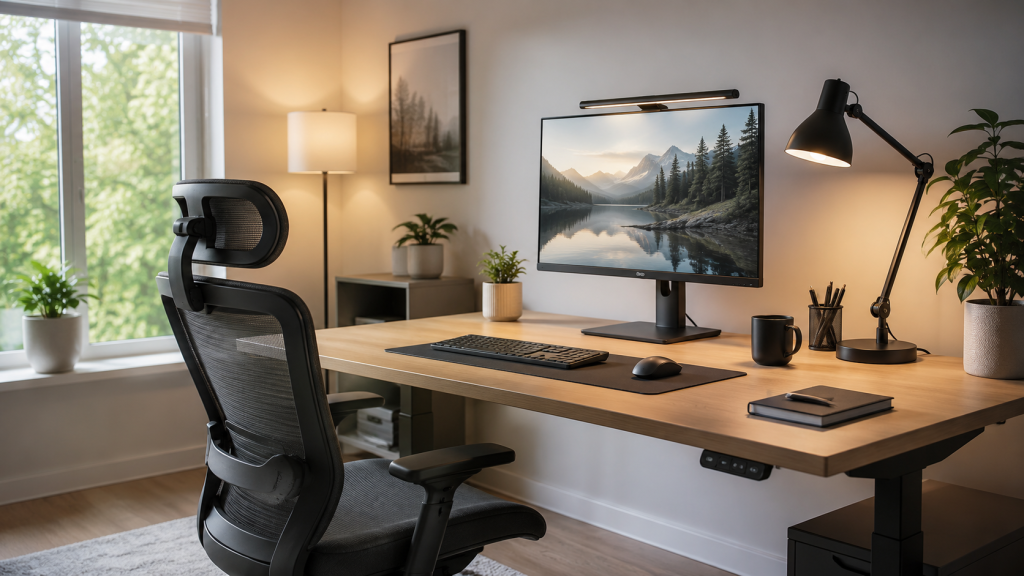
Do not rely on one harsh overhead light. Combine general room lighting with a desk lamp or task light. This gives your workspace more balance and makes it easier to adjust the light for different tasks.
Reduce Glare
Check your screen for reflections from windows, ceiling lights, or shiny desk surfaces. To reduce glare, move your monitor away from direct sunlight, use blinds or curtains, and angle lamps away from your eyes and screen.
Add Task Lighting
A good desk lamp helps when you read, write, or work with small details. Choose one with adjustable brightness and direction so you can light your work area without making the whole room too bright.
Adjust Your Monitor
Place your screen where you can view it without leaning or squinting. Avoid putting it directly in front of a bright window or with a window behind you. If light reflects on the screen, adjust the angle slightly.
Control Natural Light
Natural light is helpful, but direct sunlight can cause glare and heat. Use shades, blinds, or sheer curtains to soften it. Ideally, daylight should come from the side of your desk.
Choose Comfortable Bulbs
For most office work, neutral white light works well. It feels bright enough for focus without being too harsh. A bulb or lamp around 3500K to 5000K is a practical choice for many workspaces.
Fix Flickering or Uneven Lights
Replace flickering bulbs as soon as possible. Also, check for dark corners or overly bright spots. Uneven lighting can make your eyes work harder and increase fatigue.
Match Light to the Task
Computer work needs soft, low-glare lighting. Reading, writing, and detail work need brighter focused light. Adjust your lighting based on what you are doing instead of using the same setup all day..
Best Products to Improve Workplace Lighting
Here are five useful product ideas that can help fix poor lighting in an office or home workspace.
1. BenQ ScreenBar Monitor Light Bar
A monitor light bar is useful for screen-heavy workstations because it lights the desk without shining directly into the eyes. The BenQ ScreenBar is a popular premium option for reducing desk shadows while keeping screen glare low.
2. Quntis Monitor Light Bar
The Quntis Monitor Light Bar is a budget-friendly alternative for people who want adjustable brightness and color temperature. It works well for small desks where a traditional lamp takes up too much space.
3. OttLite LED Desk Lamp
An OttLite LED desk lamp is a good choice for reading, writing, crafting, and detail work. Look for an adjustable model with dimming controls so you can aim the light exactly where you need it.
4. 3M Anti-Glare Monitor Filter
An anti-glare filter can help when reflections are difficult to control. It should not be the first fix, but it can be useful in shared offices, bright rooms, or workstations near windows.
5. Amazon Basics Smart LED Light Strip
A soft LED light strip can work as bias lighting behind a monitor or shelf. This helps reduce contrast between a bright screen and a dark room, especially during early morning or evening work.
Conclusion
Poor lighting in the workplace can affect your eyes, posture, energy, safety, and productivity. It can cause headaches, visual fatigue, awkward body positions, and unnecessary frustration during everyday tasks. Thankfully, most fixes are simple. Start by reducing glare, improving monitor placement, adding adjustable task lighting, controlling natural light, and replacing flickering bulbs. When lighting supports the way you actually work, your workspace feels easier on your eyes, kinder to your body, and much more comfortable to use every day.
FAQs
1. How does poor lighting affect workers?
The main effects include eye strain, headaches, fatigue, poor focus, awkward posture, neck and shoulder pain, and a higher risk of mistakes or accidents.
2. Can poor lighting cause back and neck pain?
Yes. If lighting makes it hard to see your screen or documents, you may lean forward, twist your neck, or sit awkwardly. Over time, this can lead to neck, shoulder, and back discomfort.
3. What is the best lighting for office work?
The best office lighting is balanced, adjustable, and low-glare. A mix of ambient lighting, task lighting, and controlled natural light usually works better than one bright overhead light.
4. How do I reduce glare on my computer screen?
Place your monitor perpendicular to windows, use blinds or curtains, avoid direct light on the screen, choose matte surfaces, and adjust lamps so they light your desk instead of your monitor.
5. Is natural light good for workplace ergonomics?
Yes, natural light can support comfort and alertness. However, it needs control. Use shades, blinds, or curtains to prevent glare, strong contrast, and direct sunlight on screens.