Upgrade Your Desk With Ergonomic Office Accessories
We may earn a commission for purchases made using our links. Please see our disclosure to learn more.
A long workday can make a small desk problem feel enormous. A monitor that sits slightly too low may leave you leaning forward. A chair that is too tall can make your feet dangle. Even a basic mouse can become uncomfortable when your hand stays in the same position for hours. That is where ergonomic office accessories can help. The right tools make your workstation fit your body more naturally. You do not need a futuristic command center. A few thoughtful changes can improve comfort, reduce unnecessary reaching, and make it easier to shift positions throughout the day.
Why Ergonomic Office Accessories Matter
Ergonomics is not about holding one “perfect” posture from morning to evening. It is about arranging your workspace so your body stays supported without forcing your joints into awkward positions.
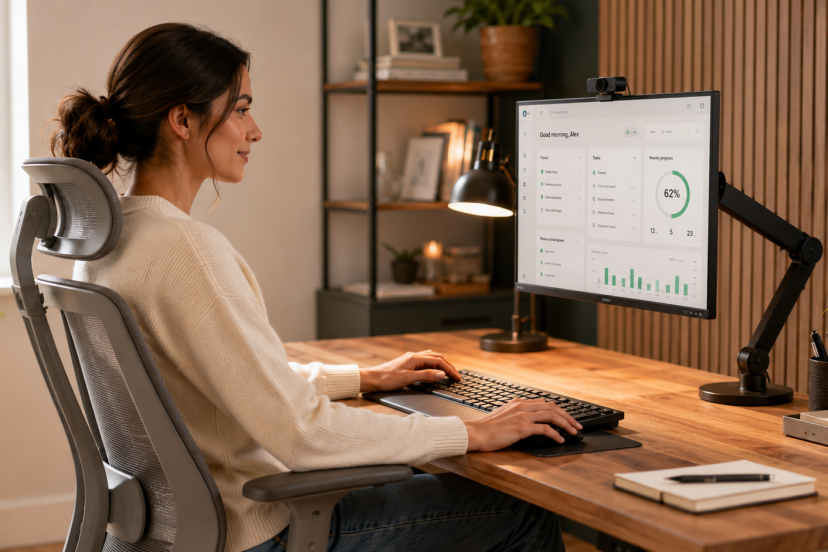
OSHA’s computer workstation guidance recommends keeping the head balanced, shoulders relaxed, elbows supported, wrists aligned with the forearms, lower back supported, and feet resting on the floor or a footrest. It also stresses that no single arrangement fits everyone. urn853077view3
Discomfort often comes from several small problems working together. Your screen may be low, your keyboard may be too far away, and your chair may not support your feet. Addressing the whole setup usually works better than fixing one isolated item.
Check Your Desk Before Buying Anything
Sit down as you normally work and notice where your body feels tense.
Ask yourself:
- Are you leaning toward the screen?
- Do your shoulders rise while typing?
- Are your wrists bent upward or sideways?
- Can you place both feet flat and comfortably on the floor?
- Does the chair support your lower back?
- Is your mouse close enough to use without reaching?
Your answers reveal which accessories are worth buying. This quick check also prevents you from purchasing a popular product that solves a problem you do not have.
Essential Ergonomic Accessories for a Better Desk Setup
Monitor Arms and Screen Risers
A monitor arm lets you adjust screen height, distance, and angle without stacking books under the display. Keep the monitor centered in front of you, with its upper edge at or just below eye height.
If you use two monitors, place the primary screen straight ahead. When both receive equal use, center them together so you are not twisting your neck toward one side all day.
Laptop Stands
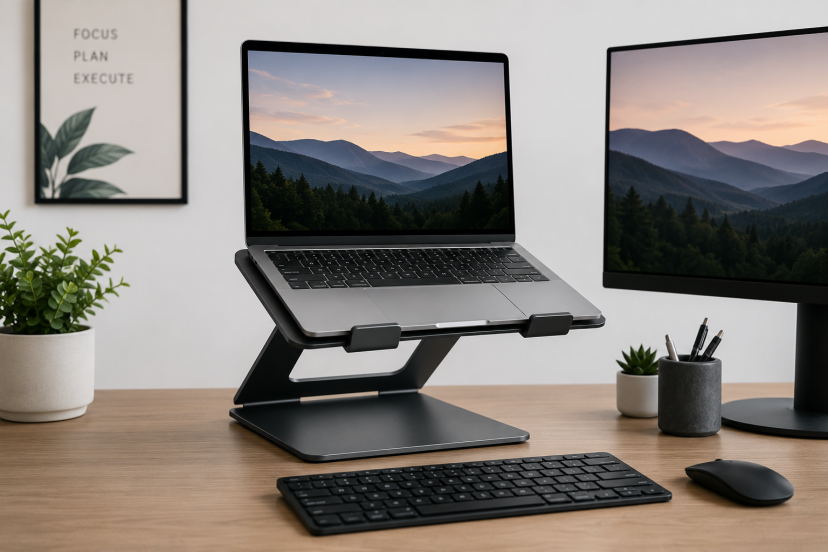
Laptops create an awkward compromise because the screen and keyboard are attached. Use a laptop stand to lift the screen, and connect a separate keyboard and mouse for longer work sessions.
Avoid typing for long periods on a highly elevated laptop. Your shoulders and wrists may end up doing a strange balancing act, and they will not thank you for it.
Ergonomic Keyboards and Mice
Split and curved keyboards may help keep your hands and forearms in a more natural position. A vertical mouse rotates the hand into a more upright position, while a trackball reduces arm movement. None is automatically best, so consider hand size, task type, and comfort.
Ergonomic office accessories provide the most benefit when they support a well-arranged workstation. In a one-year randomized trial involving computer-based customer service workers, a wide forearm support surface reduced upper-body pain and lowered the incidence of neck and shoulder disorders. The findings show why support and positioning matter alongside the mouse itself. rests
Use a footrest when your chair must be raised to match the desk but your feet no longer rest flat on the floor. Choose a stable model with enough room for both feet. An adjustable angle also makes it easier to change leg positions.
Lumbar Support
Your chair should support your lower back without pushing you too far forward. If it does not, a small lumbar cushion can fill the gap.
More padding is not always better. A thick cushion may make the seat too shallow. Look for modest support that follows your natural shape. If you alternate between sitting and standing, supportive ergonomic footwear for work can make standing sessions more comfortable.
Wrist and Forearm Supports
Palm rests can provide light support during pauses between typing. Avoid pressing your wrists into a firm edge while actively typing. Support the heel of the hand or forearms instead, while keeping the wrists fairly straight.
Document Holders and Task Lighting
A document holder keeps printed pages near screen height, reducing repeated looking down and turning your head. It is especially useful for data entry, editing, and transcription.
Good task lighting also reduces the urge to lean closer. Position the lamp so it illuminates your work without reflecting off the monitor.
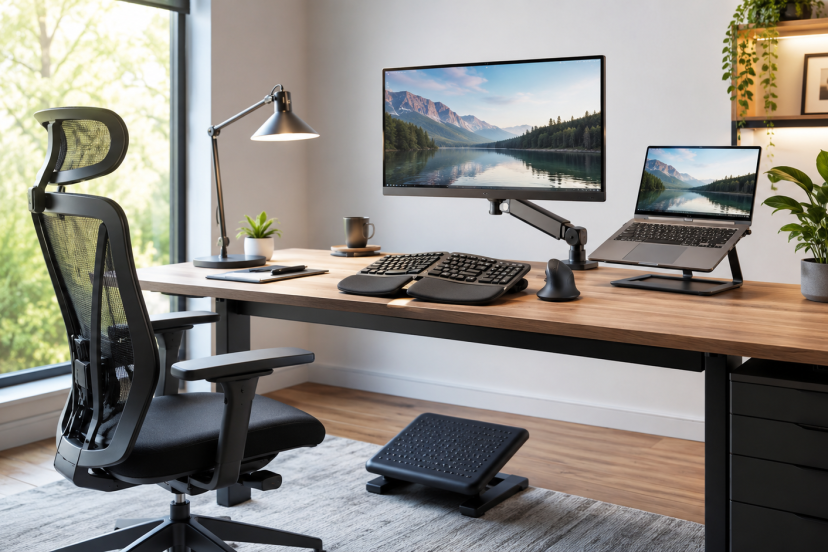
5 Ergonomic Office Accessories Worth Considering
The best ergonomic office accessories solve a specific comfort or positioning problem. These five options can help improve screen height, hand position, foot support, and overall desk comfort.
1. Logitech Lift Vertical Ergonomic Mouse
Best for: Small to medium-sized hands
The Logitech Lift features a compact vertical design that places your hand in a more natural position. It also includes quiet clicks, wireless connectivity, and customizable buttons.
2. Logitech ERGO K860 Wireless Ergonomic Keyboard
Best for: Frequent typing and full-size keyboard users
The Logitech ERGO K860 has a curved, split-key layout designed to support a more relaxed typing position. Its cushioned palm rest provides additional support during long work sessions.
3. Ergotron LX Single Monitor Arm
Best for: Adjustable and sit-stand workstations
The Ergotron LX allows you to change your monitor’s height, distance, tilt, and viewing angle. Its flexible design works well for shared workstations and desks that switch between sitting and standing.
Before purchasing, check your monitor’s weight and VESA mounting compatibility.
4. ComfiLife Adjustable Under-Desk Footrest
Best for: Desks where your feet do not reach the floor comfortably
This memory foam footrest provides adjustable support beneath your desk. It can help you maintain a more stable sitting position when your chair needs to be raised for proper keyboard alignment.
5. Kensington SmartFit Easy Riser Go Laptop Stand
Best for: Laptop users and hybrid workers
The Kensington SmartFit raises your laptop screen to a more comfortable viewing height. It also folds flat, making it easy to carry between home and office.
For longer work sessions, pair the stand with an external keyboard and mouse.
Conclusion
Ergonomic office accessories can make a basic workstation more comfortable, but only when they solve real setup problems. Start by observing your posture and identifying areas that lack support. Then choose adjustable products that bring your screen, keyboard, mouse, chair, and feet into a more natural relationship. Small changes often work better than an expensive desk makeover.
FAQs
What are the most useful ergonomic office accessories?
For many workers, the most useful options are a monitor arm or laptop stand, an ergonomic mouse, a supportive keyboard, a footrest, and lumbar support. Your best starting point depends on where you lack support.
Do ergonomic accessories prevent back or wrist pain?
They may reduce awkward positioning and improve comfort, but they cannot guarantee that pain will disappear. Speak with a qualified healthcare professional if your symptoms become severe, continue for a long time, or gradually worsen.
Is a vertical mouse more comfortable than a traditional mouse?
A vertical mouse may feel more comfortable because it changes the forearm position. However, fit matters. Choose a size that matches your hand and allow time to adjust.
Do I need a footrest at my desk?
You may need one if your feet cannot rest flat after the chair is raised to a comfortable typing height. A footrest should support both feet without forcing your knees too high.
Can ergonomic accessories improve productivity?
A comfortable setup can reduce distractions caused by reaching, fidgeting, and repeated repositioning. However, accessories work best when combined with sensible breaks, movement, and a workstation arranged around your tasks.