Top 10 Ergonomic Keyboards
We may earn a commission for purchases made using our links. Please see our disclosure to learn more.
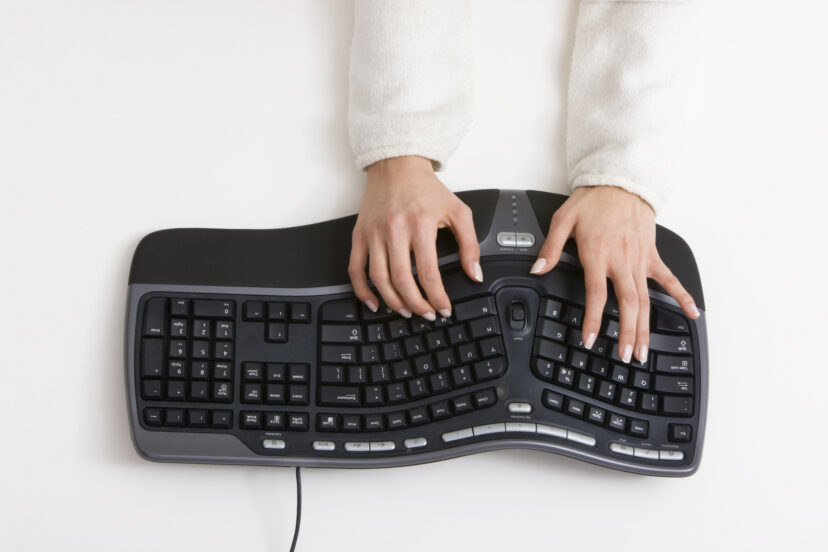
Typing should not leave your wrists feeling stiff, your shoulders tense, or your fingers begging for an early lunch break. The right ergonomic keyboards encourage a more natural hand position while making long workdays, writing sessions, and gaming marathons more comfortable.
For this guide, we compared fixed split keyboards, adjustable two-piece models, mechanical options, and beginner-friendly curved designs available through Amazon. Whether you want a simple office upgrade or a fully customizable setup, the ten keyboards below cover a useful range of budgets and typing preferences.
Our Top Picks
| Product | Best For | Key Feature | Rating | Read More |
| Logitech ERGO K860 | Best overall | Curved split keyframe | ★★★★⯨ | Read more |
| Logitech Wave Keys | Beginners | Gentle wave layout | ★★★★☆ | Read more |
| ProtoArc EK01 Plus | Backlit wireless use | Multi-device connectivity | ★★★★☆ | Read more |
| Arteck Split Keyboard | Budget wireless setup | Rechargeable battery | ★★★★☆ | Read more |
| Perixx PERIBOARD-512B | Budget wired use | Familiar fixed split design | ★★★★☆ | Read more |
| Perixx PERIBOARD-612B | Multiple devices | Bluetooth and USB receiver | ★★★★☆ | Read more |
| Kinesis Freestyle2 | Adjustable office use | Separating keyboard halves | ★★★★☆ | Read more |
| Kinesis Freestyle Edge RGB | Gaming | Split mechanical design | ★★★★☆ | Read more |
| Cloud Nine C989M | Full-size mechanical use | Built-in tenting and numpad | ★★★★☆ | Read more |
| Logitech K350 | Familiar wave layout | Extensive media controls | ★★★★⯨ | Read more |
How to Choose an Ergonomic Keyboard
The best design depends on where you currently feel restricted. A fixed split board angles your hands without dramatically changing how you type. A two-piece keyboard gives you more control over shoulder width, rotation, and spacing, but usually requires a longer adjustment period.
Look at these features before buying:
- Split angle: Helps your hands point inward instead of forcing your wrists outward.
- Tenting: Raises the center or inner edges to reduce forearm rotation.
- Negative tilt: Angles the keyboard away from you to help keep your wrists straighter.
- Key type: Scissor and membrane keys are generally quieter, while mechanical switches provide stronger feedback.
- Palm support: Useful during pauses, although you should avoid pressing your wrists firmly into it while actively typing.
- Connectivity: Bluetooth is convenient for switching devices, while wired USB avoids batteries and connection delays.
Keyboard choice is only one part of the setup. Correct keyboard height, elbow position, and desk arrangement also matter. Our guide to reducing wrist pain through better ergonomics explains how to position your equipment without bending your wrists upward.
1. Logitech ERGO K860

The Logitech ERGO K860 is our best overall choice because it combines meaningful ergonomic shaping with a layout that still feels familiar. Its raised center, curved split keyframe, sculpted keys, and cushioned palm support gently guide your hands into a more relaxed position.
It can connect through Bluetooth or a USB receiver and switch among three devices. The full number pad is useful for office work, although the board takes up considerable desk space and has no backlighting.
- Key features: Wireless connectivity, multi-device switching, pillowed palm rest and adjustable negative tilt
- Pros: Comfortable for prolonged typing; quiet and polished
- Cons: Large footprint; no backlit keys
- Best for: Professionals, writers and remote workers who type throughout the day
2. Logitech Wave Keys

The Wave Keys is a gentler introduction to ergonomic typing. Instead of dividing the keyboard into obviously separate sections, Logitech uses a softly curved and slightly raised layout that requires little retraining.
Its quiet keys, compact full-size design and three-device wireless pairing work especially well in shared offices. The built-in palm rest is comfortable, though it cannot be removed, and the keys may feel slightly soft to mechanical-keyboard users. Pair your keyboard with an ergonomic standing desk to create a more comfortable and flexible workspace.
- Key features: Wave-shaped layout, Bluetooth, Logi Bolt receiver and programmable function keys
- Pros: Easy learning curve; quiet operation
- Cons: No backlighting; relatively soft key response
- Best for: First-time ergonomic keyboard buyers
3. ProtoArc EK01 Plus

The ProtoArc EK01 Plus adds features missing from many office-focused ergonomic keyboards. It includes adjustable backlighting, a full number pad, a wide wrist rest and wireless connections for computers, tablets and smartphones.
The split angle is noticeable enough to improve hand positioning without forcing you to learn a completely new layout. It is a large keyboard, however, and its plastic construction does not feel quite as refined as Logitech’s premium models.
- Key features: Backlit keys, dual Bluetooth, USB receiver and rechargeable battery
- Pros: Flexible connectivity; comfortable full-size layout
- Cons: Bulky; basic-looking backlighting
- Best for: Multi-device users who work in low-light rooms
4. Arteck Split Ergonomic Keyboard

Arteck offers a surprisingly complete wireless keyboard at a more approachable price. You get a curved split keyset, low-profile scissor-style keys, a cushioned palm rest and a rechargeable battery.
The compact body places your mouse closer to your keyboard than many oversized ergonomic models. It only uses a USB wireless receiver, though, so buyers who regularly type on tablets or USB-C-only devices may need an adapter.
- Key features: Rechargeable battery, quiet keys, media shortcuts and cushioned support
- Pros: Strong value; simple plug-and-play setup
- Cons: No Bluetooth; Windows-oriented key labels
- Best for: Budget-conscious home-office users
5. Perixx PERIBOARD-512B

The PERIBOARD-512B is a practical choice when you want a traditional fixed split keyboard without wireless pairing, charging, or software. Plug it into a USB port and it is ready for everyday office work.
Its pronounced curve and full-size keys may appeal to former Microsoft Natural Keyboard users. The trade-off is size: this is a deep, wide keyboard that can overwhelm a narrow desk or keyboard tray.
- Key features: Wired USB connection, integrated wrist support and multimedia controls
- Pros: Affordable; no battery or connection concerns
- Cons: Bulky body; dated styling
- Best for: Desktop users seeking a straightforward wired option
6. Perixx PERIBOARD-612B

The PERIBOARD-612B takes Perixx’s familiar curved design and adds both Bluetooth and 2.4GHz wireless connectivity. That makes it more convenient for users who alternate between a work computer and another device.
Its tactile membrane keys require more travel than slim laptop-style keys, which some typists enjoy and others find tiring. The palm rest is fixed, so check your available desk depth before ordering.
- Key features: Bluetooth, USB receiver, split keyframe and full number pad
- Pros: Multiple connection options; good overall value
- Cons: Large footprint; batteries rather than USB charging
- Best for: Buyers who want an affordable multi-device keyboard
7. Kinesis Freestyle2
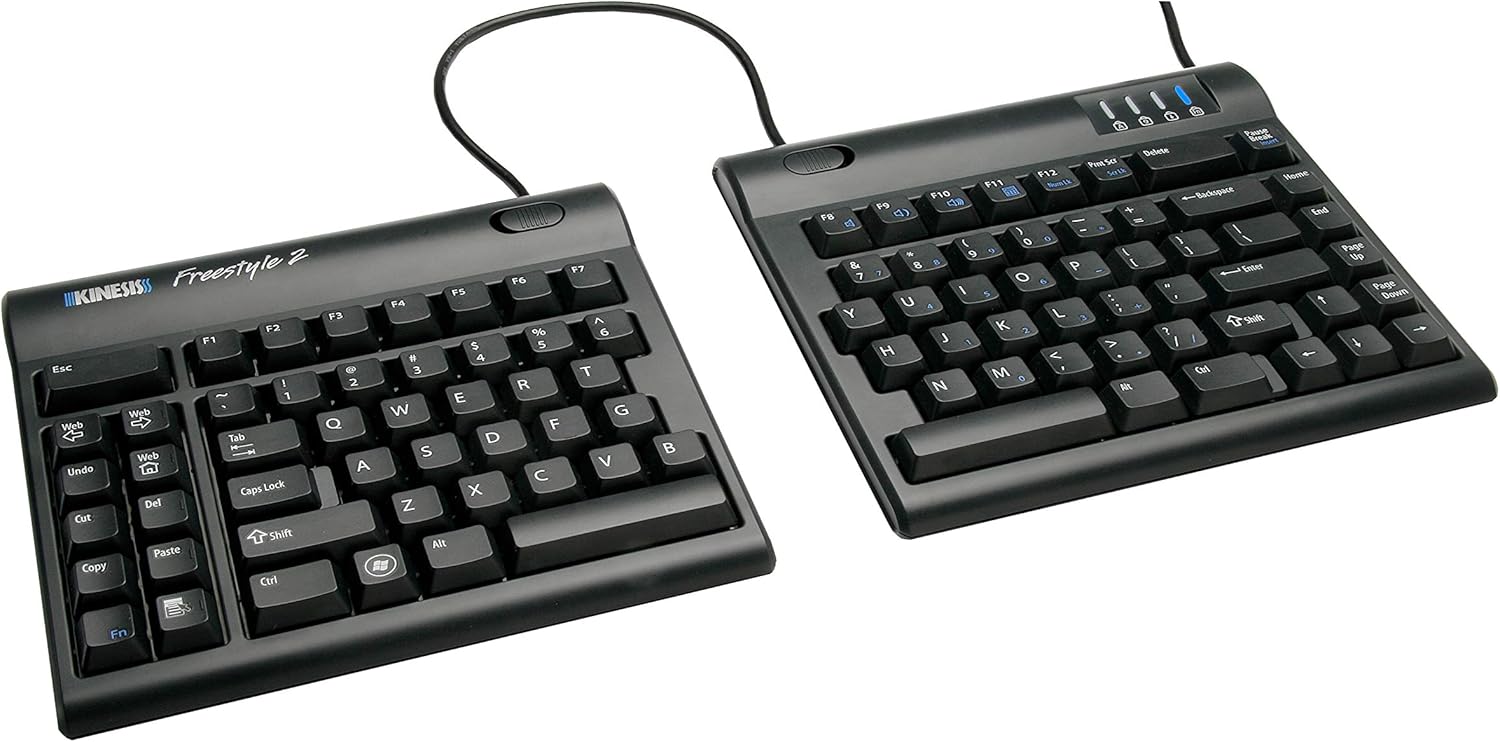
Unlike fixed ergonomic keyboards, the Freestyle2 separates into two independent modules. You can position the halves according to your shoulder width and rotate them until your forearms feel relaxed.
Its standard key arrangement keeps the learning curve manageable, but meaningful tenting requires an optional accessory kit. There is also no number pad, which saves mouse space but may inconvenience spreadsheet-heavy users.
- Key features: Up to nine inches of separation, thin profile and low-force membrane keys
- Pros: Highly adjustable; compact without a number pad
- Cons: Tenting accessories cost extra
- Best for: Office users who need adjustable shoulder and wrist positioning
8. Kinesis Freestyle Edge RGB

The Freestyle Edge RGB brings the adjustable two-piece format to gaming. Mechanical switches provide quicker, more distinct feedback, while the separated left module can be positioned independently during mouse-heavy games.
It also supports programmable keys, profiles and RGB lighting. The attached cables create some desk clutter, and the original model requires a separately purchased lift kit for tenting.
- Key features: Mechanical switches, RGB lighting, macros and onboard profiles
- Pros: Responsive typing; flexible gaming position
- Cons: Wired only; optional tenting kit adds expense
- Best for: Gamers who also want a comfortable work keyboard
9. Cloud Nine C989M

Cloud Nine’s C989M combines a complete 104-key layout with two movable halves, mechanical switches, built-in tenting and cushioned palm supports. It is especially useful when you want ergonomic adjustability without giving up a number pad.
Ten programmable macro keys add productivity options for editing, gaming or repetitive office tasks. At more than six pounds, however, it is closer to desk furniture than portable equipment.
- Key features: Kailh mechanical switches, RGB lighting, macros, USB pass-through and number pad
- Pros: Fully featured; substantial build
- Cons: Expensive, heavy and extremely deep
- Best for: Mechanical-keyboard fans with large desks
10. Logitech K350
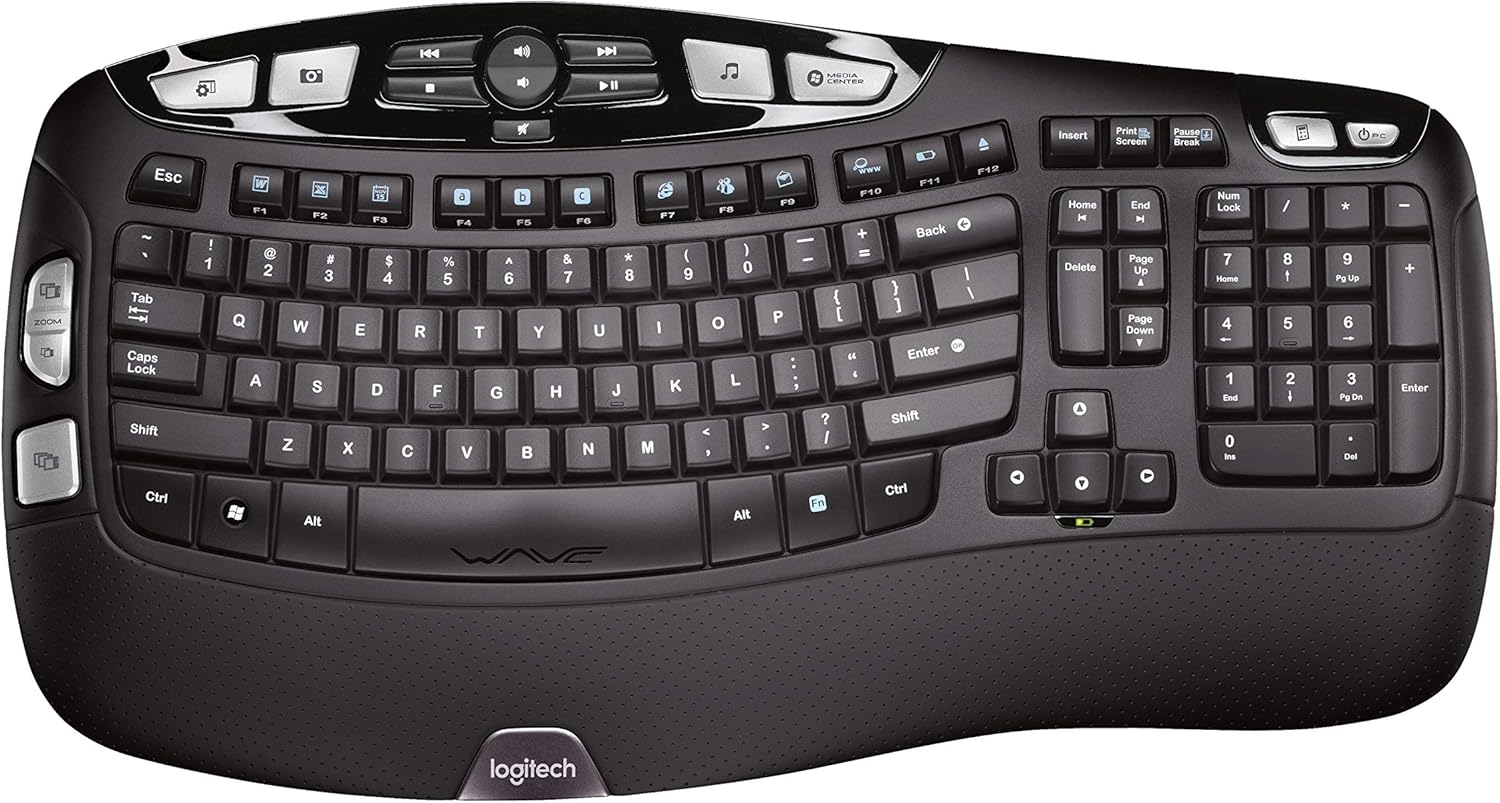
The Logitech K350 remains popular because its wave-shaped keyframe feels more natural without creating a dramatic typing adjustment. It also includes a number pad, padded palm rest and an unusually generous collection of media and shortcut keys.
Its biggest weakness is age. The keyboard is large, lacks Bluetooth and relies on Logitech’s older USB receiver system. Still, its extensive customer history makes it a dependable low-cost option for Windows desktops.
- Key features: Wave layout, programmable shortcuts, wireless receiver and long battery life
- Pros: Familiar feel; strong value and customer track record
- Cons: Older connection technology; very wide body
- Best for: Buyers who want mild ergonomic shaping and plenty of shortcuts
Final Thoughts
The Logitech ERGO K860 is the strongest all-around choice for most people because it offers noticeable wrist support, quiet keys and convenient multi-device connectivity without demanding a complete typing overhaul. The Logitech Wave Keys is easier on beginners and smaller budgets, while the Kinesis Freestyle2 gives you far more control over hand and shoulder placement. Gamers and mechanical-keyboard fans should look at the Kinesis Freestyle Edge RGB or Cloud Nine C989M. Whichever model you choose, remember that even the best ergonomic keyboards work best when your desk height, chair, monitor and mouse also support a relaxed posture. For more wireless options, explore our guide to the best wireless ergonomic keyboards.
Frequently Asked Questions
Do Ergonomic Keyboards Help Reduce Wrist Strain?
They can encourage straighter wrists and more natural forearm positioning, particularly when the keyboard has a split layout, tenting or negative tilt. They cannot compensate for a desk that is too high or poor typing habits, however.
How Much Time Do You Need to Adjust to an Ergonomic Keyboard?
A gently curved keyboard may feel comfortable within a few hours. A pronounced fixed split or fully separated keyboard can take several days or weeks, especially if you often reach across the keyboard with the wrong hand.
Is a split keyboard better than a curved keyboard?
A split keyboard offers more control over hand spacing and shoulder position. A curved keyboard has a smaller learning curve and is often more practical for people who share a workstation.
Are Mechanical Ergonomic Keyboards Suitable for the Office?
Yes, particularly when you prefer stronger key feedback. Choose quieter linear or tactile switches for shared offices, since clicky mechanical switches can become distracting during calls or concentrated work.
Should an ergonomic keyboard be flat or tilted?
A flat or slightly negative tilt is usually preferable to raising the back edge. Lifting the rear can bend your wrists upward, especially when the keyboard sits above elbow height. Adjust the keyboard so your wrists remain as straight and relaxed as possible.