Top 10 Ergonomic Tablet Stands
We may earn a commission for purchases made using our links. Please see our disclosure to learn more.
A tablet is wonderfully portable—right up until you spend an hour looking down at it and your neck begins filing a formal complaint. A good ergonomic tablet stand raises the screen, improves the viewing angle, and frees your hands during work, reading, drawing, cooking, or video calls. It can also help you avoid the prolonged forward-head position commonly associated with tablet use and tech neck.
This guide compares ten highly rated options available through Amazon. The selections cover compact desk stands, height-adjustable risers, floor models, business kiosks, and specialized mounts, so you can choose one that genuinely fits how you use your tablet.
Our Top Picks
| Product | Best For | Key Feature | Rating | Read More |
| Lamicall S1 Tablet Stand | Best overall | Simple, sturdy angle adjustment | ★★★★★ | Read review |
| UGREEN 360° Rotating Stand | Travel | Fold-flat rotating design | ★★★★⯪ | Read review |
| OMOTON T2 Tablet Stand | Large tablets | Long support arms | ★★★★★ | Read review |
| KABCON Tablet Stand | Drawing | Stable, weighted construction | ★★★★★ | Read review |
| SAIJI Height-Adjustable Stand | Desk ergonomics | Extra screen height | ★★★★⯪ | Read review |
| NULAXY LS18 Stand | Maximum adjustment | Tall telescoping design | ★★★★⯪ | Read review |
| Lamicall Tablet Floor Stand | Bed and sofa use | Heavy base and flexible neck | ★★★★⯪ | Read review |
| AboveTEK Retail Kiosk Stand | Shared counters | Quick 360-degree rotation | ★★★★⯪ | Read review |
| Twelve South HoverBar Duo | Premium setups | Base and shelf-clamp options | ★★★★☆ | Read review |
| Elitehood Metal Tablet Mount | Musicians | Mic-stand attachment | ★★★★⯪ | Read review |
Top 10 Ergonomic Tablet Stand Reviews
1. Lamicall S1 Tablet Stand — Best Overall
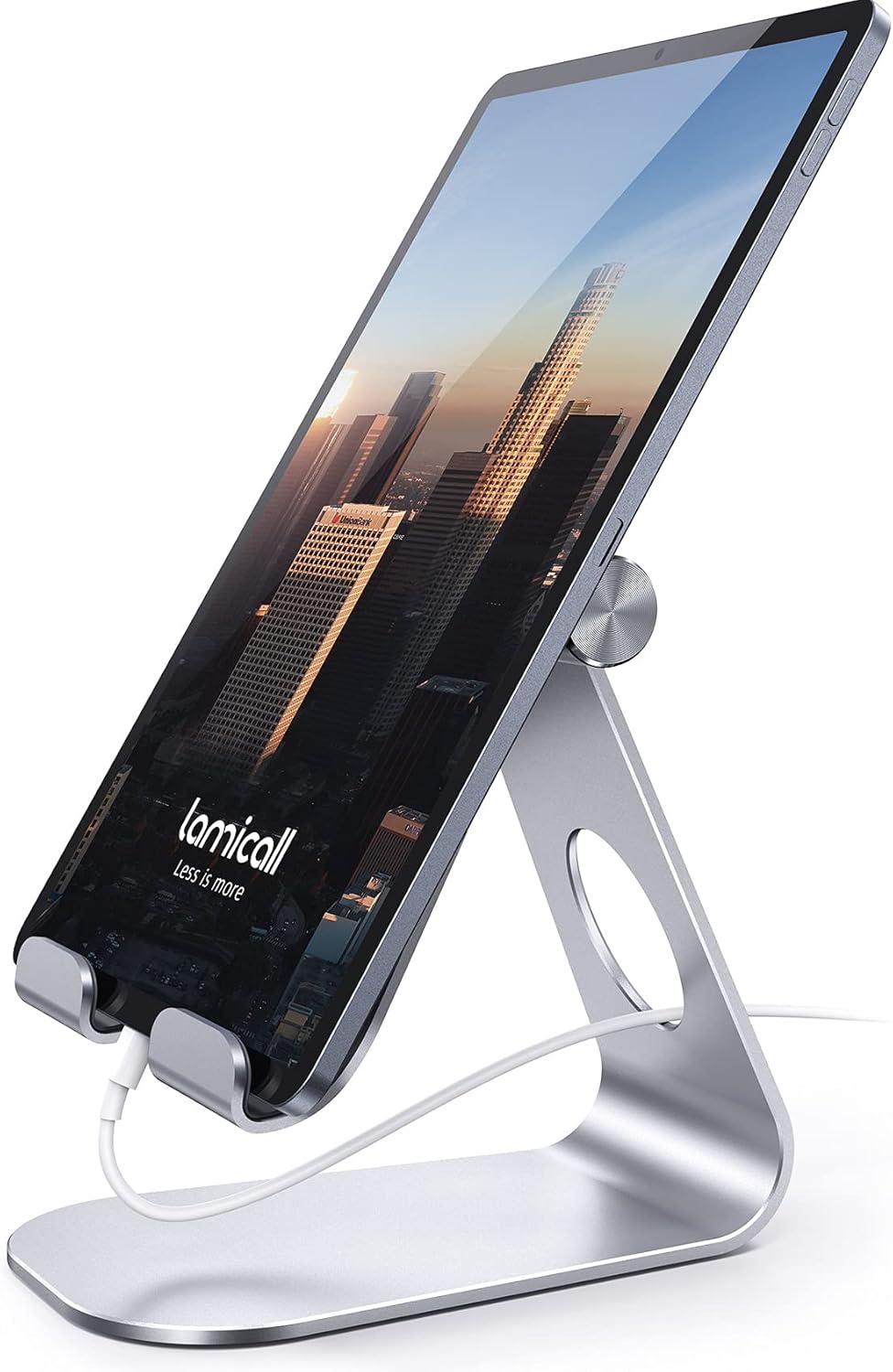
The Lamicall S1 proves that an ergonomic accessory does not need twelve hinges and an instruction manual resembling a tax form. Its compact metal frame holds tablets from roughly 4 to 13 inches and provides smooth angle adjustment for reading, streaming, calls, and light desk work.
Its broad compatibility, charging-cable opening, protective pads, and huge volume of positive customer feedback make it the easiest recommendation for most people. Larger tablets are generally more stable in landscape orientation.
Key features:
- Adjustable viewing angle
- Metal construction with protective pads
- Charging-port access
- Compact desktop footprint
Pros: Sturdy, affordable, easy to position
Cons: No meaningful height adjustment
Best for: Everyday desk, kitchen, and bedside use
2. UGREEN 360° Rotating Tablet Stand — Best for Travel

UGREEN’s rotating stand folds into a slim shape that is far easier to carry than a tall riser or articulated arm. Its rotating base makes switching between portrait and landscape viewing quick, while the adjustable hinge helps position the screen for flights, hotel desks, presentations, and temporary workspaces.
It supports a wide range of tablets, including larger iPad Pro, Galaxy Tab, Surface Go, and portable-display models. The compromise is that its compact frame cannot raise a screen as high as a telescoping stand.
Key features:
- Foldable travel design
- Rotating base
- Adjustable viewing angle
- Wide device compatibility
Pros: Portable, versatile, easy to store
Cons: Limited maximum height
Best for: Commuters and frequent travelers
3. OMOTON T2 Tablet Stand — Best for Large Tablets

The OMOTON T2 uses longer support arms and a wider base than many compact stands. That extra structure makes it a practical choice for larger tablets, thicker protective cases, and users who prefer landscape viewing.
Its aluminum body includes silicone contact points, a charging-friendly opening, and enough hinge resistance to hold a chosen angle. It is still a desktop stand rather than a full-height riser, but it feels more planted than many lightweight travel models.
Key features:
- Extended support arms
- Case-friendly cradle
- Aluminum construction
- Open charging area
Pros: Stable with larger devices, strong hinges
Cons: Heavier than basic portable stands
Best for: Large iPads, Galaxy Tabs, and tablets in cases
4. KABCON Tablet Stand — Best for Drawing

The KABCON stand is heavier and more substantial than pocket-size tablet holders. Its adjustable, foldable frame provides a stable platform for using a stylus, annotating documents, editing photos, or sketching.
The lower viewing positions work especially well for writing because your forearm can approach the screen naturally. Raise it for watching videos or using a Bluetooth keyboard. Its weight improves stability, although it also makes the stand less appealing for ultralight travel.
Key features:
- Weighted metal construction
- Foldable frame
- Adjustable height and angle
- Protective contact pads
Pros: Stable for touch input, premium feel
Cons: Heavier than compact stands
Best for: Artists, students, and handwritten notes
5. SAIJI Height-Adjustable Tablet Stand — Best for Desk Ergonomics

Most inexpensive stands change the screen angle but barely raise it. The SAIJI model adds considerably more height, making it easier to position a tablet closer to eye level during video calls, document review, or keyboard-based work.
It also rotates for portrait or landscape viewing and accommodates tablets, phones, e-readers, and some portable monitors. Because the stand lifts the device away from the desk, pairing it with an external keyboard is more comfortable than typing directly on the elevated screen.
Key features:
- Adjustable screen height
- 360-degree rotation
- Aluminum base and support column
- Broad device compatibility
Pros: Better screen elevation, strong versatility
Cons: Occupies more desk space
Best for: Home offices and regular video meetings
6. NULAXY LS18 Rotating Stand — Best for Maximum Adjustability
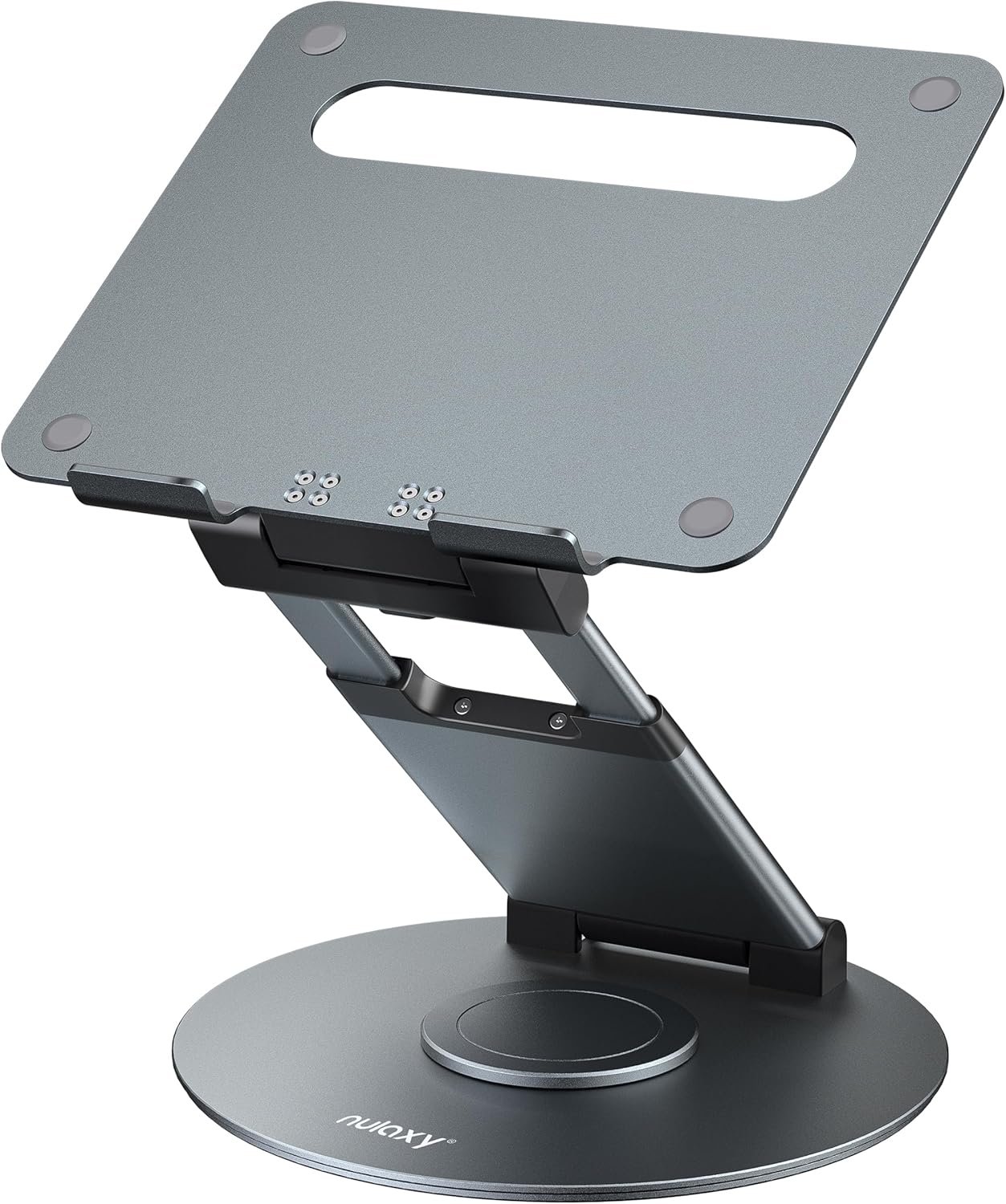
The NULAXY LS18 is closer to a full workstation riser than a small tablet cradle. Its telescoping structure, tilting platform, and rotating base let you make significant changes to screen height and direction.
It can also support many laptops, making it useful for households that alternate between a tablet, portable monitor, and notebook computer. The joints are deliberately stiff, which improves stability but usually requires two hands when making large adjustments.
Key features:
- Tall telescoping adjustment
- 360-degree rotating base
- Foldable aluminum structure
- Tablet and laptop compatibility
Pros: Excellent adjustment range, multipurpose
Cons: Large and relatively heavy
Best for: Large tablets and hybrid workstations
7. Lamicall Tablet Floor Stand — Best Floor Stand

This floor model is made for situations where there is no convenient desk directly in front of you. Its tall column, flexible upper arm, and heavy base allow a tablet to be positioned beside a bed, sofa, recliner, or exercise machine.
The weighted base provides better stability than lightweight tripod legs, while the flexible section allows fine positioning. Expect a little movement when repeatedly tapping the screen; floor stands are most comfortable for viewing, reading, or using a remote page-turner.
Key features:
- Adjustable floor-standing height
- Heavy freestanding base
- Flexible gooseneck section
- Rotating tablet holder
Pros: No furniture clamp required, highly flexible
Cons: Takes up floor space and may wobble when tapped
Best for: Hands-free reading and entertainment
8. AboveTEK Retail Kiosk Stand — Best for Shared Spaces

The AboveTEK stand is designed for frequent repositioning. Its holder rotates and swivels so a tablet can face a customer, coworker, family member, or kitchen helper without moving the entire base.
That makes it particularly useful for reception counters, point-of-sale systems, trade shows, recipe viewing, and collaborative desks. The base is more substantial than a personal travel stand, and the adjustable holder accommodates numerous tablet sizes.
Key features:
- 360-degree swiveling holder
- Broad tablet compatibility
- Stable countertop base
- Portrait and landscape positioning
Pros: Excellent for sharing a screen, durable
Cons: Bulkier than personal desktop stands
Best for: Businesses, kitchens, and reception areas
9. Twelve South HoverBar Duo — Best Premium Option

The HoverBar Duo combines an articulated tablet arm with two mounting choices: a weighted desktop base and a shelf clamp. That flexibility lets you use it on a desk, kitchen counter, shelf, or bedside table without buying separate stands.
Its premium construction and broad range of movement suit video calls, demonstrations, recipe videos, and secondary-screen setups. It costs more than basic holders, and frequent tapping can create some movement, but few models offer this combination of positioning freedom and polished design.
Key features:
- Weighted base and shelf clamp
- Articulated adjustable arm
- Portrait and landscape rotation
- Premium metal construction
Pros: Highly versatile, polished design
Cons: Expensive and not especially compact
Best for: Premium home offices and kitchens
10. Elitehood Metal Tablet Mount — Best for Musicians
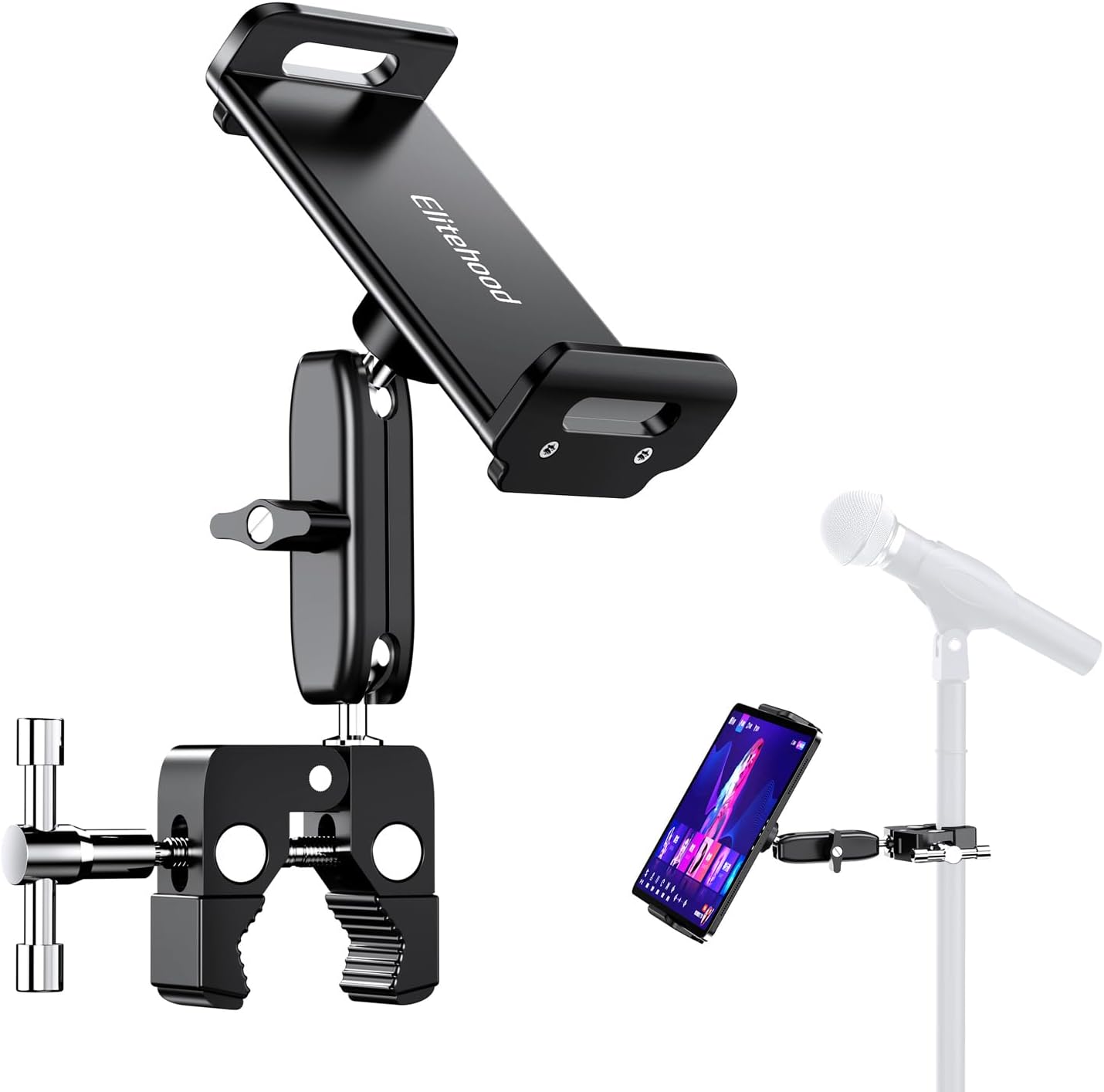
The Elitehood tablet holder attaches to a microphone stand and positions a tablet where a musician, presenter, instructor, or livestream host can see it without looking down.
Its mostly metal construction and swiveling holder support devices from phones through large tablets. The side-mount design preserves access to the microphone and keeps sheet music, lyrics, notes, or controls within view. Remember that it is a mount rather than a complete freestanding system, so a compatible microphone stand is required.
Key features:
- Microphone-stand attachment
- Metal construction
- Swivel and tilt adjustment
- Support for devices up to 13 inches
Pros: Secure, specialized positioning
Cons: Requires a separate microphone stand
Best for: Musicians, speakers, and content creators
How to Choose an Ergonomic Tablet Stand
Start with screen height. For longer work sessions, choose a model that lifts the tablet closer to eye level. A low desktop stand is still useful for movies and recipes, but it may not provide enough elevation for an eight-hour workspace.
Next, check the supported screen size and case thickness. Large tablets need a wider base and stronger hinges, particularly in portrait orientation.
Also consider how you interact with the screen. A heavy stand is better for drawing and frequent tapping. A flexible arm works well for passive viewing but may bounce when touched.
Finally, think about your complete workstation. Combining a raised tablet with an external keyboard, supportive chair, and other ergonomic desk accessories creates a more practical setup than relying on the stand alone.
Final Thoughts
The best ergonomic tablet stand is the one that places your screen comfortably without making daily adjustments frustrating. The Lamicall S1 is the strongest all-around choice for simple desktop use, while the SAIJI and NULAXY models provide better height adjustment for work. Choose the Lamicall floor stand for hands-free viewing or the KABCON model when drawing and screen stability matter most. Match the stand to your tablet, workspace, and usual activities, and that portable screen becomes far more comfortable to use. In case you missed it, read our previous guide on ergonomic backpacks.
Frequently Asked Questions
What makes a tablet stand ergonomic?
An ergonomic stand lets you adjust the screen to reduce excessive downward viewing and awkward wrist positions. Height adjustment, tilt control, stability, and compatibility with an external keyboard are the most useful features.
How high should a tablet stand be?
For desk work, position the upper part of the screen near eye level while keeping your head balanced over your shoulders. The ideal height depends on your chair, desk, posture, and tablet size.
Can an ergonomic tablet stand help with neck discomfort?
A stand can reduce the need to hold your head in a prolonged downward position. It is not a medical treatment, but it can support the posture changes discussed in this guide to preventing tech neck.
Can I type directly on a tablet while it is elevated?
You can, but elevated stands may move when pressed. For longer typing sessions, use a separate Bluetooth keyboard and mouse while leaving the tablet at a comfortable viewing height.
Are floor stands or desktop stands better?
Desktop stands are more stable and compact. Floor stands offer greater positioning freedom beside beds, sofas, exercise equipment, and recliners. Your normal location and level of screen interaction should guide the choice.