Top 10 Office Ergonomic Chair
We may earn a commission for purchases made using our links. Please see our disclosure to learn more.
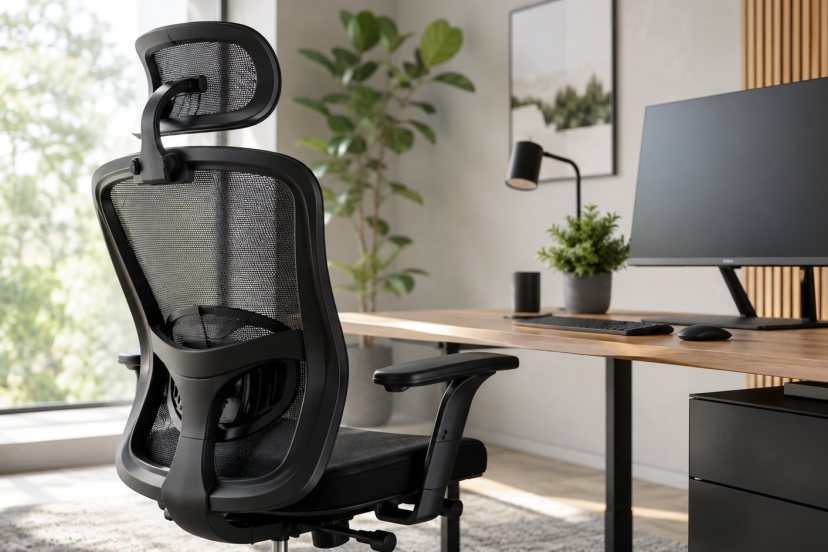
Choosing the right office ergonomic chair can make a noticeable difference in how comfortable and supported you feel throughout the workday. The best options offer adjustable lumbar support, a supportive seat, proper arm positioning, and enough flexibility to fit your body and workspace.
This guide compares ten ergonomic office chairs for different budgets, body types, and working styles. You’ll find practical recommendations for home offices, compact spaces, long work sessions, and premium setups, along with the key strengths and drawbacks of each chair.
Our Top Picks
| Product | Best For | Key Feature | Rating | Read More |
| SIHOO M57 | Best overall | Adjustable lumbar and 3D arms | ★★★★☆ | Read review |
| SIHOO M18 | Best budget value | Wide padded seat and headrest | ★★★★☆ | Read review |
| GABRYLLY Ergonomic Chair | Small workspaces | Flip-up armrests | ★★★★☆ | Read review |
| HOLLUDLE Mesh Chair | Adjustable lumbar support | Three-dimensional lumbar adjustment | ★★★★☆ | Read review |
| Staples Hyken | Compact mesh design | Breathable high-back construction | ★★★★☆ | Read review |
| Branch Ergonomic Chair | Stylish home offices | Adjustable seat depth | ★★★★☆ | Read review |
| Steelcase Gesture | Best premium | Highly adjustable 360-degree arms | ★★★★☆ | Read review |
| ELABEST X100 | Reclining and foot support | Adjustable footrest and 5D arms | ★★★★★ | Read review |
| Amazon Basics Low-Back Chair | Armless seating | Compact, simple design | ★★★★★ | Read review |
| BestOffice Mesh Chair | Lowest-cost pick | Basic lumbar and height adjustment | ★★★★☆ | Read review |
For more help evaluating fit before ordering, read this guide to choosing the right ergonomic office chair.
The 10 Best Office Ergonomic Chair Options
1. SIHOO M57: Best Overall
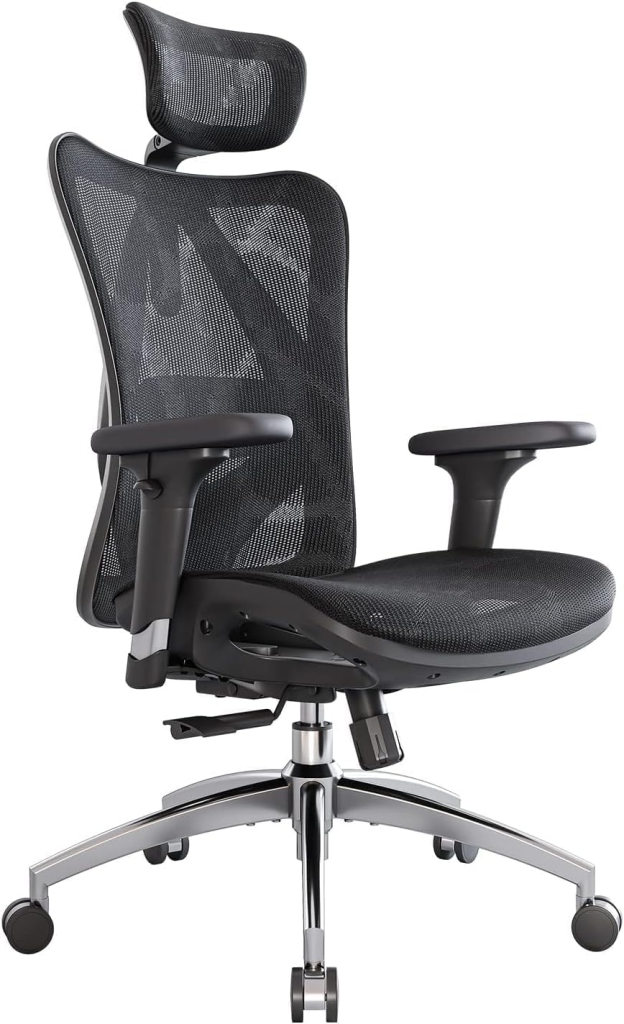
The SIHOO M57 offers the best balance of adjustability, airflow, customer history, and reasonable cost. Its mesh back and seat help reduce heat buildup, while the adjustable headrest, lumbar support, and 3D armrests give you more control than most entry-level chairs.
The lumbar unit can be adjusted for both height and depth. The chair also reclines from approximately 90 to 126 degrees and supports up to 330 pounds.
Key features:
- Adjustable lumbar height and depth
- Three-directional armrests
- Adjustable headrest
- Mesh seat and back
- Reclining backrest
- Listed 330-pound capacity
Pros:
- Strong adjustment range for the price
- Suitable for long work sessions
- Breathable full-mesh construction
- Large number of customer ratings
Cons:
- Mesh feels firmer than a thick foam cushion
- Requires careful adjustment to get the lumbar position right
Best for: Remote workers and office users who want broad adjustability without entering the premium price tier.
Why we recommend it: The M57 provides the features most people actually need, without loading the chair with unnecessary extras.
2. SIHOO M18: Best Budget Value
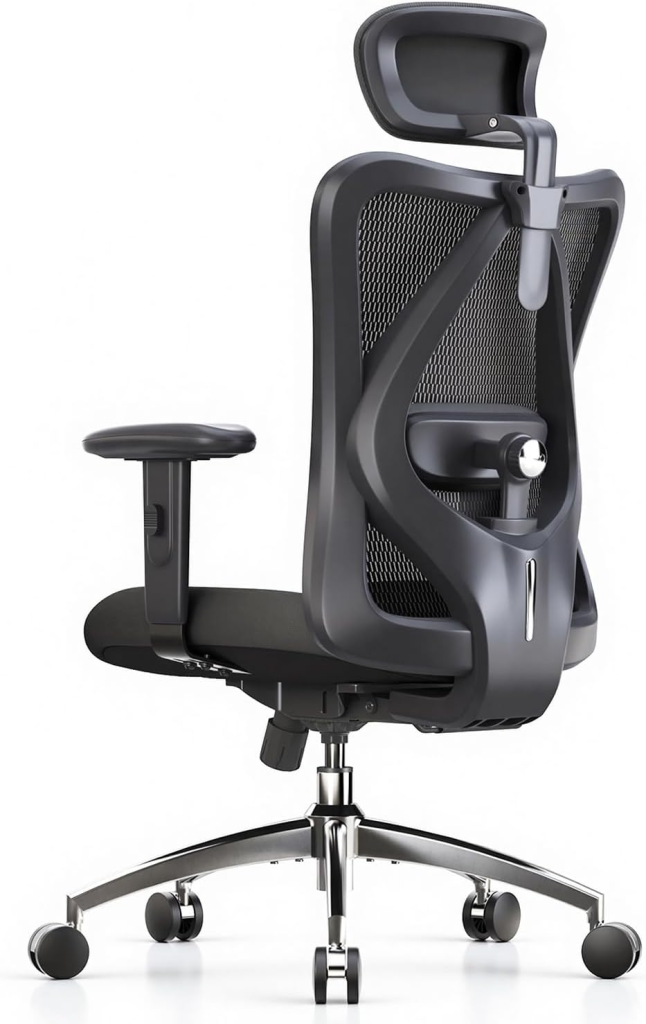
The SIHOO M18 is a better choice for shoppers who prefer a padded seat but still want adjustable back and neck support. It combines a mesh back with a wide foam cushion, adjustable lumbar support, a headrest, 2D armrests, and a tilt-lock mechanism.
It is less customizable than the M57, but its reviews make it one of the most established affordable options in this roundup.
Key features:
- Wide padded seat
- Adjustable lumbar support
- Height-adjustable headrest
- 2D armrests
- Listed 330-pound capacity
Pros:
- Good feature set for a budget chair
- Cushion may suit people who dislike mesh seats
- High back provides more coverage than a basic task chair
Cons:
- No seat-depth adjustment
- Armrests are less versatile than 3D or 4D designs
Best for: Budget-conscious buyers working several hours a day.
Why we recommend it: It covers the ergonomic basics while remaining noticeably more supportive than most ultra-cheap office chairs.
3. GABRYLLY Ergonomic Office Chair: Best for Small Spaces
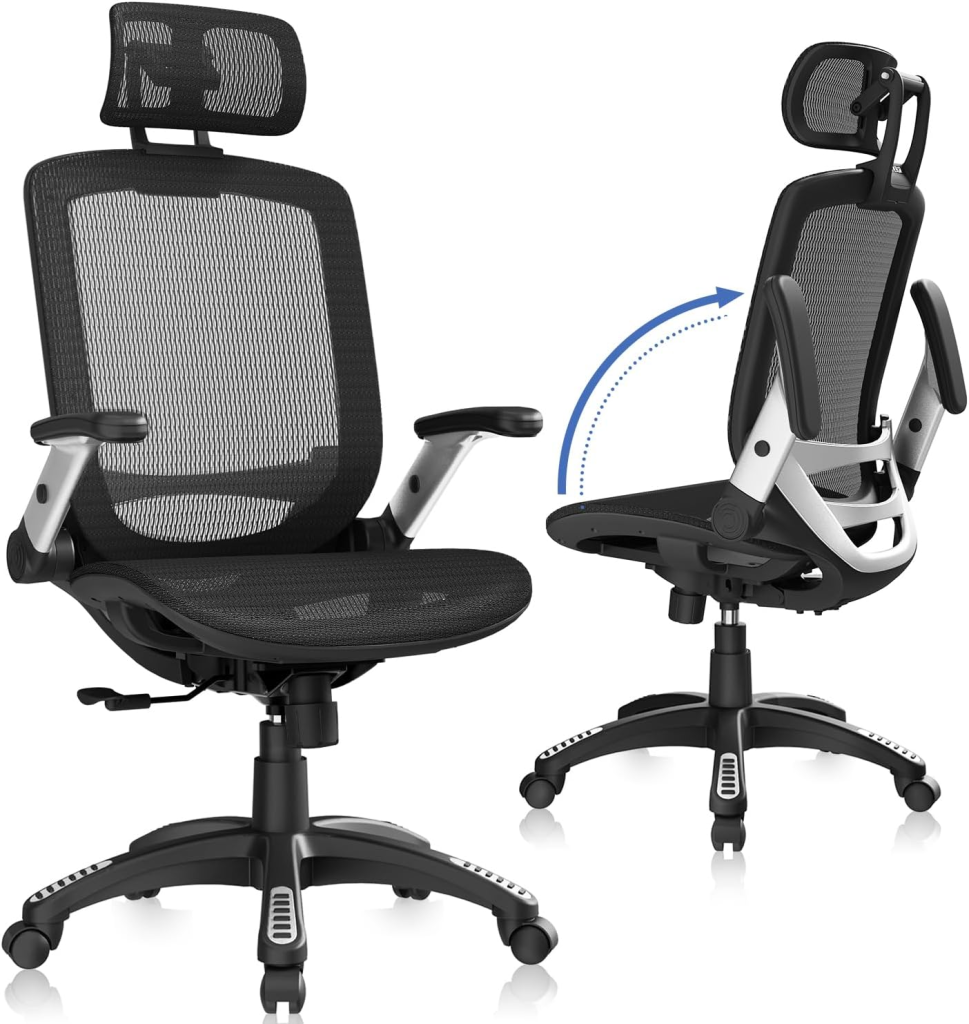
The GABRYLLY chair stands out because its armrests flip upward. You can move it closer to the desk when the workday ends, which is genuinely useful in bedrooms, shared apartments, and narrow home offices.
It also includes a high mesh back, headrest, wide cushion, and a backrest that can tilt and lock between approximately 90 and 120 degrees. The manufacturer recommends it primarily for users around 5 feet 5 inches to 6 feet 2 inches tall.
Pros:
- Flip-up arms save floor space
- Breathable back and seat
- Wide seating area
- Strong customer-review history
Cons:
- Limited armrest positioning when lowered
- May not fit very short or exceptionally tall users well
Best for: Small home offices and desks with limited clearance.
Why we recommend it: It provides full-size support without permanently occupying full-size floor space.
4. HOLLUDLE Ergonomic Mesh Chair: Best Lumbar Adjustment
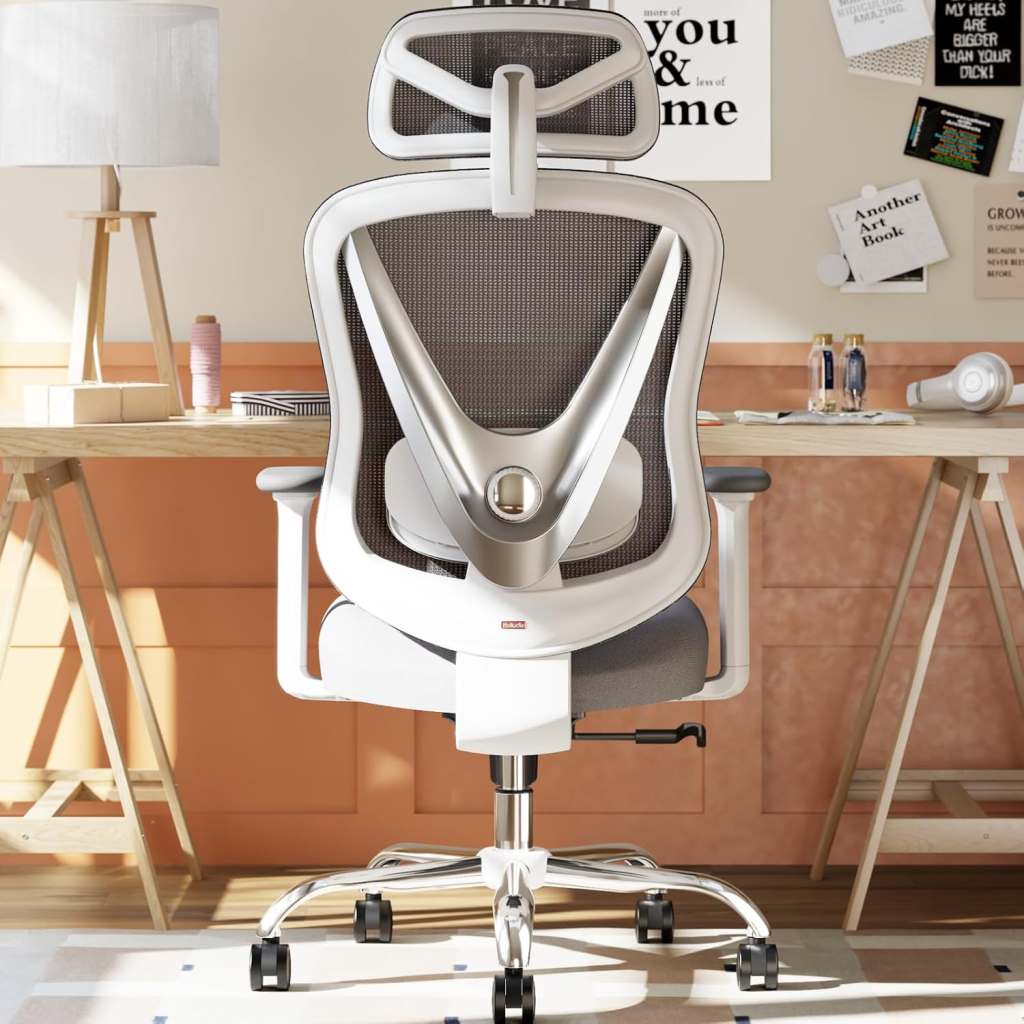
The HOLLUDLE is built for shoppers who struggle to position a fixed lumbar pad correctly. Its lumbar unit moves vertically, forward and backward, and can rotate to follow the shape of your lower back.
The chair also has 3D armrests, a movable headrest, three tilt-lock positions, and a distinctive V-shaped back.
Pros:
- Highly adjustable lower-back support
- Adjustable headrest and armrests
- Multiple tilt-lock positions
- Modern appearance
Cons:
- More controls require more setup and experimentation
- The visual design may not suit a traditional office
Best for: Users who find fixed lumbar supports too high, low, shallow, or aggressive.
Why we recommend it: Few chairs in this price class provide this much control over the lumbar position.
5. Staples Hyken: Best Compact Mesh Chair
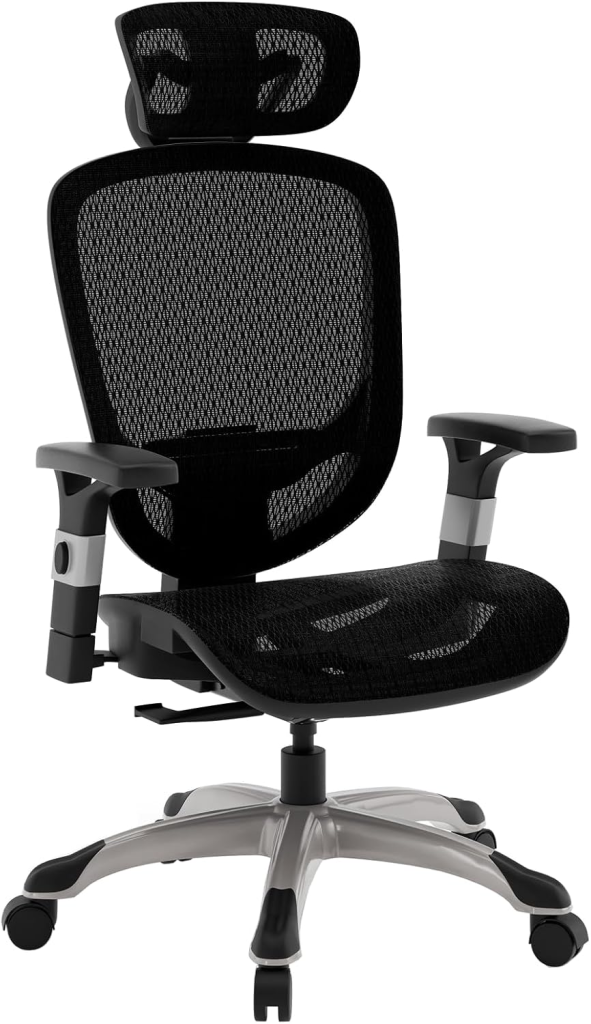
The Staples Hyken offers a familiar full-mesh task-chair design without the oversized frame found on many “big and tall” models. You can adjust the seat height, arm position, recline resistance, and upright tilt lock.
Its breathable high-back construction is particularly appealing in warmer rooms.
Pros:
- Compact compared with many high-back chairs
- Mesh promotes steady airflow
- Adjustable recline resistance
- Established office-furniture brand
Cons:
- Standard Hyken size may feel narrow to broader users
- Mesh tension is less plush than foam upholstery
Best for: Average-sized users who want a streamlined chair for a smaller desk setup.
Why we recommend it: The Hyken keeps the design practical and office-friendly while offering more adjustment than a basic task chair.
6. Branch Ergonomic Chair: Best Midrange Design
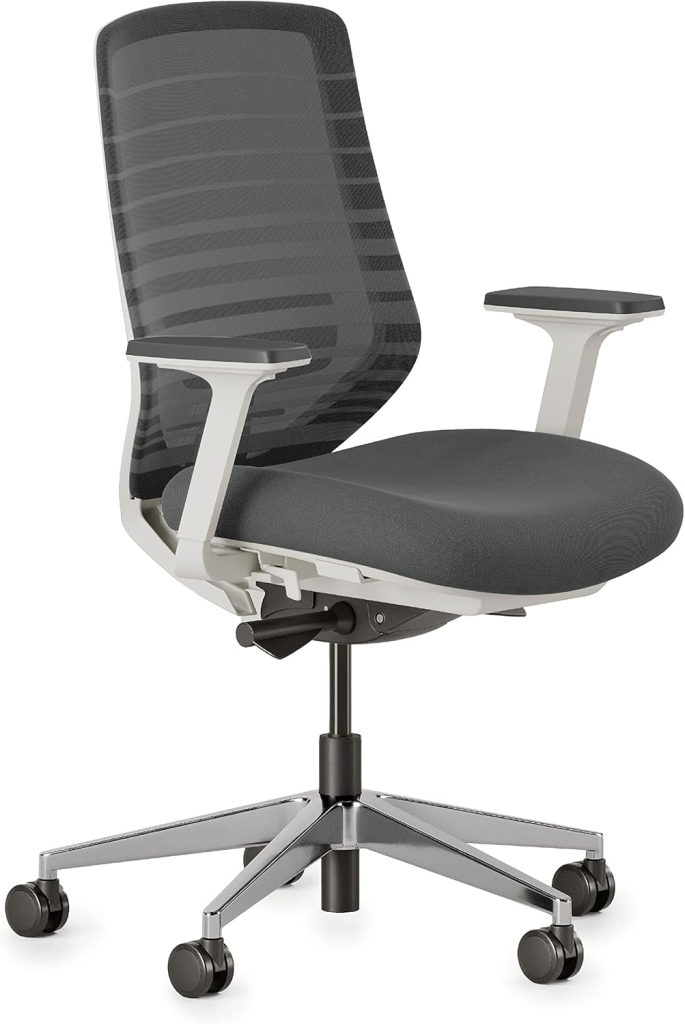
The Branch Ergonomic Chair is a polished option for people who do not want their home office to resemble a corporate cubicle. Its breathable mesh back, supportive cushion, adjustable lumbar rest, and understated frame work well in visible living spaces.
More importantly, both the seat height and seat depth can be adjusted. Seat-depth control helps users position the backrest properly without the front edge of the cushion pressing into the backs of their knees.
Pros:
- Clean, design-conscious appearance
- Adjustable seat depth
- Supportive padded seat
- Multiple finish choices
Cons:
- Costs more than comparable budget models
- Headrest is not included as standard
Best for: Design-conscious remote workers who still want meaningful adjustment.
Why we recommend it: It strikes a sensible middle ground between inexpensive Amazon chairs and luxury office seating.
7. Steelcase Gesture: Best Premium
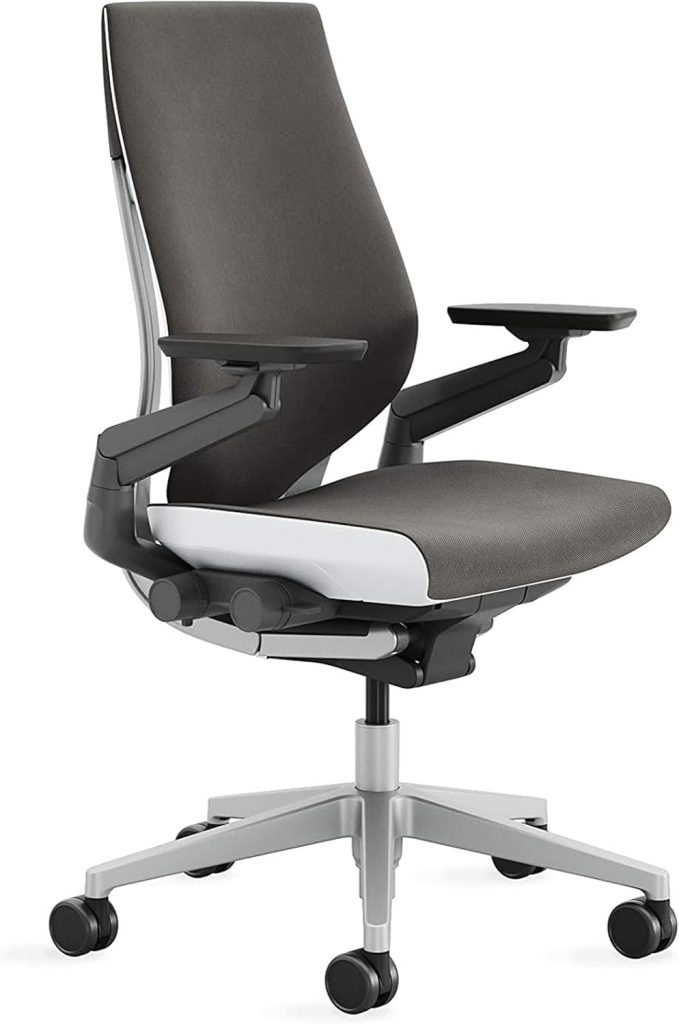
The Steelcase Gesture is the premium pick for people who sit for long periods and regularly change positions. Its signature 360-degree arms can support your forearms while typing, reading, using a tablet, or holding a phone.
The seat and back are designed to move with different postures rather than keeping you locked in one rigid position. Its controls are also more refined and intuitive than those found on most lower-cost chairs.
Pros:
- Exceptionally versatile armrests
- Accommodates varied working positions
- Smooth, precise controls
- Premium construction and finish
Cons:
- Considerably more expensive than the other picks
- Standard configuration does not include a headrest
Best for: Full-time professionals prepared to invest in a long-term office chair.
Why we recommend it: Its adjustments feel integrated into the chair instead of added as separate pieces, creating a more natural sitting experience.
8. ELABEST X100: Best with a Footrest
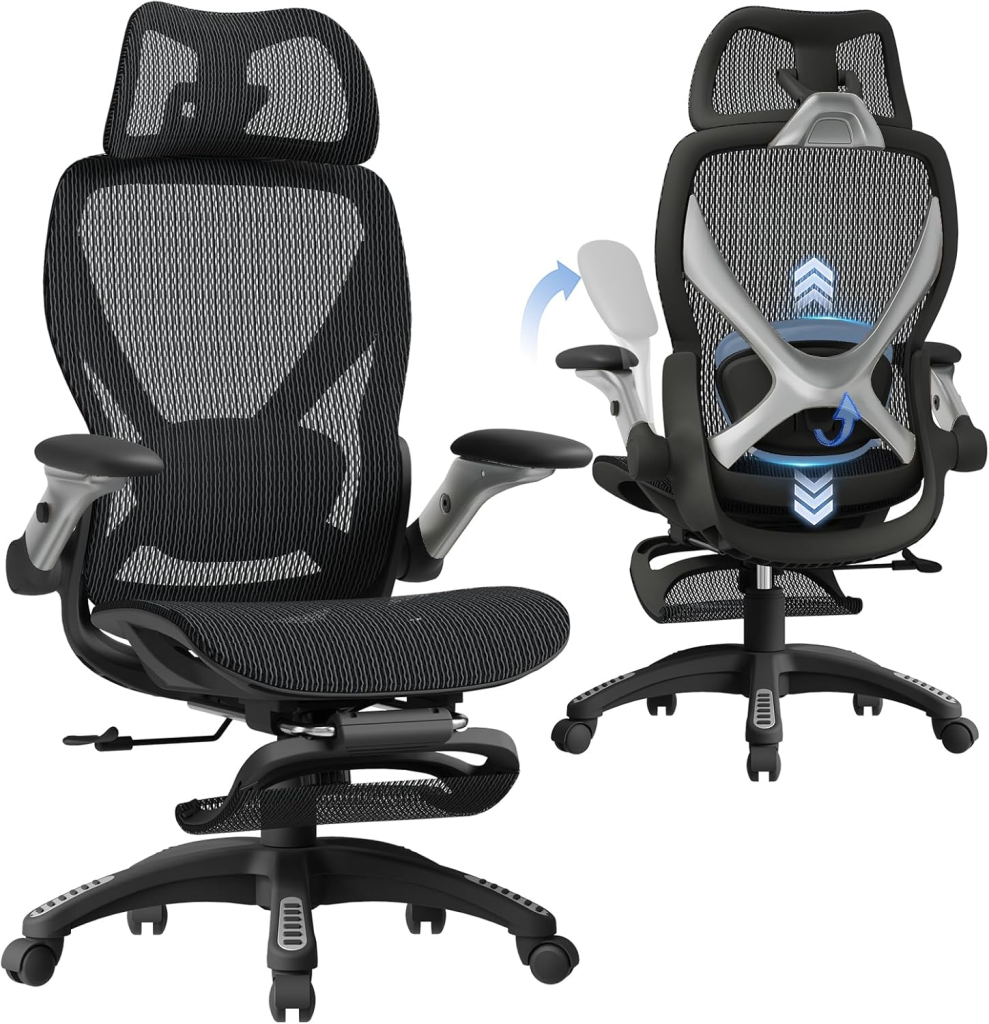
The ELABEST X100 combines an ergonomic work chair with features normally found on reclining gaming chairs. It includes an extendable footrest, 5D flip-up arms, an adjustable headrest, and three-dimensional lumbar support.
The chair supports three reclining positions, and the armrests can move in several directions or flip up beneath a desk.
Pros:
- Built-in extendable footrest
- Extensive arm and lumbar adjustment
- Flip-up arms save space
- High 4.6-star Amazon rating
Cons:
- Bulky compared with a conventional task chair
- Footrest may be unnecessary for strictly upright work
Best for: People who alternate between focused desk work, gaming, and reclining.
Why we recommend it: It provides a practical relaxation mode without sacrificing the adjustments expected from a work chair.
9. Amazon Basics Low-Back Chair: Best Armless Option
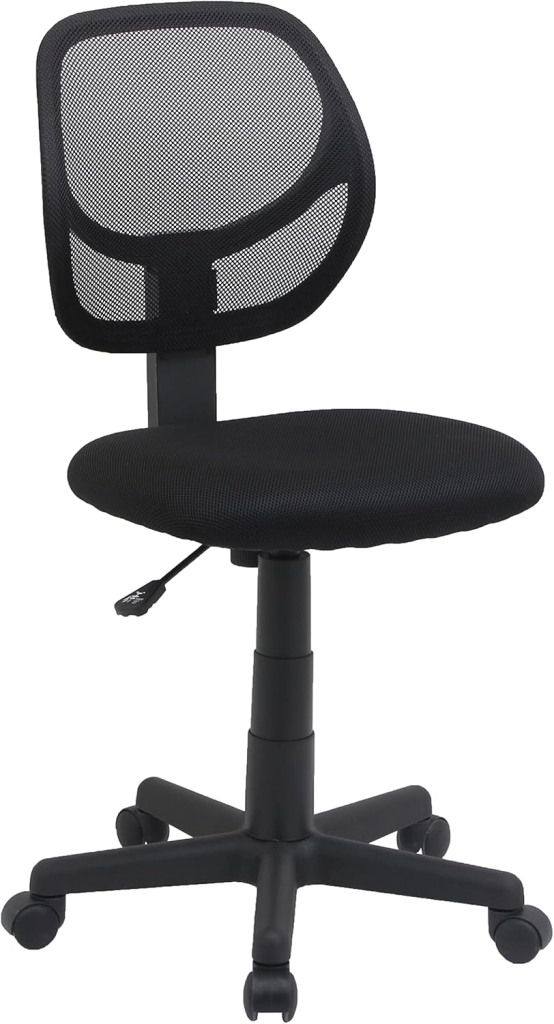
Not every workspace needs a large chair with a headrest and six adjustment levers. This Amazon Basics model is a simple armless chair that can slide beneath compact desks and move easily between rooms.
It has a breathable curved mesh back, padded seat, adjustable height, swivel base, and listed 275-pound capacity. Independent testing also found it quick to assemble, although its low back and lack of arms provide less support than a full ergonomic chair.
Pros:
- Compact and easy to move
- Fits under many small desks
- Strong rating history
- Straightforward assembly and controls
Cons:
- No armrests or head support
- Limited adjustment for all-day sitting
Best for: Short work sessions, shared desks, craft rooms, or tight spaces.
Why we recommend it: It is an uncomplicated, dependable option when compact dimensions matter more than extensive adjustment.
10. BestOffice Mesh Chair: Best Ultra-Budget Pick
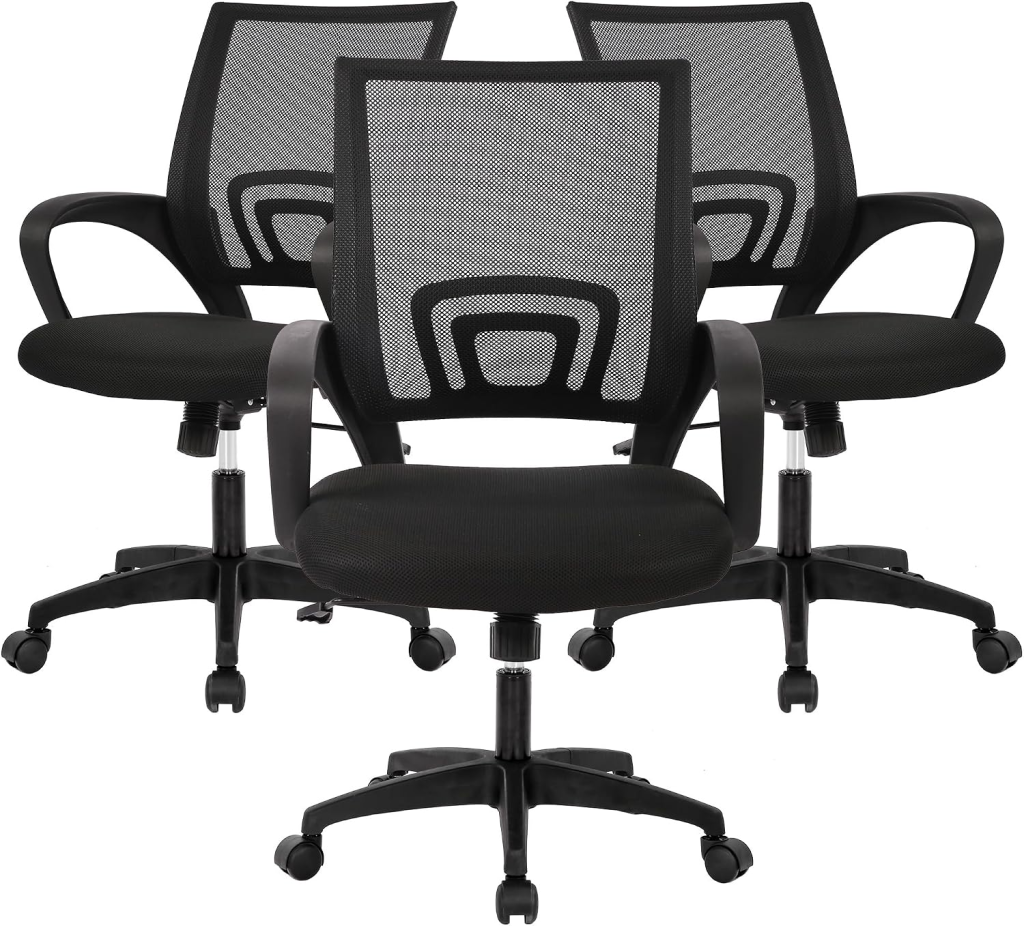
The BestOffice Mesh Chair is the lowest-cost recommendation on this list. It provides a mesh back, padded seat, adjustable height, tilt function, fixed armrests, and a stated 250-pound capacity.
Its controls and materials are basic, but its 4.3-star rating from roughly 59,000 customers gives it a much longer track record than many similarly priced chairs.
Pros:
- Very affordable
- Lightweight and compact
- Simple height and tilt controls
- Large number of customer ratings
Cons:
- Fixed armrests
- Limited lumbar and recline adjustment
- Better suited to occasional use than demanding workdays
Best for: Guest rooms, student desks, and light home-office use.
Why we recommend it: It delivers basic support at a price that is difficult to match, provided your expectations remain realistic.
How to Adjust an Office Ergonomic Chair
Even an expensive chair can feel uncomfortable when it is poorly adjusted. Start by setting the height so your feet rest flat and your knees remain close to a 90-degree angle.
Position the lumbar support against the natural inward curve of your lower back. Keep the armrests high enough to support relaxed shoulders, but not so high that they push your shoulders upward.
Your screen position matters too. Once the chair is set, adjust your monitor to the correct height and distance so you are not leaning forward to read the screen.
Final Thoughts
The SIHOO M57 is our best overall office ergonomic chair because it combines adjustable lumbar support, 3D armrests, a headrest, and breathable mesh at a reasonable cost.
For budget shoppers, the SIHOO M18 provides a supportive padded seat and the essential adjustments needed for regular home-office work. Those seeking the most refined premium experience should consider the Steelcase Gesture, particularly if they change positions or use multiple devices throughout the day.
Whichever chair you choose, pay close attention to measurements and adjustment ranges. A simpler ergonomic chair that fits your legs, back, and desk correctly will serve you better than a feature-packed model designed for a completely different body size.
Frequently Asked Questions
What makes an office chair genuinely ergonomic?
An ergonomic chair can be adjusted to fit the person using it. At minimum, look for adjustable seat height, lower-back support, a stable five-point base, and a backrest that supports comfortable movement. Adjustable arms and seat depth improve the fit further.
How much should I spend on an ergonomic office chair?
For occasional use, an entry-level chair may be sufficient. People working at a desk for most of the day should generally prioritize stronger construction, adjustable lumbar support, and better armrest controls rather than choosing the lowest price.
Is a mesh or cushioned office chair better?
Mesh usually offers better airflow and a firmer, more responsive feel. A padded seat feels softer initially and may suit people who dislike sitting directly on tensioned mesh. The better option depends on your temperature, sitting duration, and firmness preference.
Do I need a headrest on my office chair?
A headrest is not essential when you work upright and keep your head balanced over your shoulders. It becomes more useful when reclining, reading, watching a screen, or taking brief breaks. Its position should support your neck without pushing your head forward.
How long should an ergonomic office chair last?
Longevity depends on the chair’s construction, daily use, user weight, and maintenance. Budget models may show wear sooner, while premium chairs generally use stronger mechanisms and replaceable components. Warranty length can provide another clue about expected durability.