Top 10 Ergonomic Mice
We may earn a commission for purchases made using our links. Please see our disclosure to learn more.
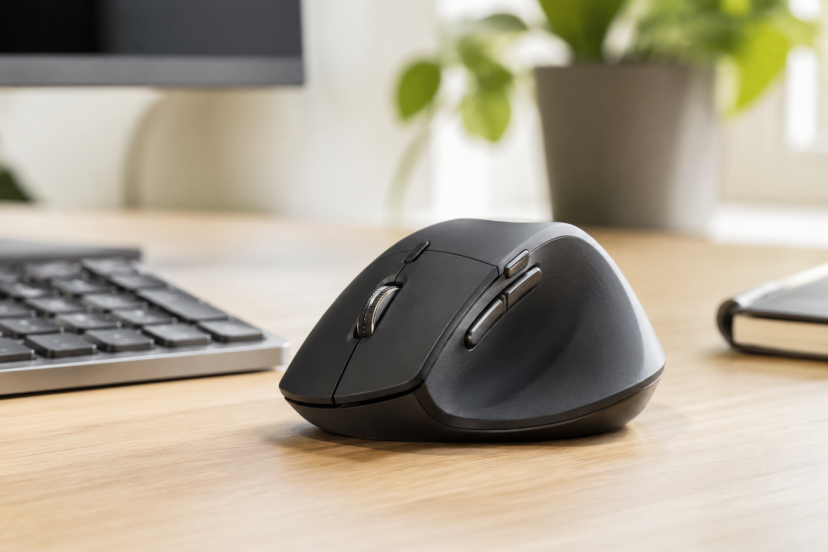
A standard mouse may feel harmless until you use it for eight hours a day. Then the constant gripping, reaching, and forearm rotation can become hard to ignore. The best ergonomic mice support a more natural hand position while still giving you the accuracy and controls needed for work, creative projects, or gaming. This guide covers vertical mice, trackballs, and familiar contoured designs, helping you find an option that fits your hand, desk, and daily workflow.
Our Top Picks
| Product | Best For | Key Feature | Rating | Read More |
| Logitech Lift | Best overall | 57-degree vertical shape | ★★★★⯨ | Read more |
| Logitech MX Master 3S | Productivity | Dual scroll wheels | ★★★★⯨ | Read more |
| Logitech MX Vertical | Large hands | Tall premium vertical design | ★★★★⯨ | Read more |
| Logitech ERGO M575S | Small desks | Thumb-operated trackball | ★★★★★ | Read more |
| Logitech MX Ergo S | Premium trackball | Adjustable 20-degree tilt | ★★★★★ | Read more |
| Anker Vertical Mouse | Budget buyers | Three DPI settings | ★★★★⯨ | Read more |
| Logitech Signature M650 L | Familiar shape | Quiet clicks and SmartWheel | ★★★★★ | Read more |
| Razer Basilisk V3 | Gaming | 11 programmable buttons | ★★★★⯨ | Read more |
| ProtoArc EM11 NL | Multiple devices | Bluetooth and USB connections | ★★★★★ | Read more |
| Kensington Orbit | Ambidextrous use | Finger trackball and scroll ring | ★★★★☆ | Read more |
Your ergonomic mice should also stay close to your keyboard, as explained in this guide to reducing wrist pain with better ergonomics.
Top 10 Ergonomic Mice Reviewed
1. Logitech Lift Vertical Ergonomic Mouse

Best for: Most office users with small to medium hands
Key features: 57-degree angle, quiet clicks, Bluetooth, Logi Bolt, multi-device switching
The Logitech Lift is the easiest vertical mouse to recommend for most people. Its textured body and thumb rest feel less intimidating than many taller designs, while the 57-degree angle encourages a more natural forearm position. It is available in right- and left-handed versions, although Logitech recommends it primarily for small to medium hands.
Pros
- Comfortable shape with a manageable learning curve
- Quiet buttons suit shared workspaces
- Connects to multiple devices
Cons
- May feel too compact for large hands
- Uses a replaceable battery rather than USB-C charging
2. Logitech MX Master 3S

Best for: Productivity, spreadsheets, editing, and multitasking
Key features: 8,000 DPI sensor, MagSpeed wheel, thumb wheel, quiet clicks
The MX Master 3S is not vertical, but its sculpted right-handed body and broad thumb support make it a comfortable upgrade for anyone who prefers a familiar grip. The magnetic main wheel moves quickly through long pages, while the thumb wheel is excellent for timelines and wide spreadsheets. It also supports three-device switching and customizable controls.
Pros
- Excellent scrolling and workflow controls
- Tracks accurately on many surfaces
- Rechargeable through USB-C
Cons
- Heavy compared with basic office mice
- Right-handed only
3. Logitech MX Vertical

Best for: Larger hands and committed vertical-mouse users
Key features: 57-degree shape, 4,000 DPI sensor, USB-C charging, three connection methods
The MX Vertical has a taller and roomier grip than the Lift, making it a better fit for medium to large hands. You can connect through Bluetooth, a USB receiver, or a USB-C cable. Its adjustable 4,000 DPI sensor also helps reduce unnecessary hand movement when working across large or multiple monitors.
Pros
- Supportive design for larger hands
- Rechargeable battery
- Strong build quality
Cons
- More expensive than basic vertical mice
- Tall shape requires an adjustment period
4. Logitech ERGO M575S
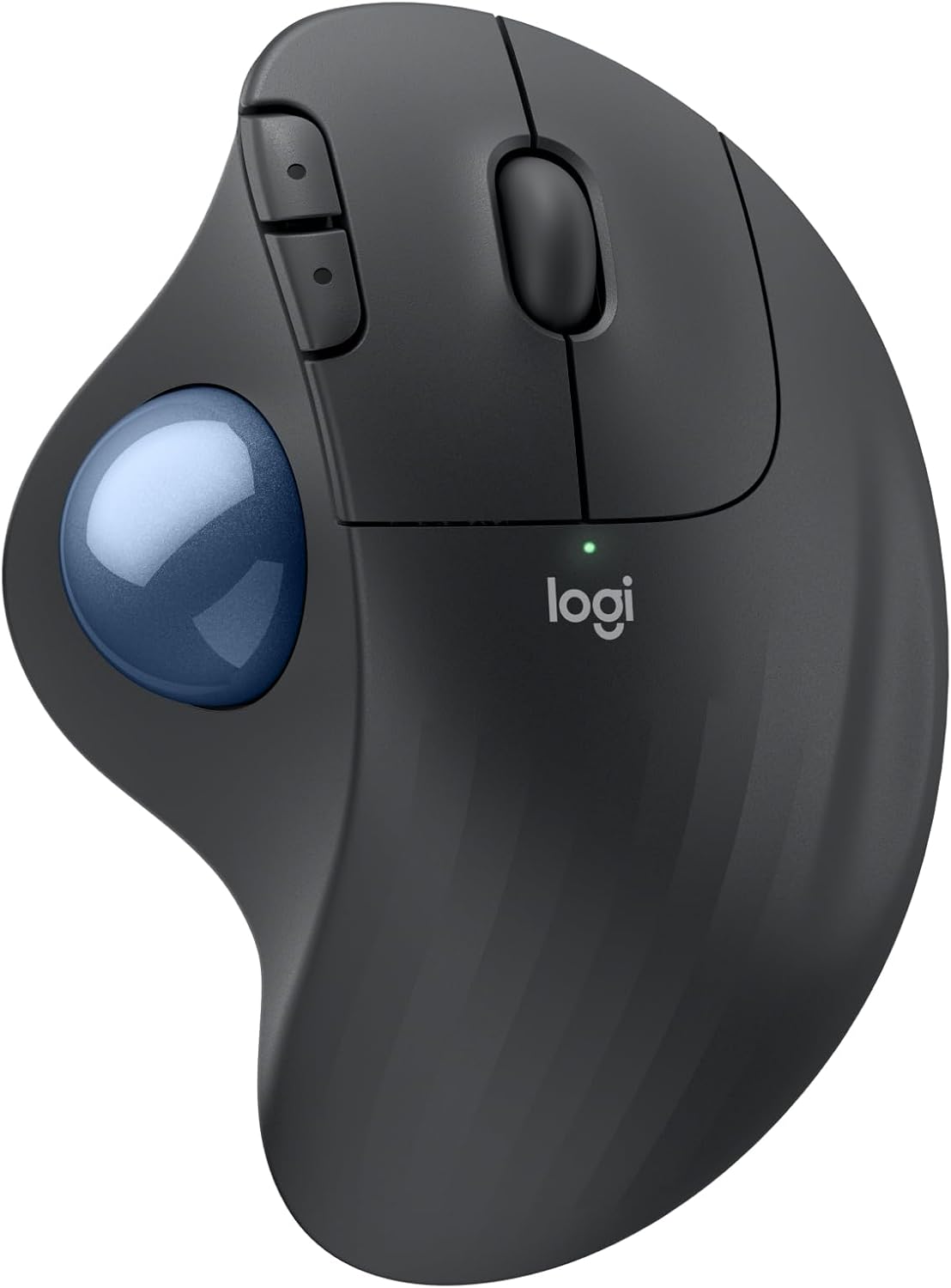
Best for: Small desks and reduced arm movement
Key features: Thumb trackball, quiet clicks, Bluetooth, Logi Bolt, compact footprint
The M575S stays in one place while your thumb controls the cursor. That makes it particularly useful on cramped desks, keyboard trays, and other surfaces with little room for a regular mouse. Its sculpted shell supports most hand sizes, while the updated S version adds quieter clicking.
Pros
- Requires almost no desk movement
- Long battery life
- Good value for a branded trackball
Cons
- Thumb control takes practice
- Not designed for left-handed use
5. Logitech MX Ergo S

Best for: Power users who want a premium trackball
Key features: 20-degree adjustable tilt, six customizable buttons, quiet clicks, USB-C charging
The MX Ergo S combines a thumb trackball with a metal tilt plate, letting you choose a flat position or raise the mouse by 20 degrees. It offers more controls than the M575S, including a precision button for detailed cursor movement. Quick USB-C charging and quieter switches also make it practical for long workdays.
Pros
- Adjustable wrist and forearm angle
- Excellent button customization
- Precise control without moving your arm
Cons
- Expensive
- Heavy for travel
6. Anker Wireless Vertical Ergonomic Mouse

Best for: Trying a vertical mouse on a budget
Key features: 800, 1,200, and 1,600 DPI settings, USB receiver, navigation buttons
Anker’s vertical mouse covers the essentials without a premium price. Its handshake-style body suits many medium and large hands, while the sensitivity button adjusts cursor speed without additional software. It feels less refined than Logitech’s vertical mice, but it remains a sensible entry point for first-time buyers.
Pros
- Affordable
- Simple plug-and-play setup
- Convenient forward and back buttons
Cons
- No Bluetooth
- Requires two AAA batteries
7. Logitech Signature M650 L
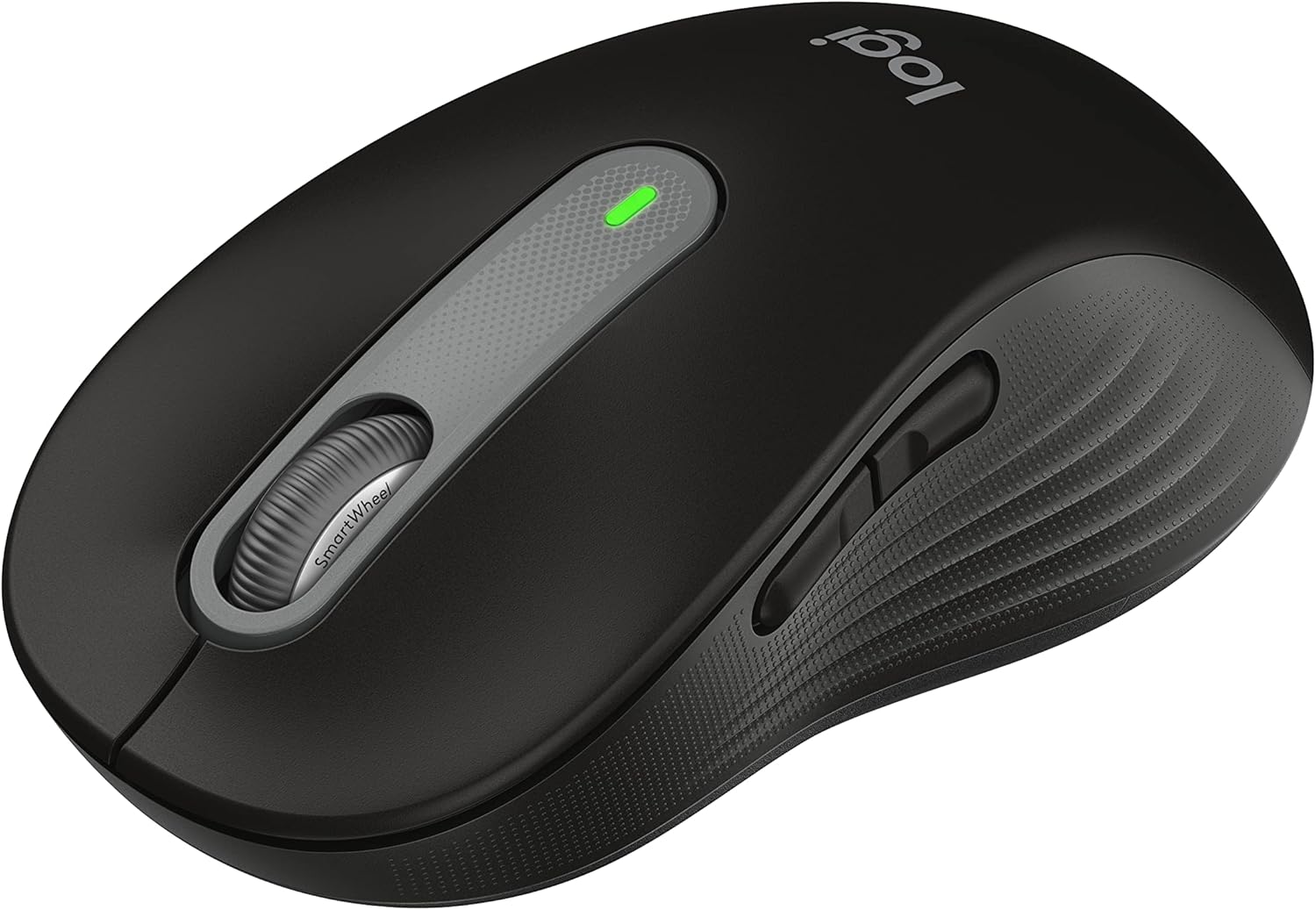
Best for: Large hands and quiet office work
Key features: Large contoured body, SmartWheel, SilentTouch clicks, 24-month battery
Not everyone wants to relearn how to point and click. The Signature M650 L keeps the familiar mouse format while adding a larger shell, rubber side grips, quiet buttons, and a wheel that switches between precise and fast scrolling. It is an easy comfort upgrade for office users with larger hands.
Pros
- Familiar and comfortable shape
- Very quiet operation
- Excellent battery life
Cons
- Less forearm support than a vertical mouse
- Battery is not rechargeable
8. Razer Basilisk V3

Best for: Right-handed gaming and shortcut-heavy work
Key features: 26,000 DPI sensor, 11 programmable buttons, thumb rest, tilt scroll wheel
The Basilisk V3 combines a supportive right-handed body with gaming-grade accuracy. Its thumb rest helps stabilize your grip, while the 11 programmable buttons can handle game commands, editing shortcuts, or productivity macros. The wired connection eliminates battery concerns, although the lighting and software may be excessive for a simple office setup.
Pros
- Responsive optical sensor
- Plenty of programmable controls
- Comfortable thumb support
Cons
- Wired only
- No left-handed version
9. ProtoArc EM11 NL

Best for: Affordable multi-device setups
Key features: Bluetooth and 2.4 GHz connections, rechargeable battery, quiet clicks
The ProtoArc EM11 NL stands out among affordable vertical mice because it can pair with several devices and switch between them. Its wide base gives the hand and wrist somewhere to settle, while the quiet main buttons work well in bedrooms, libraries, and shared offices. That base does require more desk space than the Logitech Lift.
Pros
- Useful multi-device connectivity
- Rechargeable battery
- Strong value for its features
Cons
- Bulky footprint
- Limited software customization
10. Kensington Orbit Trackball with Scroll Ring

Best for: Ambidextrous users and finger-operated control
Key features: Centered trackball, scroll ring, detachable wrist rest, wired connection
The Kensington Orbit uses the index or middle fingers instead of the thumb, making it a helpful alternative for people who dislike thumb-operated trackballs. Its symmetrical body works with either hand, and the scroll ring makes long pages easier to navigate. The controls are basic, but its wired connection is dependable for a permanent desk setup.
Pros
- Ambidextrous design
- No batteries or wireless pairing
- Removable wrist rest
Cons
- Only two main buttons
- Cable adds some desk clutter
How to Choose the Right Ergonomic Mouse
Begin with hand size and grip. Smaller hands often fit the Logitech Lift, while larger hands may prefer the MX Vertical or M650 L. Next, decide whether you want a vertical design, a stationary trackball, or a familiar contoured mouse.
Check the connection type, button placement, operating-system support, and ability to switch between computers. Even a well-designed mouse can feel awkward if it sits too far away or your desk is too high. These ergonomic desk setup ideas can help you position it correctly.
Final Thoughts
The best ergonomic mice are the ones that fit your hand and make daily movement feel easier, not necessarily the models with the strangest shape or longest feature list. The Logitech Lift is the strongest all-around choice for most office users, the MX Master 3S is better for productivity-heavy workflows, and the M575S offers an affordable introduction to trackball control. Give any new design several days of gradual use, keep it close to your ergonomic keyboard, and choose lasting comfort over specifications you may never use.
FAQs
Are ergonomic mice actually better for your wrist?
Ergonomic mice can encourage a more neutral hand and forearm position, especially vertical and trackball models. Comfort varies by hand size and technique, so they work best alongside proper desk height, a relaxed grip, and regular movement breaks.
Is a vertical mouse better than a trackball?
A vertical mouse reduces forearm rotation while still moving across the desk. A trackball stays stationary and limits arm movement. Choose the motion that feels more natural and does not aggravate your usual discomfort.
How long does it take to adjust to an ergonomic mice?
Many people adapt within a few days, although trackballs may take one or two weeks to feel precise. Begin with routine browsing before using the new mouse for detailed design work or competitive gaming.
Can an ergonomic mouse help with carpal tunnel syndrome?
It may reduce awkward wrist positioning and improve comfort, but it is not a treatment or guaranteed solution. Persistent pain, numbness, tingling, or weakness should be discussed with a qualified healthcare professional.
What size ergonomic mouse should I buy?
Measure from the base of your palm to the tip of your middle finger, then check the manufacturer’s fit guidance. Your fingers should reach the buttons without stretching, while your palm should feel supported rather than forced upward.